
Get any PDF form from the DocHub library of ready-made templates - Page 416

FEMA Evaluation Report Plume Exercise 2012 - West Virginia - dhsem wv

Basic Plan - West Virginia Division of Homeland Security - State of - dhsem wv

CREMATED REMAINS

What you need to know and do
Division of Forestry - WV Department of Commerce - State of

Copy of CRSF Management Plan - Make modifications to this one
THE BUYERS

Wildlife - West Virginia Division of Natural Resources

General Regulations - West Virginia Division of Natural Resources

REVOKED PERMIT NUMBER(S P-61-85 - state wv

0) SOURCE OF MATERIAL Name and Location of plant which produces material for Item AA: d) EXACT - sta

CABELL COUNTY SCHOOLS CENTRAL OFFICE 2850 5TH AVE HUNTINGTON WV 25702-0 Telephone (304) 528-5000 Fax

2018 Instructions for Form 592-FCalifornia Franchise Tax Board

2005-2006 West Virginia Guidelines for Participation in State Assessments doc

Davis-Bacon and Related Acts Weekly Certified Payroll Form

Software and Forms - MyNavy HR

130U FormFill Out and Use This PDF

Nw1 form: Fill out and sign online

Unable to screen (explain why below)

AD Form March 2023

Newfoundland-Screech-Certificate

Blood draw consent form

Florida Non Profit Corporation Articles of Dissolution - Wikiform
Emergency cards for daycare

RulesProc Title page MFP Image Format - communitytv

Form 14039Internal Revenue Service

Name Upto-Date Application Form doc - nepalpharmacycouncil org
C211 - Specific Checklist - Combined ISO-IEC 17025 and Veterinary Laboratory Accreditation Programdo

Sensory checklist for adults pdf

Statutory declaration form for sick leave victoria

Research Credit Claims Audit Techniques Guide (RCCATG)

Jamaica Employer's Monthly Statutory Remittance Form

Statutory Auditors' Certificate (SAC)

Stat Dec - Vic - for handwriting docx

Exercise Plan for Non-Commercial Kennel Dogs

Adam's Change Order Revision 1 1 xlsx

Target carrier setup

REQUEST FOR COMPENSATORY TIME OFF FOR TRAVEL - DoDEA - am dodea

Uganda marriage certificate pdf

ASSESSMENT OF LAGGING SKILLS and UNSOLVED PROBLEMS

Electronic Receipts - Florida Department of Financial Services

X-Ray Fluoroscopy Request

Italian citizenship by marriage or civil union

Indiana state form 56520: Fill out and sign online

North Carolina Division of Motor Vehicles 3148

Ultrasound Request Form Sample - Fill Online, Printable

Acu extension form: Fill out and sign online

Professional Certification Branch - CDPH - CA

APPLICATION FOR TINTED WINDOW EXEMPTION Used to apply for a medical exemption from the restrictions

Permanent Handicap Placard Maryland - Fill Online, Printable
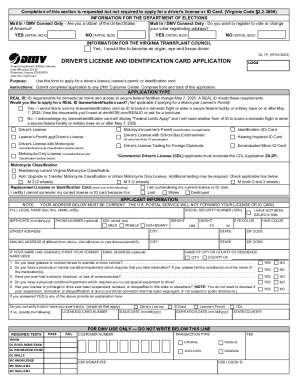
Fillable Form Virginia Drivers License Renewal

2023 Form OH BMV 4826 Fill Online, Printable, Fillable, Blank

Utah Duplicate Title Application Form - Fillable TC-123

Title and Registration (license plates issued)

DS-115 Used by out-of-state drivers to request restoration of their New York State driving privilege

Maximizing the Benefits of Housing Vouchers in New York

Applications and Forms - Cosmetology - State of Wyoming

Tier 2 1 financial disclosure

AFFIDAVIT STATE OF CALIFORNIA I living at

Criminal sentiments scale

Online health facility statistical report system
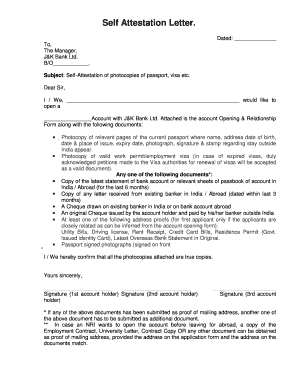
Self attested scanned copy of authorization letter on the letter head of the company agency

Ucpr Form 45 - Fill and Sign Printable Template Online

Mtis Nation of OntarioRegistryMtis of Ontario - Metis

Guide to private aerodromes form

M tis nation of ontario genealogical chart

CSA Notice And Request For - albertasecurities

Cosmetic notification form download

Pre-Authorized Payment Plan 333 Application

AMC - 30 - THE ISSUE AND VERIFICATION OF AN

GCIC NCIC CONSENT FORM - Kairos of Georgia - kairosofgeorgia
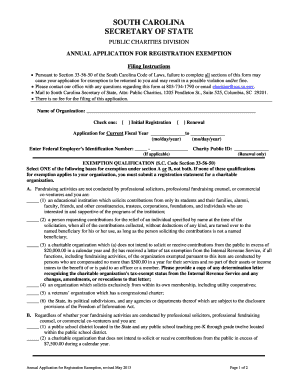
Application For Registration Exemption - South Carolina Secretary - davmembersportal

Soccer team registration forms

BEAUFORT COUNTY DIRECT DEPOSIT AUTHORIZATION FORM

Hazardous Waste Determination Form - rmu
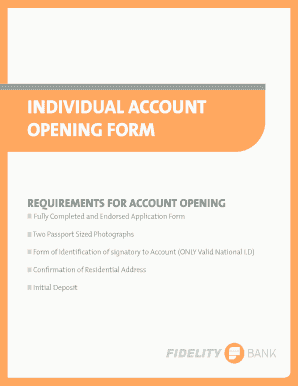
Fidelity bank account opening form

Echr application form
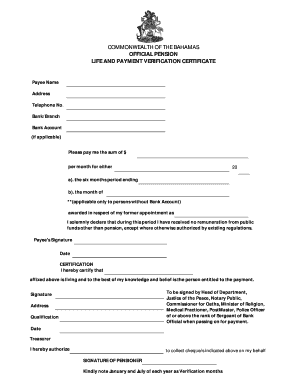
GENERAL FORM NO 20A COMMONWEALTH OF THE BAHAMAS - forms bahamas gov

Individual Account Opening FormB
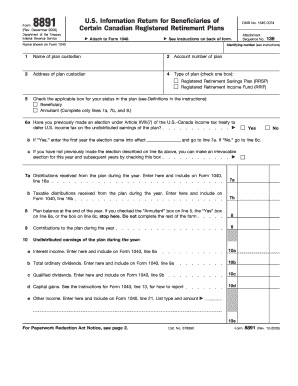
2006 irs 8891 form

Form 8725

FAQsMay I obtain more than one disability parking placard

Periodic residential tenancy agreement

DD Form 2642, "TRICARE DoD CHAMPUS MEDICAL CLAIM PATIENT'S REQUEST FOR MEDICAL PAYMENT"

How to Fill Out the DS-86; Statement You Did Not Receive

Claim for Disability Support Pension (SA466)

DSS-5165 Consent to Adult Adoption by Spouse of Petitioner

DSS-5165 Consent to Adult Adoption by Spouse of Petitioner - info dhhs state nc

FHCS Housing Counseling Program Disclosure Form - Generic Image - fairhousingakron

Ignition Interlock Program - Vehicle Service Affidavit (R 6 21) Washington State Patrol Impaired Dri
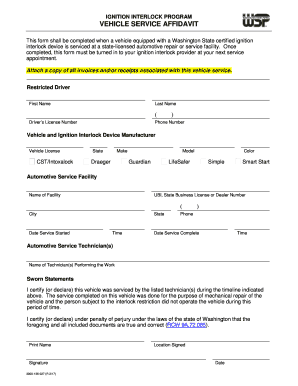
VEHICLE SERVICE AFFIDAVIT

State of new mexico uniform crash report instruction manual
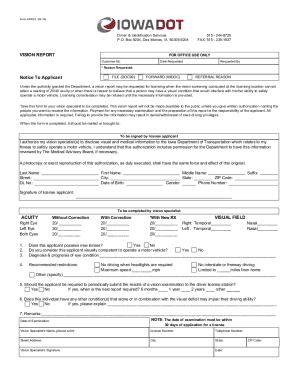
Bureau of Motor Vehicles - EYE EXAMINATION FORM

Form 8725 (Rev December 2015) - Internal Revenue Service

Tarion 11 pages delayed closing printable form

Irs apa annual report summary form

, or tax year beginning , 20 , and ending , 20

Form 1c Notice Of Termination - Fill Online, Printable

Lincoln financial group form 28835

Bookkeeping Engagement Letter Samples and Templates
Benefit from the DocHub online library of fillable PDF forms
Searching the PDF forms doesn't have to be a tedious and time-consuming process. With the DocHub online library, it has become easier to find the fillable PDF forms and modify them in your browser. The service allows you to adjust the document to your needs using powerful editing tools.
You can use online document editing features to modify almost any type of document with ease. You just need to find the template of your choice, open it in the editor, and use the toolbar to make the necessary corrections.
Follow this guide to get your document done with DocHub:
- Find the PDF template you need.
- Click the Get Form button to open the file in the editor.
- Use the toolbar to fill out and edit the document.
- Easily add and highlight text, insert images, checkmarks, and symbols.
- Drop new fillable fields, and rearrange or delete pages from your file.
- Save changes and download your record.
DocHub empowers everyone to streamline document editing, signing, and distribution, and form completion. Create an account and benefit from our well-organized PDF Forms library and comprehensive editor.