Edit PDFs from Gmail using an Add-on by DocHub

Simplify your document workflows right from your Gmail inbox. The DocHub Gmail Add-on lets you effortlessly edit, sign, and manage PDFs. No need to switch between apps.
4,5
585+ Google Workspace Marketplace Reviews
intro section decoration

Effortlessly manage document workflows directly from your Gmail inbox

slide

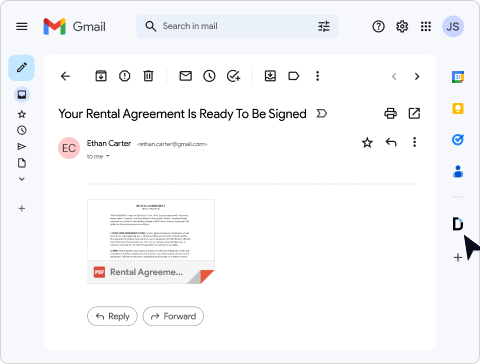
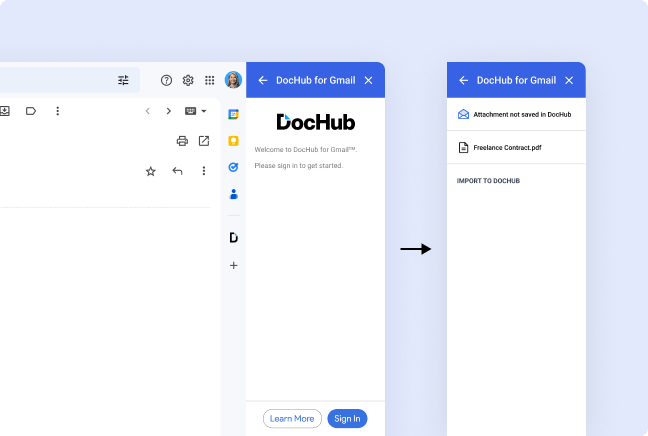
Import email attachments to the DocHub PDF editor

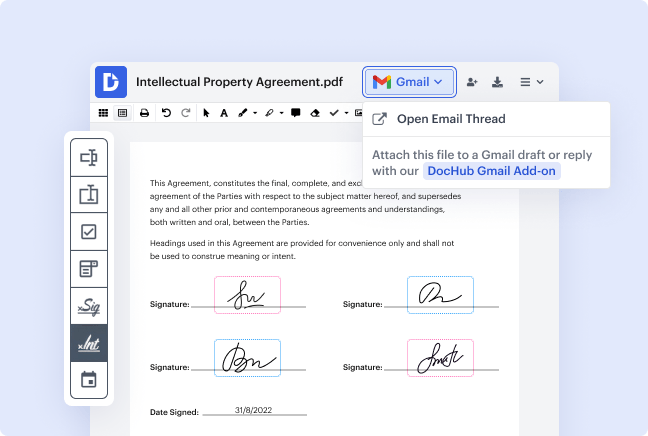
Open Gmail attachments in DocHub effortlessly. With a single click, you can start editing, annotating, or signing PDFs online directly from your inbox. No more juggling between applications or downloading unnecessary files.
slide

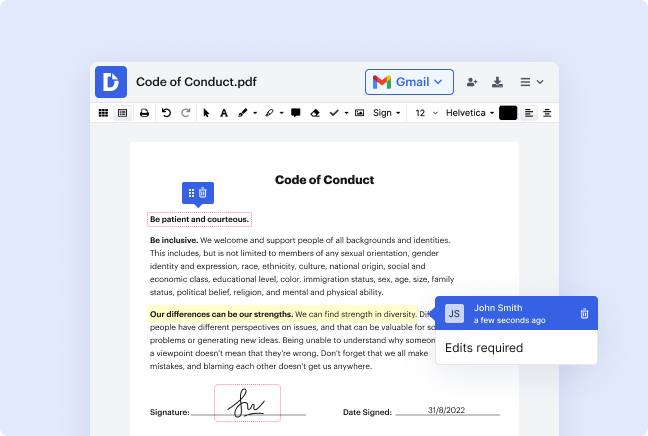
Edit and annotate PDFs from Gmail

Take your PDF document customization to the next level with DocHub’s powerful editing tools. Add text, images, or highlights, and erase existing text sections or leave comments to collaborate effectively. Ideal for both personal and professional use, you’ll be able to tailor PDF files quickly and easily.
slide

Fill out PDF forms directly from Gmail

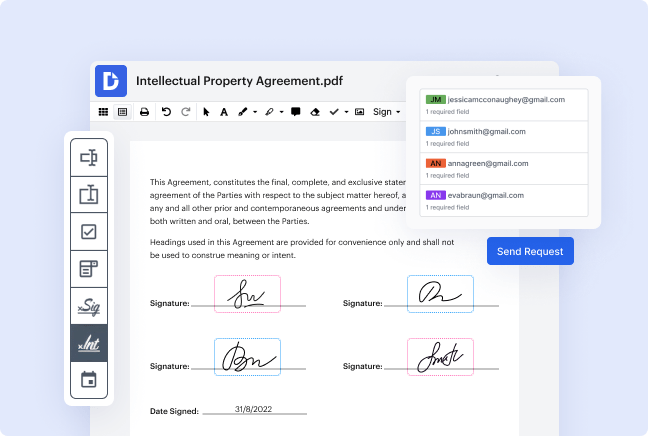
Transform static PDFs into fully interactive forms. The DocHub for Gmail add-on makes managing forms simple by enabling you to add checkboxes, text fields, and signature blocks directly from your Gmail attachment. Collaborate with others by sending fillable forms with ease.
slide

Sign documents and collect signatures

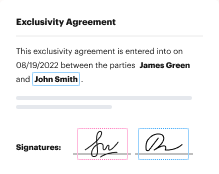
eSign PDFs effortlessly or request legally-binding eSignatures right from Gmail or Google Drive. Whether you need one signature or multiple, DocHub lets you collect them in the order you choose. Stay updated with notifications as your documents are signed and ready to send.
slide

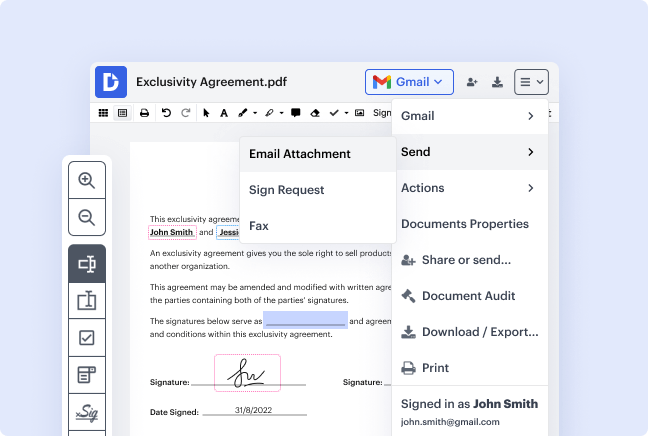
Reply with the edited documents

Save time by replying directly to emails with your finalized PDF files. With the DocHub Gmail Add-on, there's no need to download forms, edit them, convert to the new format, and re-upload them. Simply make your changes and attach the updated file to your reply, right from your inbox.

Keep your Google Docs and emails connected for maximum productivity

Save time

Eliminate the hassle of switching between applications, downloading attachments, or printing and scanning documents. Manage everything efficiently from your inbox.
benefit card decoration
Simplify collaboration

Work smarter with easy sharing and permission controls. Share editable and signable PDF files with your team or clients to ensure the right people have the right access.

Ensure security

Protect your files stored in Gmail with advanced security features. DocHub supports password protection, encrypted sharing, and two-factor authentication to keep your data safe.

Sign without delays

Stop waiting for long email loops to collect signatures. eSign documents instantly or send them out for signing without leaving Gmail, enabling faster decision-making.

benefit card decoration

Security and compliance

At DocHub, your data security is our priority. We follow HIPAA, SOC2, GDPR, and other standards, so you can work on your documents with confidence.

Learn more

Connect DocHub workflows to Gmail today

Edit, sign, and share documents seamlessly from Gmail.
Install add-on

How to edit PDFs from Gmail with the DocHub Add-on

Streamline your document workflows directly from Gmail with the DocHub add-on. This tool lets you edit, eSign, and share files seamlessly without leaving your inbox, saving you time and maximizing productivity. Check the troubleshooting guide to start in minutes.

Follow the steps to set up the add-on:

  1. Open Gmail on your computer browser and log in to your account.
  2. Look at the right side of the interface. You'll notice a column with various icons representing your active add-ons.
  3. At the bottom of this column, click the "+" symbol to access the Google Workspace Marketplace.
  4. Use the search bar to find "DocHub" and select it.
  5. Click Install and follow the prompts to link your accounts.
  6. Once installed, you can open email attachments directly with DocHub, allowing you to edit, eSign, and send PDF files in just a few clicks.

Take control of your documents with ease. Install the DocHub for Gmail today and experience seamless document management!


Got questions?

Here are some common questions from our customers that may provide you with the answer you're looking for. If you can't find an answer to your question, please contact us.
Contact us
The DocHub Gmail Add-on, available on the Google Workspace Marketplace, is designed to simplify PDF document workflows. It enables you to import attachments from Gmail directly into the DocHub editor, where you can edit, annotate, or eSign them. Once complete, you can create draft replies with the finalized PDF files attached, all without leaving Gmail.
To install the DocHub Add-on for Gmail from the Google Workspace Marketplace, you can visit the <a class="text-link" href="https://workspace.google.com/marketplace/app/dochub_for_gmail/449691897296">DocHub for Gmail™</a> page on the Google Workspace Marketplace.
Yes! After editing or signing a document in the DocHub PDF editor, the add-on allows you to save the updated file and attach it to a new Gmail draft. This feature ensures smooth and efficient communication without manually handling files.
No, the DocHub Gmail Add-on is free to use with any DocHub plan. However, upgrading to a Premium plan unlocks enhanced features such as unlimited signing, advanced editing tools, and priority support. Visit our Pricing page for more details.
The add-on supports various file types, including PDF files, Word documents, and other popular formats. Once imported from your Gmail inbox, these files can be edited, annotated, signed, or converted into form templates directly in the DocHub PDF editor. Streamline your Gmail-based workflows today with the DocHub Add-on for Gmail from the Google Workspace Marketplace. Editing, signing, and managing documents has never been easier!
DocHub has seamless integrations with both Google Drive and Google Docs. This allows you to easily import documents from your Google Drive into DocHub for editing and signing, as well as save your edited documents back to your Drive. You can also try the DocHub Extension, add to Chrome, and manage PDFs from your Google Chrome browser.