




01. Edit your esb networks nw1 form online
Type text, add images, blackout confidential details, add comments, highlights and more.

Type text, add images, blackout confidential details, add comments, highlights and more.

Draw your signature, type it, upload its image, or use your mobile device as a signature pad.

Send esb nw1 form via email, link, or fax. You can also download it, export it or print it out.
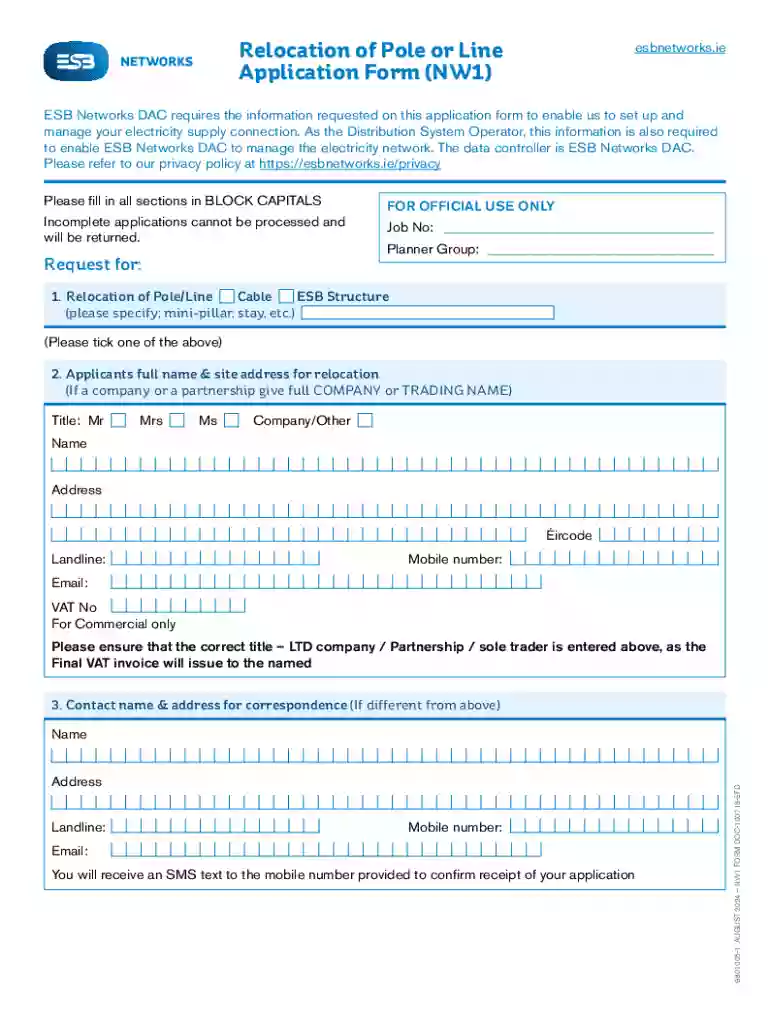
The NW1 form is a specialized document used for the purpose of requesting the relocation of electricity poles or lines by ESB Networks DAC. It requires applicants to provide detailed information regarding the relocation request, including personal details, site information, and a rationale for the relocation. This form ensures the submission of comprehensive data, which assists in a seamless review process.
Access the Form: Start by locating the NW1 form on the DocHub platform. You can access it directly through your web browser on any device.
Provide Personal Information: Input personal information such as your name, address, and contact details in the designated fields. Ensure all details are accurate to avoid delays.
Detail Site Information: Include specific site information where the electricity poles or lines are located and provide explicit reasons for the requested relocation.
Review and Annotate: Use the annotation tools to make notes or highlight important sections. This can aid in emphasizing critical information needed for ESB Networks DAC to process your application effectively.
Sign the Form: Add a legally binding electronic signature using the signature tools provided by DocHub. You may choose to draw, type, or upload your signature image.
Submit the Form: Once completed and reviewed, submit the form through the specified submission methods or share it as required directly from your DocHub account.
Initiate Document Editing: After accessing the form, begin by filling out all required fields. Mandatory fields ensure complete data capture necessary for processing.
Attach Supporting Documents: If necessary, attach related documents or maps that support your application. This may include diagrams indicating the current and proposed locations of the poles/lines.
Verify Data Entries: Before finalizing, double-check all entries for accuracy. Errors or omissions can lead to processing delays or rejection.
Apply for Signature: Create your electronic signature on DocHub and apply it to the designated area on the form. Save this signature for future use to streamline similar processes.
Save and Export: After signing, save your completed form securely and export it to your preferred location or storage service via DocHub.
Personal Details: Include fields for applicant identification, such as name and contact information.
Site and Relocation Details: Data fields for detailed descriptions of the current site conditions and relocation purposes.
Security Protocols: Integration of encryption and authentication measures to secure form data.
Signature Field: Dedicated space for electronic signature application, ensuring compliance with legal standards.
Property Owners: Individuals seeking to relocate electricity infrastructure on or near their property.
Contractors and Developers: Professionals involved in site development or construction projects who require electricity infrastructure adjustments to enhance site utility.


The NW1 form carries legal significance and should be submitted with accurate and truthful information. Applicants are advised to adhere strictly to the guidelines provided by ESB Networks DAC to ensure the form’s acceptance and comply with regulatory requirements.
ESB Networks DAC: The electricity utility company responsible for electricity distribution in Ireland, which reviews and processes NW1 forms.
Relocation Request: Formal application to change the position of electricity poles or lines based on site development needs or safety concerns.
While the NW1 form can be conveniently filled out and signed online via DocHub, traditional submission methods may also be available, including mailing hard copies or submitting in person at specified locations. However, online submission streamlines the process and offers more trackability and efficiency.
We've got more versions of the esb networks nw1 form form. Select the right esb networks nw1 form version from the list and start editing it straight away!
At DocHub, your data security is our priority. We follow HIPAA, SOC2, GDPR, and other standards, so you can work on your documents with confidence.







by AS Kristal 2020 Cited by 128 See Signing at the beginning makes ethics salient and decreases dishonest self-reports in comparison to signing at the end filling out a tax form compared
Feb 26, 2011 Very Brief Guide to London NW1. What, one may ask, can be found in northwestern central London? my 7 favorite places, Regents Park: It has


