
Get any PDF form from the DocHub library of ready-made templates - Page 427

Rita form 17

Spousal Support Only Income Withhholding Order Notice for Support

Odometer Disclosure Statement (MVR-180)

Fillable Online PDF Only - FinCEN Fax Email Print

Fillable Online Online Unofficial Review of College Courses Form

Ohio Financial Disclosure Form

Fillable Online persi idaho Persi rs121 fillable form Fax

Ipc test answers

DocHub form-library100679Pensioner Life Certificate Form - Fill and Sign Printable

MCAP Pre-Authorized Debit (PAD) Agreement enPDF

Mcap pad form

Executive evaluation form

Director Evaluation Form for Trustees

CRASH STATE OF NEW MEXICO Santa Fe Sherrifs Office UNIFORM

Attestation letter sample pdf
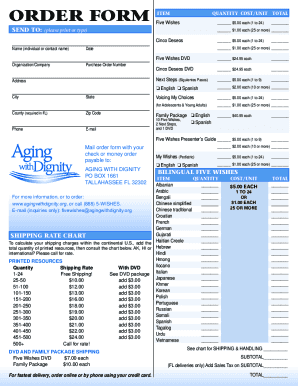
5 wishes printable
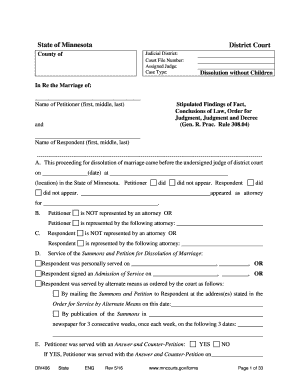
State of Minnesota - mncourts

Rita Net Profit Tax Return

Acr99019 ai

Please click on and refer to the yellow question marks

Ohio Nonresident Credit Calculation Form 2024
Maumee JEDZ Tax Return 2018

2025 PA-750R Form M-R, Wisconsin Manufacturing Real Estate Return

2024 Toledo Individual Tax Return

2024 Cleveland Ohio Municipal Income Tax Form
2025 D-101a Form 1-ES Instructions - Estimated Income Tax for Individuals, Estates, and Trusts

Ohio IT RE Amended Tax Form

Oregon Ohio Individual Income Tax Return

Wisconsin State Fair Quilt Entry Form

IRA Qualified Charitable Distribution Form

City of Perrysburg Tax Year Return of Income Tax Withheld Form PW-1

2023 IC-002 Form 4T Wisconsin Exempt Organization Business Franchise or Income Tax Return (fillable)

Withholding Tax Forms and Publicationsotr - DC

Motor Vehicle Division Form MV-1 Motor Vehicle Title

Get a paper form - Your Texas Benefits - Learn
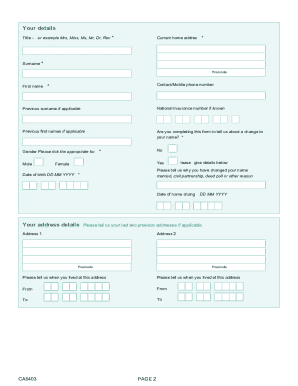
Your National Insurance number About this form When to complete this form Use this form to: request

Petition to Modify the Parent-Child Relationship

TC-891, Odometer Disclosure Statement

Bill of Sale

Bonded Title Application or Tax Collector Hearing Statement of Fact

Notice and Acknowledgement of Pay Rate and Payday Under Section 195 1 of the New York State Labor La

Affirmation of Compliance with Mandatory Industrial Insurance Requirements

NOTICE TO EMPLOYEE

About VA Form 21-0788 Veterans Affairs

Georgia SNAP Medicaid TANF Renewal Form

Form IT-201 Resident Income Tax Return Tax Year 2024

Maryland plates transfer

Pa Form Mv 140Fill Out and Use This PDF

Affidavit Consent For Minor To Drive

Ga temporary tag

Form IT-203 Nonresident and Part-Year Resident Income Tax Return Tax Year 2024

RCW 46 20 091: ApplicationPenalty for false statement

CF83 - Application to pay voluntary National Insurance contributions abroad Use this form to apply t

Department of State - e-Form RS Login

Capability for Work Questionnaire

Notice of Opt Out Election

SAG-AFTRA PERFORMERS PRODUCTION TIME REPORT

Company Tax Return - CT600 (2024) Version 3 A return includes a Company Tax Return form, any supplem

Pharmacist Retake Application

DD Form 2345, Militarily Critical Technical Data Agreement, March 2016

Haccp plan guidelines

Application for canada pension plan pension sharing of retirement pension(s)

Form 5506-NAR, Employment Verification

Window Tint Waiver

735-6883

Module 1 deductive reasoning lab answers

Document Assembly Blank File - Oklahoma Securities Commission - securities ok

Rose State College Honors Program Application

February 2005 - Oklahoma State Regents for Higher Education - okhighered

Web Complete Recommendations on the Utilization of Information Technology in the Oklahoma Higher Edu

Word Pro - Process Agenda - State of Oklahoma - state ok

WHAT'S HAPPENING AT NOC TONKAWA, ENID AND STILLWATER Published by Northern Oklahoma College Public I

History--teacher certification concentration - Murray State College!

Child Support Specialist Certification Job Profile Report - Oklahoma - okdhs

State ex rel Wasserman v Fremont

Call to Order Dr

Soulsby v Soulsby - Supreme Court of Ohio

Court - Ohio Department of Health - State of Ohio - supremecourt ohio

STATE OF OHIO BEFORE THE OHIO STATE EMPLOYMENT RELATIONS BOARD - serb state oh

Keeping The Best! - Ohio Department of Public Safety - publicsafety ohio

AGE - Department of Aging - Legislative Service Commission - lsc state oh

IN THE SUPREME COURT OF OHIO - Ohio Department of Insurance - insurance ohio

State ex rel FedEx Package Sys , Inc v Indus - Supreme Court - sconet state oh

Ohio Consumers' Counsel v Pub Util Comm - sconet state oh

Cuyahoga Cty Bar Assn v Scott-Chestang - Supreme Court

Novak, 112 Ohio St - sconet state oh

State ex rel United Auto , Aerospace and Agricultural Implement Workers of Am v Bur of Workers ' Com

Jordan, 89 Ohio St - sconet state oh

Earls v - sconet state oh

In re guardianship spangler ohio geauga form

State ex rel Brinkman v Indus Comm - sconet state oh

Ohio Civ Rights Comm v Akron Metro Hous Auth - Supreme Court - supremecourt ohio

State ex rel Sysco Food Serv of Cleveland, Inc v Indus Comm - sconet state oh

Greene Cty Agricultural Soc v Liming - Ohio Supreme Court

Katz v Ohio Ins Guar Assn - Supreme Court - sconet state oh

In re Baby Girl Doe - Supreme Court - sconet state oh

Robertson, 180 Ohio App - sconet state oh

Ohio Academy of Nursing Homes v Ohio Dept of - Supreme Court

Ruther v Kaiser (Slip Opinion) - Supreme Court - State of Ohio - sconet state oh

State ex rel Nossal v Terex Div of I B H - sconet state oh
Benefit from the DocHub online library of fillable PDF forms
Searching the PDF forms doesn't have to be a tedious and time-consuming process. With the DocHub online library, it has become easier to find the fillable PDF forms and modify them in your browser. The service allows you to adjust the document to your needs using powerful editing tools.
You can use online document editing features to modify almost any type of document with ease. You just need to find the template of your choice, open it in the editor, and use the toolbar to make the necessary corrections.
Follow this guide to get your document done with DocHub:
- Find the PDF template you need.
- Click the Get Form button to open the file in the editor.
- Use the toolbar to fill out and edit the document.
- Easily add and highlight text, insert images, checkmarks, and symbols.
- Drop new fillable fields, and rearrange or delete pages from your file.
- Save changes and download your record.
DocHub empowers everyone to streamline document editing, signing, and distribution, and form completion. Create an account and benefit from our well-organized PDF Forms library and comprehensive editor.