
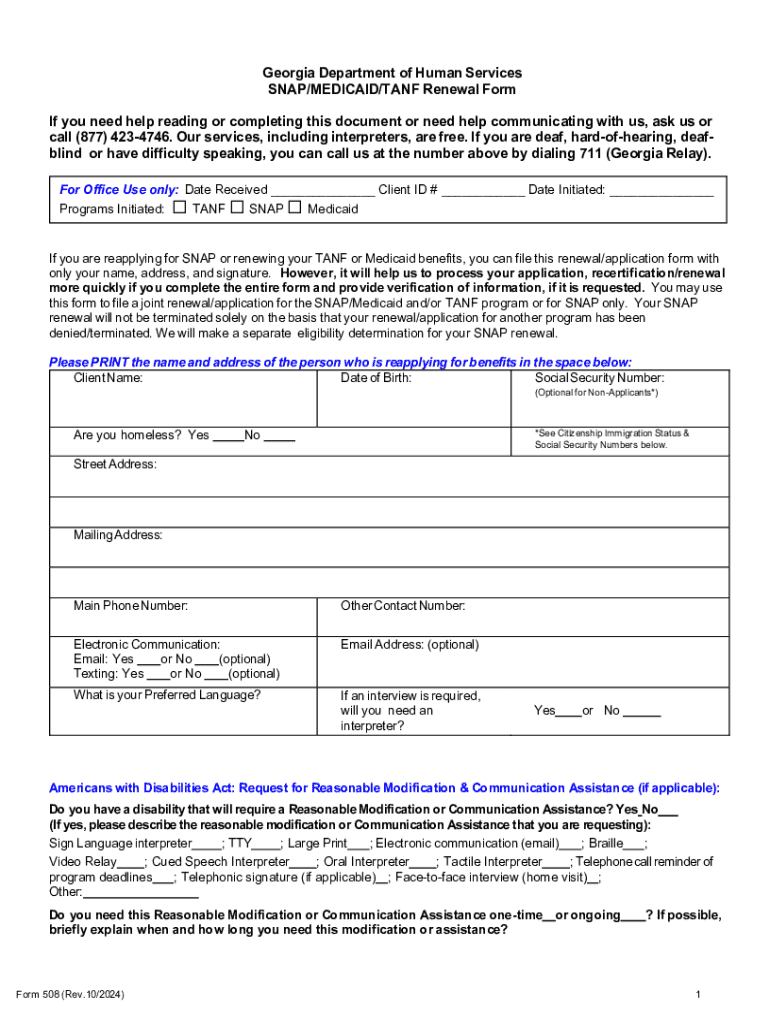







Definition & Importance of Online Forms
Online forms are digital tools that allow users to input and submit information over the internet through a structured interface. These forms can range from simple contact forms to complex application and registration forms. The significance of online forms lies in their ability to streamline the data collection process, making it efficient, rapid, and accessible. Unlike paper forms, online forms minimize errors and ensure immediate data transfer, enabling organizations to quickly process and respond to submissions. The structured format of these forms allows for easy data analysis and integration with digital systems, which is essential in today's data-driven environments.
Utilizing Online Forms Efficiently
To maximize the benefits of online forms, it is crucial to understand their features and functionality. Most platforms offering online forms emphasize user-friendly interfaces that guide users through the completion process step-by-step. The forms can be designed with various elements such as text boxes for detailed answers, checkboxes for multi-choice questions, and dropdown menus for standardized options. The inclusion of instructional text within the form helps users fill in their details accurately, reducing the likelihood of mistakes. Furthermore, leveraging pre-filled fields or saving progress can enhance the efficiency of completing long or complex forms. Overall, understanding these practical features ensures a seamless experience for both the form creator and the respondent.
Steps to Access and Complete Forms Online
Accessing and completing forms online often involves several straightforward steps, ensuring that users provide all necessary data:
-
Locate the Form: Forms are typically distributed through official websites or direct links sent by organizations.
-
Read Instructions: Before filling out the form, it's important to review any instructions or guidelines provided.
-
Input Information: Users should carefully enter their information in the appropriate fields, following any specified format.
-
Review Entries: Double-checking entered data helps prevent submission errors or omissions.
-
Submit the Form: Once filled out, the form is submitted with a click, usually accompanied by a confirmation message or email.
-
Save or Print Confirmation: It's advisable to save or print a copy of the submission confirmation for personal records.
Understanding this sequence ensures that users can efficiently submit the required information without unnecessary complications.
Advantages of Using Online Forms
Online forms present numerous benefits over their traditional paper counterparts, making them preferable in many situations:
-
Convenience: Users can fill these forms anytime and anywhere, provided they have internet access.
-
Environmental Impact: The digital nature of online forms contributes to paper reduction, supporting eco-friendly practices.
-
Speed and Efficiency: Data collected through online forms are immediately available for processing, facilitating rapid decisions and actions.
-
Cost Efficiency: Organizations save on printing and mailing costs, while automation reduces labor expenses.
-
Design Flexibility: Forms can easily be designed or altered to suit specific data collection needs without the constraints of physical layout.
These advantages underscore the increasing shift toward online forms across various sectors.
Primary Users of Online Forms
Online forms cater to a wide array of users across different industries and disciplines. Key users include:
-
Businesses: For client onboarding, feedback collection, and internal processes.
-
Educational Institutions: For student applications, surveys, and assessments.
-
Government Agencies: For citizen registrations, tax submissions, and service applications.
-
Non-Profit Organizations: For volunteer and donor registrations.
-
Healthcare Providers: For patient intake and feedback.
This wide range of users exemplifies the versatility and essential nature of online forms across diverse fields.
Key Elements of Effective Online Forms
To ensure effectiveness, an online form must incorporate several key elements:
-
User-Friendly Design: The layout should be intuitive, with clear labels and logical flow.
-
Responsive Fields: Forms should adapt seamlessly to various devices to maintain usability on desktops, tablets, and phones.
-
Security Features: Encryption and secure protocols protect the data submitted, safeguarding users' sensitive information.
-
Validation and Feedback: Instant feedback can alert users to any errors, improving data accuracy and form submission rates.
-
Accessibility Standards: Forms should be accessible to all users, including those using assistive technologies.
These elements contribute to a seamless user experience and accurate data collection.
Examples of Online Form Usage
Online forms are employed in numerous real-world scenarios, illustrating their practical applications:
-
Job Applications: Candidates submit resumes and personal details via structured forms for prospective employers.
-
Event Registrations: Participants can easily sign up for events and receive confirmation immediately.
-
Customer Feedback Surveys: Businesses use these forms to gather consumer insights and improve services.
-
E-Commerce Checkouts: Online purchase forms streamline the buying process, enhancing user experience.
These examples highlight the adaptability and crucial role of online forms in modern service delivery.
Digital vs. Paper Forms: A Comparative Insight
The comparison between digital and paper forms reveals clear distinctions:
-
Efficiency: Digital forms support immediate submission and processing, whereas paper forms require manual transfer.
-
Data Security: While both forms require security measures, digital forms often include encryption, offering robust data protection.
-
Storage and Retrieval: Digital forms allow easy storage and quick data retrieval, in contrast to the physical storage demands of paper forms.
-
Adaptability: Modifications are straightforward with digital forms, unlike the more resource-intensive adjustments needed for paper forms.
Understanding these differences can guide organizations in choosing the most suitable format for their needs.


