Handle Custom jewelry Order Forms quickly online

Document administration can overwhelm you when you can’t locate all of the forms you require. Fortunately, with DocHub's vast form categories, you can discover all you need and quickly manage it without changing among programs. Get our Custom jewelry Order Forms and begin working with them.

The best way to manage our Custom jewelry Order Forms using these easy steps:

  1. Check Custom jewelry Order Forms and choose the form you require.
  2. Review the template and click on Get Form.
  3. Wait for it to upload in the online editor.
  4. Change your template: add new information and pictures, and fillable fields or blackout certain parts if necessary.
  5. Prepare your template, save modifications, and prepare it for delivering.
  6. When you are ready, download your form or share it with other contributors.

Try out DocHub and browse our Custom jewelry Order Forms category without trouble. Get a free profile today!


Video Guide on Custom jewelry Order Forms management

video background

Commonly Asked Questions about Custom jewelry Order Forms

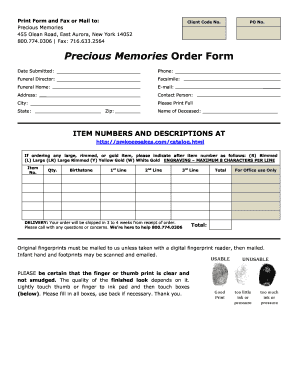
Steps to Create an Order Form Decide what to sell. Choose a form builder tool. Customize the template with proper fields. Add photos of the products. Customize the order form with branding. Set up a payment method. Set up a success message. Share the order form.
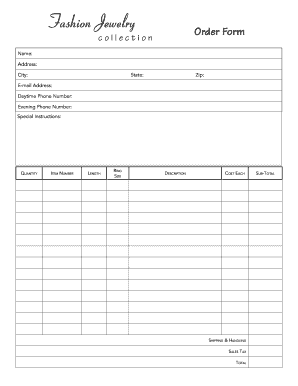
Must-have components for creating an order form. Contact information. Name, email address, phone number, and shipping address are necessary pieces of information to gather from your buyers. Product description. Payment information. Shipping and handling. Order summary. Terms and conditions. Visuals. Order confirmation.
First, label your form and add the question you want to ask as a multiple-choice grid. Add each item you want respondents to select from as a row, and add each ranking option you want to use as a column. Toggle on Require a response in each row to make sure each item will be given a ranking.
Create a Google Forms purchase order Go to docs.google.com/forms. Select a template. While this is an optional step you can also create a form from scratch you can find free templates online that will give you a good start. Google Forms also offers free templates you can modify.
How to make a purchase order form in Google Forms Step 1: Create a form. Step 2: Add the relevant purchase order details. Step 3: Download Payable Forms from Google Marketplace. Step 4: Adjust your sharing details. Step 5: Embed and share your form. No dedicated payment field. Fees on every purchase.
Fine jewelry will always have traditional appeal and an allure through classic designs. On the other hand, semi-fine and fashion jewellery present new, contemporary designs and stylish ways of wearing them. Try stacking gemstone rings, wearing a double chain necklace or layering with two or three chains.
How to Make a Shirt Order Form on Google Forms Launch Google Forms. Create a new form by clicking the + Blank or Blank Form option. Give Your Form a Name and Description. Add T-Shirt Order Questions. Customize Question Types. Personalize Your Forms Appearance. Share Your T-Shirt Order Form. Keep Tabs on Incoming Order.
Step 1: Create an online order form using Google Form Create a new Google Form. Start by adding the products/items that are available for sale, with their names as questions in Google Forms. (Optional) Add images of your products. Add a dropdown to let your customers choose how many packets or kilos they want.