
Get in-person signatures without the paper hassle

Collect legally binding eSignatures on your device during face-to-face meetings. Enjoy fast and secure transactions without paper and email follow-ups.

Drag and drop document here to upload

Upload documents of up to 31 MB in PDF, DOC, DOCX, RTF, PPT, PPTX, JPEG, PNG, or TXT

Aug 6th, 2022
forms filled out
0
forms filled out
forms signed
0
forms signed
forms sent
0
forms sent
Service screenshot
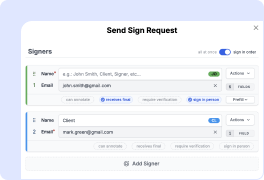
01. Get your document ready with all the necessary fields, then enable in-person signing in sing invite.
Service screenshot
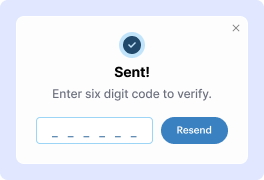
02. Ask signers to verify their identity via a code sent to their email or phone number before they sign.
Service screenshot
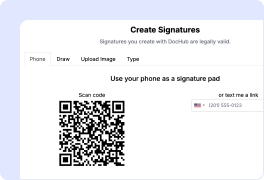
03. Pass the device to the signer. They can add their signature by typing, drawing, or uploading its image.
Service screenshot
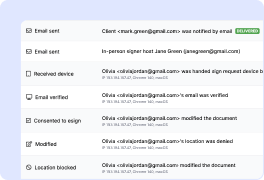
04. Get the finalized document with a detailed audit trail showing who signed it and when.

Experience the benefits of In-Person Signing

Seal deals faster
No more waiting for a signature. With in-person signing, you can close deals right over the table. No need to wait for emails, send individual signing links, or deal with printouts.
Enhance security
Every signature you collect is legally binding and comes with a tamper-proof audit trail that records all changes. You can also require signers to verify their identity for extra security.
Deliver smooth signing experience
Give your clients a signing experience that's fast, secure, and straightforward. Showcase your brand as reliable and tech-savvy.
Work from anywhere
Close deals wherever business happens. With mobile-optimized in-person signing, you can collect signatures on the spot from your phone, tablet, or laptop.
!
Note: In-person signing is a value-added feature available in the Pro plan.

In-person signatures for your critical documents

Onboarding documents illustration

Onboarding documents

Onboarding a new employee or client? They can sign contracts, NDAs, or forms directly on your tablet during the welcome meeting, with no paper or follow-up hassle.

Sales contracts illustration

Sales contracts

Whether it's a meeting with a business partner or a deal with a customer, In-Person Signing helps you turn handshakes into closed deals in seconds.
Field service agreements illustration

Field service agreements

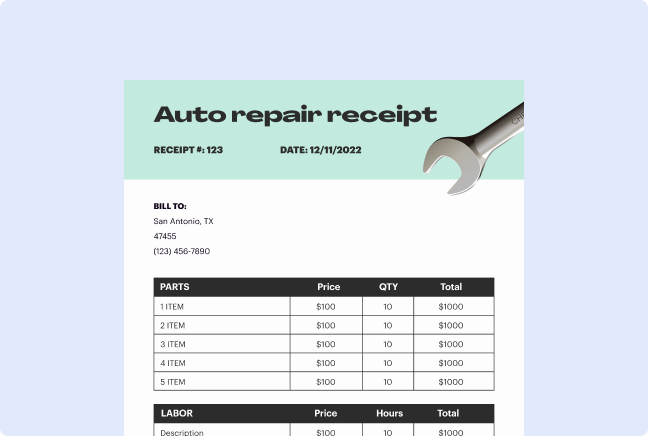
Capture signatures for service orders where work happens — whether it’s a home repair, inspection, or delivery — no paper required.
Legal & medical forms illustration

Legal & medical forms

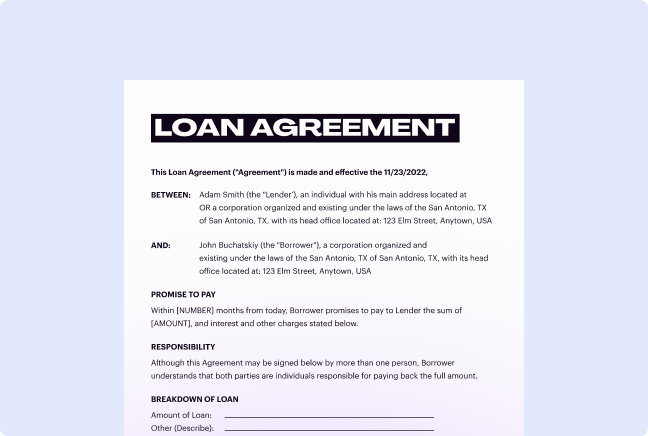
Get clients to sign consent forms, waivers, or other documents in person, at a law firm or clinic, in seconds. It’s fast, secure, and completely paper-free.
How to use in-person electronic signatures in DocHub

Form edit decoration

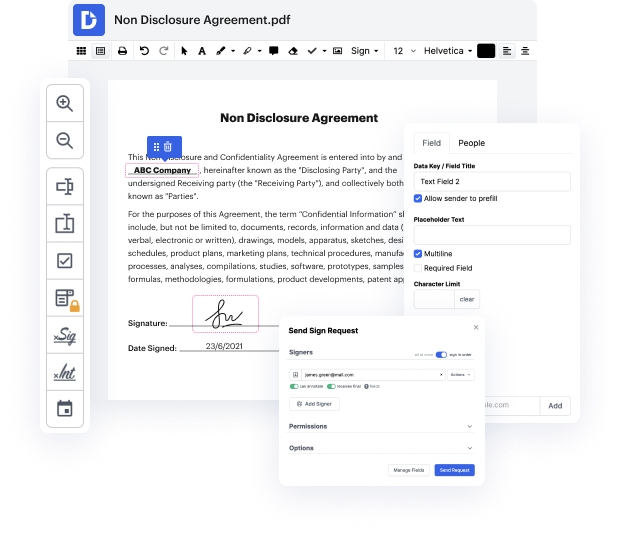
DocHub's in-person signing feature transforms how you collect legally-binding eSignatures during face-to-face interactions.

Perfect for banks, medical offices, and sales teams, this Pro-level capability enables on-the-spot signing on any device while maintaining the security and compliance of traditional eSignatures.

How to complete face-to-face signing

  1. Open DocHub in a web browser and log in to your Pro account, or create one starting a free trial.
  2. Upload a document from your device, Google Drive, or other cloud storage.
  3. Use the editing toolbar to add extra fields and prepare the form for signing.
  4. Proceed to “Send Sign Request” and activate in-person signing mode and signer verification.
  5. Ask the signer to verify their identity through a verification code delivered to their email or mobile device.
  6. After authentication, click “Begin In-Person Signing”, and pass the device to the first signer, who can then type, draw, or upload their signature image.
  7. Receive your device back and initiate the process for other parties.
  8. Get the finalized document with a tamper-proof audit trail.

With our new functionality, you'll reduce paperwork and close deals faster while maintaining an enhanced customer experience. Ready to transform your document workflows? Start using DocHub today.

Get PDFs done faster – easier than ever

edit PDFs icon
Edit PDFs from anywhere
DocHub's editing tools make it easy to keep your work flowing from anywhere. Add text and images, exchange comments, highlight important content, erase information, and underline or strike out text with ease. Rearrange, add, or delete pages or merge PDFs to create polished documents.
teamwork icon
Get documents signed online
Close deals faster without chasing signatures for days and hassling with physical documents. Sign contracts and agreements electronically in seconds or send them for legally binding eSignature. With instant notifications and a detailed audit trail, you'll never lose sight of your deals.
cloud saving icon
Collect data with ease
Eliminate manual steps in your data collection process. Publish fillable PDFs online for quick completion on any device. Transform your documents into reusable templates, allowing recipients to easily fill out their copy in minutes.
Google apps icon
Simplify document sharing
Share PDFs via public or private links and allow others to review, edit, or complete them online. Send documents with role-based permissions for quick and secure approvals. Additionally, you can share your documents by email or fax.
edit PDFs icon
Work seamlessly in Google apps
DocHub integrates with your favorite Google Workspace apps, allowing you to import, edit, sign, and save documents right from Google Drive, Gmail, Google Classroom, or Chrome without any back-and-forth.
security icon
Use DocHub on any device
Stay productive even on the go. DocHub works on mobile devices just as smoothly as on desktop computers. With DocHub's mobile and web app, you can edit, annotate, and sign documents conveniently from your smartphone or tablet.
dochub-logo
google-logo

Drive efficiency with the DocHub add-on for Google Workspace

Access documents and edit, sign, and share them straight from your favorite Google Apps.
Install now

See In-Person Signing in action

4.7 out of 5
31 votes

When it comes to creating a document, any text editor will do the job. But after it is converted to a different format, experience with default editing tools may be frustrating. DocHub is a tool created specifically to edit [Form Name] online. All you need to start working with documents is to create a DocHub account. When in the editor mode, all the instruments are before your eyes, and there is no need to worry about the formatting of the document that may turn out messy.

Use the intelligible toolbar to edit your form or create one from scratch. Mark the field that must be filled as such or specify the content to be added to these fields. If you need to make changes to the existing file, upload it to the interface and choose to recognize all the necessary fields as fillable. Finally, if you need your document signed, you can also do it in the interface by adding a specific signature field.

video background

Got questions?

Here are some common questions from our customers that may provide you with the answer you're looking for. If you can't find an answer to your question, please don't hesitate to reach out to us.
Contact us
An in-person electronic signature is an eSignature captured when the signer is physically present with the document owner. It allows you to hand your device to clients, customers, or partners so they can sign on a tablet, iPad, or any touchscreen device right on the spot. This wet signature alternative combines the convenience of eSignatures with the personal touch of face-to-face interactions, making it ideal for banks, hospitals, retail locations, and sales teams.
An in-person signer is someone who signs a document during a hosted session while physically present with the document owner. You pass a shared device to the signer, who verifies their identity via email or phone before signing. This method reduces paperwork and ensures faster document turnaround while maintaining eSignature security and compliance.
The new attended signing feature in DocHub enables you to collect signatures during face-to-face meetings or appointments. Prepare your document, enable the in-person signing mode, and activate identity verification to ensure signer authentication. Your client or customer signs directly on your shared device using their finger, stylus, or by uploading a signature image.
Only the document owner needs a DocHub Pro account to host signing sessions. The in-person signer doesn't require an account, login credentials, or email address to complete the signature process. This streamlined approach eliminates technical barriers, allowing you to close deals faster without complicated setup requirements.
DocHub's in-person electronic signatures are legally binding and compliant with the key industry regulations (ESIGN Act and UETA). Each signature includes a tamper-proof audit trail that records timestamps, IP addresses, and verification details to ensure document authenticity.
Attended signing offers faster document turnaround than email-based workflows, allowing you to eliminate printing and scanning while maintaining the personal connection of face-to-face interactions. It enhances customer experience as clients complete documents immediately without checking their email or remembering passwords.
The digital signature in-person feature is an advanced functionality designed to help businesses close deals faster and streamline workflows. It is currently available exclusively for DocHub’s Pro users. If you have a Free or Basic subscription, upgrade to Pro to host an attended signing session.
On-the-spot eSignatures are highly beneficial for immediate, personal interactions like sales contracts, client onboarding, front desk waivers, or event registration. They allow instant signing in the presence of a client, eliminating email follow-ups. This streamlines workflows for time-sensitive tasks, like event registrations, bank services, signing sales contracts or NDAs, or document notarization.
An electronic signature (eSignature) is a broad term for any electronic symbol, sound, or process that indicates a person's intent to sign and agree to the terms of a document. It can often be as simple as a typed name, a drawn signature, or an image of a handwritten signature attached to a document. A digital signature, however, is a specific, technology-driven type of eSignature that relies on cryptographic techniques like Public Key Infrastructure (PKI).
In the U.S., electronic signatures are legally valid for most commercial and legal documents under laws like the ESIGN Act and UETA. However, wills, codicils, testamentary trusts, adoption, or divorce papers often still require a traditional wet signature. Always check local laws to ensure an eSignature is legally acceptable, especially for documents that need notarization or have specific legal requirements.

See why our customers choose DocHub

Great solution for PDF docs with very little pre-knowledge required.
"Simplicity, familiarity with the menu and user-friendly. It's easy to navigate, make changes and edit whatever you may need. Because it's used alongside Google, the document is always saved, so you don't have to worry about it."
Pam Driscoll F
Teacher
A Valuable Document Signer for Small Businesses.
"I love that DocHub is incredibly affordable and customizable. It truly does everything I need it to do, without a large price tag like some of its more well known competitors. I am able to send secure documents directly to me clients emails and via in real time when they are viewing and making alterations to a document."
Jiovany A
Small-Business
I can create refillable copies for the templates that I select and then I can publish those.
"I like to work and organize my work in the appropriate way to meet and even exceed the demands that are made daily in the office, so I enjoy working with PDF files, I think they are more professional and versatile, they allow..."
Victoria G
Small-Business
be ready to get more

Edit and sign PDF for free

Get started now



