
Turn your mobile device into a secure, self-serve signing station with Kiosk Mode. Collect multiple in-person signatures — without sending links, emails, or asking for logins.


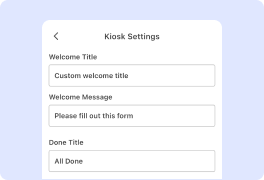
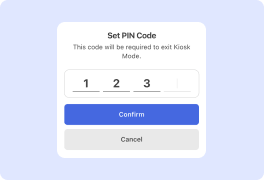
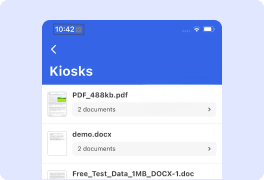
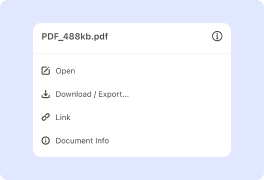

Use Kiosk Mode for events, conferences, workshops, or office visitor check-ins. Have attendees sign in or agree to terms quickly, without logins, email follow-ups and paper copies.

Let patients sign consent and intake forms on a Kiosk Mode mobile device. One tap resets the session, keeping data secure and the line moving fast.

Place a Kiosk Mode tablet at the front desk for gyms, schools, camps or wellness events. New members sign waivers on arrival, and forms are saved to the cloud for easy access.

Set up Kiosk Mode tablet at events, conferences, workshops, or mobile vaccination clinic. Attendees register and sign consent forms on-site, keeping the process fast, secure and paper-free.

Whether you need to streamline patient intake, event registration, visitor agreements, or legal waivers, try DocHub’s new feature. No more logging in and out for each signer: Kiosk Mode resets automatically after each session, ensuring privacy and efficiency.
Your seamless experience of signing documents and filling out forms by multiple users is a few clicks away. Follow our simple instructions to see it in action:
That’s it! Now you can open the saved documents in the kiosk, download, or share them as your workflow requires. Now you can simplify the signing process with your phone or tablet, offering a secure and convenient signing experience for your customers.
Explore the benefits of DocHub.


When it comes to creating a document, any text editor will do the job. But after it is converted to a different format, experience with default editing tools may be frustrating. DocHub is a tool created specifically to edit [Form Name] online. All you need to start working with documents is to create a DocHub account. When in the editor mode, all the instruments are before your eyes, and there is no need to worry about the formatting of the document that may turn out messy.
Use the intelligible toolbar to edit your form or create one from scratch. Mark the field that must be filled as such or specify the content to be added to these fields. If you need to make changes to the existing file, upload it to the interface and choose to recognize all the necessary fields as fillable. Finally, if you need your document signed, you can also do it in the interface by adding a specific signature field.








