




Here's how it works

01. Edit your dochub com fillable form online
Type text, add images, blackout confidential details, add comments, highlights and more.

02. Sign it in a few clicks
Draw your signature, type it, upload its image, or use your mobile device as a signature pad.

03. Share your form with others
Send temporary guardianship form hawaii via email, link, or fax. You can also download it, export it or print it out.
How to use or fill out temporary guardianship hawaii with our platform

- Click ‘Get Form’ to open the temporary guardianship form in the editor.
- Begin by entering the child's full name and date of birth in the designated fields. This information is crucial for identifying the minor involved.
- Next, provide your full name and contact information as the guardian. Ensure that all details are accurate to avoid any legal complications.
- In the section regarding the duration of guardianship, specify the start and end dates clearly. This helps establish a clear timeframe for your guardianship responsibilities.
- Review any additional sections that may require signatures from other parties involved, such as parents or co-guardians. Use our platform’s signature feature to sign electronically.
- Once all fields are completed, save your document. You can then download it or share it directly via email for free using our distribution options.
Start filling out your temporary guardianship form today with our easy-to-use editor!
Fill out temporary guardianship hawaii online
It's free
See more temporary guardianship hawaii versions
We've got more versions of the temporary guardianship hawaii form. Select the right temporary guardianship hawaii version from the list and start editing it straight away!
Security and compliance
At DocHub, your data security is our priority. We follow HIPAA, SOC2, GDPR, and other standards, so you can work on your documents with confidence.
Learn more


Related forms
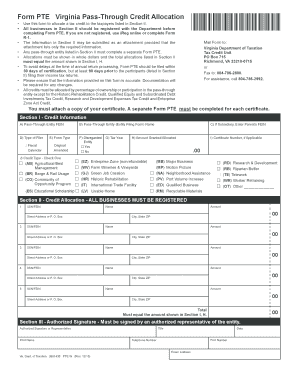
Va pte 2015 form
The document outlines the process for allocating tax credits to taxpayers through Form PTE in Virginia. It specifies tha ...

Minnesota Insulin-Treated Diabetes Mellitus Report
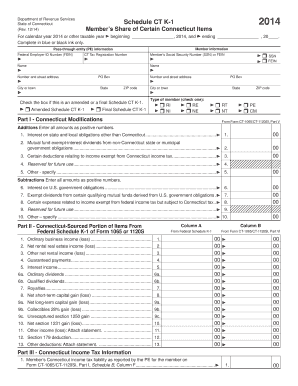
Ct k1 2014 form
The document is the Schedule CT K-1 for the State of Connecticut, which outlines the member's share of certain Connectic ...

Missouri revenue license plates
The document is a Physician’s Statement for Disabled License Plates or Placards in Missouri, which must be completed by ...

Cmmc medical records
The document is an authorization form for the release of medical information, allowing a patient to specify which medica ...

Tlc paratransit checklist
The document is a checklist for submitting applications related to changes in the status of a paratransit base, includin ...

Form sc 990 t 2014
The document is the South Carolina Department of Revenue's Exempt Organization Business Tax Return (SC990-T), which outl ...

THE NORTH FACE CONSUMER REPAIR RETURN FORM Please complete all applicable fields of this form and at
THE NORTH FACE CONSUMER REPAIR RETURN FORM Please complete all applicable fields of this form and at
The document is a Consumer Repair Return Form for The North Face, outlining the process for returning products under war ...