What is Visual Edit in DocHub?
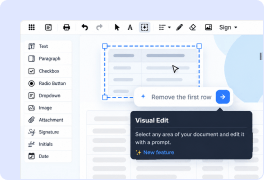
Visual Edit is an AI-powered PDF editing feature that lets you select an area of a PDF and transform it using a natural-language prompt. You can change text, formatting, layout, colors, logos, tables, and other document elements, or improve the visual quality of the selected area.
How does Visual Edit work?
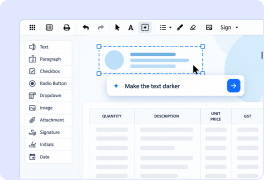
Open a document in the DocHub editor and select Visual Edit Select the area of the page you want to change, then enter a prompt describing the desired edit. Visual Edit generates an updated version of that area directly in your document.
What can I change with Visual Edit?
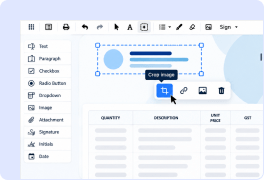
Visual Edit can change text, formatting, layouts, colors, logos, tables, and other elements within a selected area. It can also improve the visual quality of existing content. Because one prompt can address different elements together, Visual Edit is particularly useful for complex PDF edits.
Why use Visual Edit instead of standard PDF editing tools?
Visual Edit lets you describe the result you want instead of manually recreating each element. It can transform text, formatting, layout, and visual elements together within the selected area, helping you make complex changes directly in DocHub without moving the content to a separate design or editing tool.
Can I make multiple PDF changes with one Visual Edit prompt?
Yes. A prompt can request multiple changes within the selected area, such as updating text while changing its formatting, layout, colors, or other visual elements. This makes it easier to handle edits that would otherwise require several separate editing steps.
Can I refine a Visual Edit result with follow-up prompts?
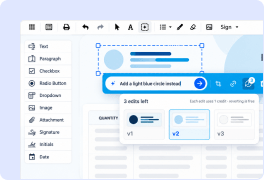
Yes. Follow-up prompts build on the latest generated result, so you can continue refining the same area without selecting it again or starting from scratch. Each follow-up prompt counts as one generation.
Can I undo or redo changes made with Visual Edit?
Yes. You can use Undo and Redo to move between generated versions, making it easier to review different results while refining your edit.
Are there any limitations when editing PDFs with Visual Edit?
Yes. Visual Edit works on a selected area within one PDF page at a time. The generated result is rendered as visual content, which means text changed through Visual Edit is no longer editable as regular PDF text. Most edits take about half a minute to 1 minute depending on the complexity
How many Visual Edit generations can I use?
Visual Edit is available to DocHub users within monthly generation limits. Free and Basic users receive 1 generation per month, while Pro users receive 6 generations per month. Each initial prompt and each follow-up prompt counts as one generation. Users on the Pro plan can purchase additional generation packages.
Is Visual Edit available to all DocHub users?
Yes. Visual Edit is available to Free, Basic, and Pro users. The number of AI-powered Visual Edit generations available each month depends on your DocHub plan: Free and Basic users receive 1 generation per month, and Pro users receive 6.