




Here's how it works



How to use or fill out j 130 agent form with our platform

- Click ‘Get Form’ to open the j 130 agent form in the editor.
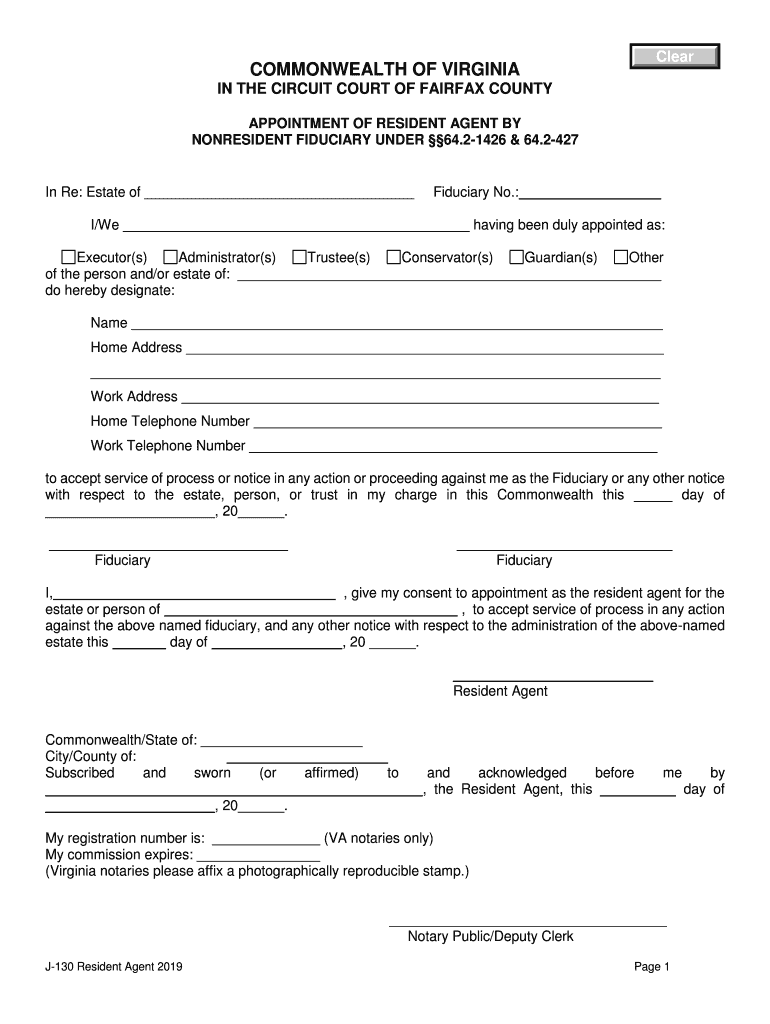
- Begin by entering the name of the estate in the designated field labeled 'In Re: Estate of'.
- Fill in your Fiduciary Number, which is essential for identification purposes.
- Indicate your role by selecting from options such as Executor, Administrator, Trustee, etc., and provide your name.
- Complete the address fields for both home and work addresses of the designated resident agent.
- Input contact numbers for both home and work to ensure effective communication.
- Date the form appropriately and sign where indicated as the Fiduciary.
- The resident agent must also sign and date their consent section, confirming their appointment.
- Finally, ensure that a notary public completes their section to validate the document before submission.
Start using our platform today to easily fill out your j 130 agent form online for free!
It's free
See more j 130 agent form versions
Got questions?
How do I sign my j 130 agent form for free?
Most eSignature services require users to have a paid subscription. With DocHub, there are two ways for you to add an electronic signature to your j 130 agent form at no cost:
- You can do it during a 7-day trial period;
- You can subscribe to a free plan.
The second option, though, has restrictions on the number of signatures, sign requests, emails, and forms for adjusting available per month. You can check for full details here.
How do you complete j 130 agent form on Android?
It is a no-brainer on a computer or via a mobile phone to complete a j 130 agent form with DocHub. All you need to do is open any installed web browser on your smartphone and go to the DocHub website. Once authenticated, add your file and open it in editing mode. Use our toolbar to make your edits and save changes. Optionally, keep your file in your files or send it to a recipient immediately.
What is DS 156 form?
Do I need I-94 to enter US?
What is a J-1 form?
Security and compliance
At DocHub, your data security is our priority. We follow HIPAA, SOC2, GDPR, and other standards, so you can work on your documents with confidence.
Learn more


