




Here's how it works

01. Edit your cpcs card checker gov online
Type text, add images, blackout confidential details, add comments, highlights and more.

02. Sign it in a few clicks
Draw your signature, type it, upload its image, or use your mobile device as a signature pad.

03. Share your form with others
Send cpcs card checker via email, link, or fax. You can also download it, export it or print it out.
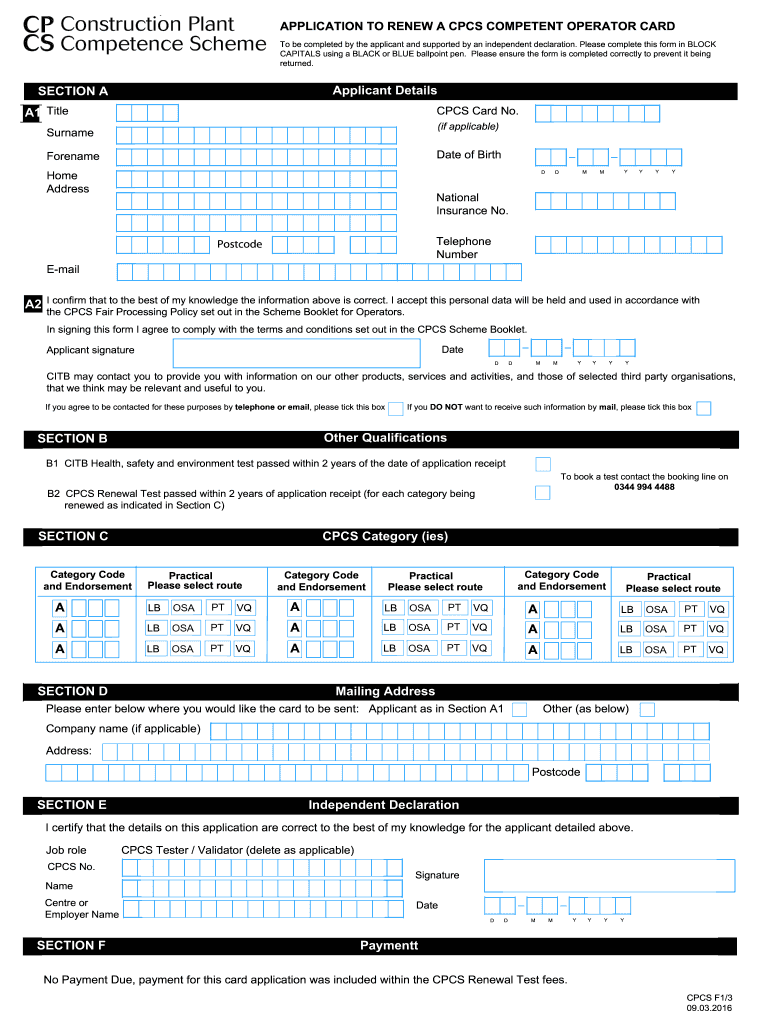
How to use or fill out APPLICATION TO RENEW A CPCS COMPETENT OPERATOR CARD To be completed by the applicant and supported by an independent declaration with our platform

- Click ‘Get Form’ to open it in the editor.
- Begin with Section A, filling in your Title, CPCS Card Number (if applicable), Surname, Date of Birth, Forename, Home Address, National Insurance Number, Telephone Number, Postcode, and Email. Ensure all details are accurate.
- In Section B, confirm that you have passed the CITB Health, Safety and Environment test within the last two years. You do not need to attach evidence as this can be validated independently.
- For Section C, select the appropriate CPCS categories you are renewing and indicate the route taken for each (Logbook, On-site Assessment, or Practical Test).
- Complete Section D with your preferred mailing address for the card. If left blank, it will default to your home address from Section A.
- In Section E, ensure an independent declaration is signed by a CPCS Tester or Validator confirming your identity and application details.
- Finally, review all sections for accuracy before submitting your application through our platform.
Start using our platform today to streamline your application process for free!
Fill out APPLICATION TO RENEW A CPCS COMPETENT OPERATOR CARD To be completed by the applicant and supported by an independent declaration online
It's free
It's free
See more APPLICATION TO RENEW A CPCS COMPETENT OPERATOR CARD To be completed by the applicant and supported by an independent declaration versions
We've got more versions of the APPLICATION TO RENEW A CPCS COMPETENT OPERATOR CARD To be completed by the applicant and supported by an independent declaration form. Select the right APPLICATION TO RENEW A CPCS COMPETENT OPERATOR CARD To be completed by the applicant and supported by an independent declaration version from the list and start editing it straight away!
Security and compliance
At DocHub, your data security is our priority. We follow HIPAA, SOC2, GDPR, and other standards, so you can work on your documents with confidence.
Learn more


