




Here's how it works

01. Edit your c8 1 form online
Type text, add images, blackout confidential details, add comments, highlights and more.

02. Sign it in a few clicks
Draw your signature, type it, upload its image, or use your mobile device as a signature pad.

03. Share your form with others
Send c4 form workers comp via email, link, or fax. You can also download it, export it or print it out.
How to use or fill out c 8 1 form with our platform

- Click ‘Get Form’ to open the c 8 1 form in the editor.
- Begin by entering the 'Carrier Name' at the top of the form. This identifies the insurance provider involved.
- In the 'CHECK TYPE OF CASE' section, select one of the options: Workers' Compensation, Volunteer Firefighter, or Volunteer Ambulance Worker.
- Fill in all required fields such as W.C.B Case Number, Carrier Case Number, and Date of Injury. Ensure accuracy for effective processing.
- Complete Part A by detailing objections regarding future treatment. Specify reasons clearly and attach any necessary medical reports.
- In Part B, provide information about any disputed bills. Include amounts and legal objections as applicable.
- Review all entries for completeness and accuracy before submitting your form through our platform.
Start using our platform today to fill out your c 8 1 form easily and for free!
Fill out c 8 1 form online
It's free
Security and compliance
At DocHub, your data security is our priority. We follow HIPAA, SOC2, GDPR, and other standards, so you can work on your documents with confidence.
Learn more


Related forms
Experimental Investigation of Void Fraction - ideals illinois
The document presents an experimental investigation of void fractions during the condensation of refrigerants R-134a and ...
Metrobus Service Guidelines doc This application form is a fillable form used for new or renewal shu
Metrobus Service Guidelines doc This application form is a fillable form used for new or renewal shu
The document outlines the Metrobus Service Guidelines established by WMATA to evaluate and improve regional bus services ...

REQUEST FOR SPONSORSHIP
The document is a sponsorship request for the Bartlett High School Girls Softball Program, highlighting that the program ...

File Menu Functions - Alpha Anywhere Documentation - Alpha Software
The document provides a comprehensive guide to using WebConnect, an online platform for accessing student loan accounts ...
Team Roster
The document is a team roster for the Oahu VBC's Girls' 18 Gold volleyball team, OAHU 18s Paula, detailing player names, ...
Virginia District 7 Little League Umpire Association By-Laws
The document outlines the By-Laws of the Virginia District 7 Little League Umpire Association, detailing its purpose, st ...
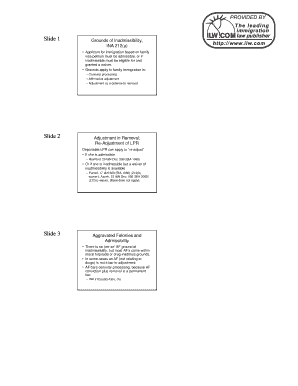
Grounds of Inadmissibility,
The document provides an overview of the grounds for inadmissibility under the Immigration and Nationality Act (INA) Sec ...
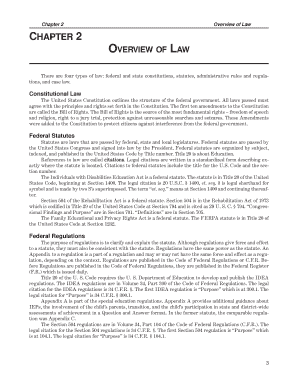
Overview of Law
Chapter 2 provides an overview of law, detailing the four types of law: constitutional law, federal statutes, federal re ...