




Here's how it works

01. Edit your jv 595 online
Type text, add images, blackout confidential details, add comments, highlights and more.

02. Sign it in a few clicks
Draw your signature, type it, upload its image, or use your mobile device as a signature pad.

03. Share your form with others
Send jv 575 via email, link, or fax. You can also download it, export it or print it out.
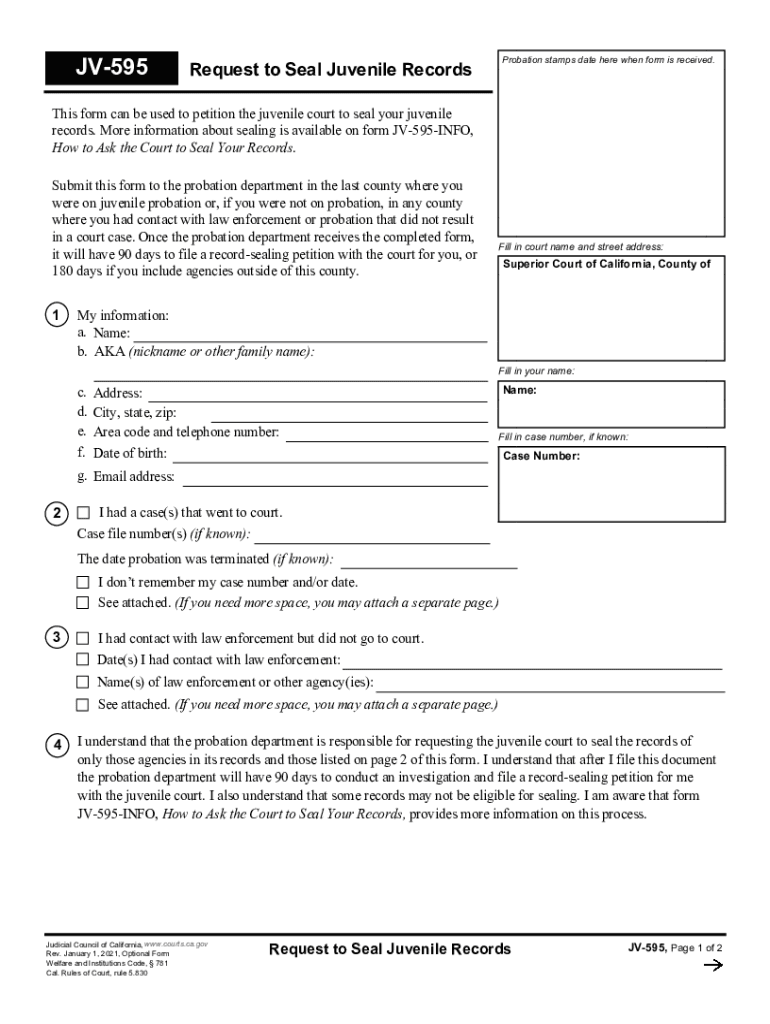
How to use or fill out California Juvenile Records Form

- Click ‘Get Form’ to open it in the editor.
- Begin by filling in the court name and street address at the top of the form. This is essential for directing your request to the correct jurisdiction.
- In the 'My Information' section, provide your full name, any aliases, address, city, state, zip code, phone number, date of birth, and email address. Ensure all details are accurate to avoid processing delays.
- If applicable, indicate if you had a case that went to court by providing case file numbers and the date probation was terminated. If you don’t remember these details, check the box indicating so.
- For contacts with law enforcement without court involvement, list dates and names of agencies involved. Attach additional pages if necessary.
- Review your entries for accuracy. Sign and date the form at the bottom before submitting it to the probation department.
Start using our platform today to fill out your California Juvenile Records Form easily and for free!
Fill out california juvenile records form online
It's free
See more california juvenile records form versions
We've got more versions of the california juvenile records form form. Select the right california juvenile records form version from the list and start editing it straight away!
Security and compliance
At DocHub, your data security is our priority. We follow HIPAA, SOC2, GDPR, and other standards, so you can work on your documents with confidence.
Learn more


Related forms

Fire Marshal's Office - Work For Roanoke Fire-EMS
The document is a Fire Prevention Code Permit Application for the Roanoke Fire-EMS Fire Marshal’s Office, specifically f ...
Bidder Declaration Form - California Courts
The document is a Request for Proposal (RFP) titled 'Bulk Paper Storage and Delivery' (RFP Number: MAPS-202402-MS). It i ...

HomeSuperior Court of CaliforniaCounty of Kern - CA
The document is a Request for Quote (RFQ) from the Superior Court of California, County of Kern, seeking bids for the pu ...

Jv-2022
The document is an advisement and acknowledgment form regarding the right to counsel in juvenile dependency proceedings ...
UD-120 VERIFICATION BY LANDLORD REGARDINGRENTAL ASSISTANCEUNLAWFUL DETAINER Judicial Council forms
UD-120 VERIFICATION BY LANDLORD REGARDINGRENTAL ASSISTANCEUNLAWFUL DETAINER Judicial Council forms
The document UD-120 is a legal form used in California's Superior Court for landlords to verify the absence of rental as ...

Service Name: SELF HELP CENTERS
The document is a request form for a telephone appearance at a Child Custody Recommending Counseling (CCRC) appointment ...
New York Language Assistance Waiver Form
یہ دستاویز مفت خدمات کی فراہمی کے بارے میں ہے، جس میں مختلف شرائط و ضوابط شامل ہیں۔ اس میں خدمات کے حصول کے لیے درخواست ...
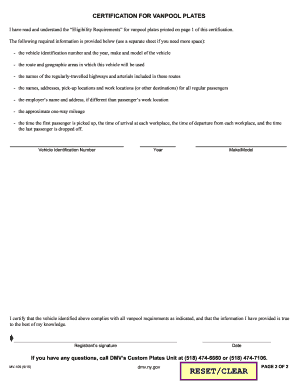
INFORMATION AND CERTIFICATION FOR VANPOOL PLATES
The document provides information on the eligibility requirements, fees, and application process for obtaining vanpool p ...