




Here's how it works

01. Edit your form online
Type text, add images, blackout confidential details, add comments, highlights and more.

02. Sign it in a few clicks
Draw your signature, type it, upload its image, or use your mobile device as a signature pad.

03. Share your form with others
Send it via email, link, or fax. You can also download it, export it or print it out.
How to use or fill out notary psers with our platform

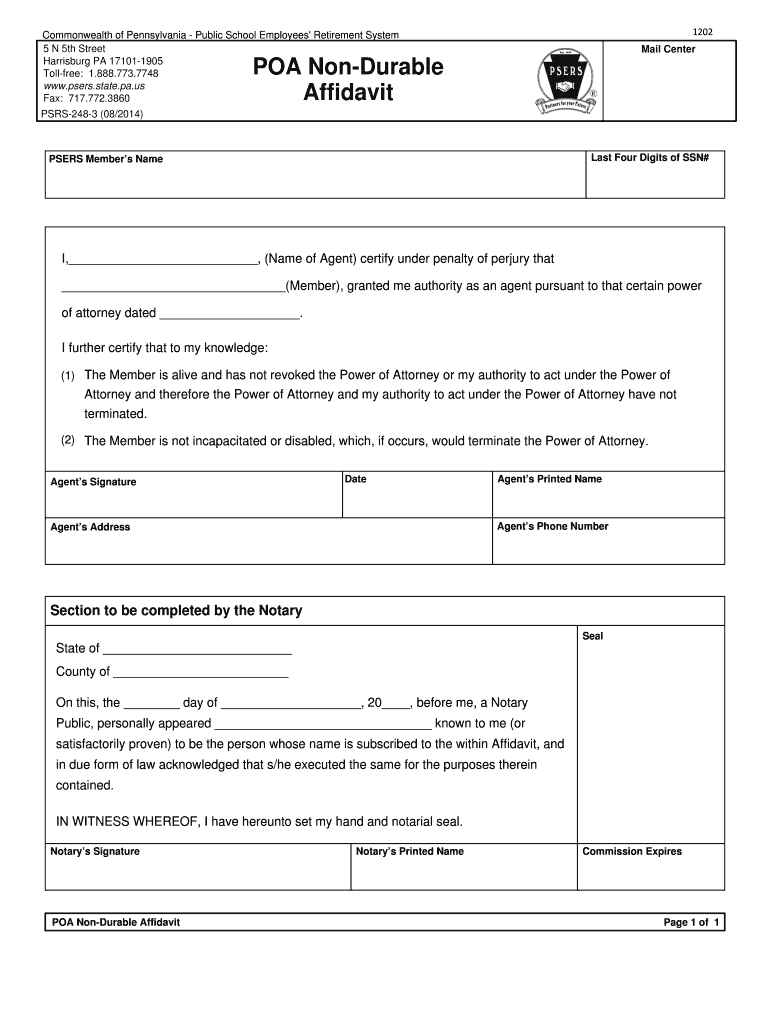
- Click ‘Get Form’ to open the notary psers in the editor.
- Begin by entering the last four digits of the Member’s Social Security Number in the designated field.
- In the next section, input the PSERS Member’s Name clearly to ensure accurate identification.
- The Agent must write their name in the space provided, certifying under penalty of perjury that they have been granted authority as an agent.
- Fill in the date of the Power of Attorney document and confirm that the Member is alive and has not revoked this authority.
- The Agent should then sign and date the form, providing their printed name, phone number, and address.
- Leave space for a Notary Public to complete their section, including signature, printed name, and commission expiration date.
Start using our platform today for free to streamline your notary psers completion!
Fill out notary psers online
It's free
Security and compliance
At DocHub, your data security is our priority. We follow HIPAA, SOC2, GDPR, and other standards, so you can work on your documents with confidence.
Learn more


Related forms

Form 656-L (sp) (Rev 12-2020) Offer in Compromise (Doubt as to Liability) (Spanish Version)
Form 656-L (sp) (Rev 12-2020) Offer in Compromise (Doubt as to Liability) (Spanish Version)
El Formulario 656-L es un documento del IRS que permite a los contribuyentes presentar un ofrecimiento de transacción ba ...
Ambulance call report completion manual
The Ambulance Call Report Completion Manual (Version 3.0) serves as a comprehensive guide for documenting ambulance serv ...

Student Tuition Statement, Federal Form 1098 T
The document provides detailed instructions for filing Forms 1098-E and 1098-T for the year 2024, which are used to repo ...

Instruction 1040 (Schedule 8812)
The document provides instructions for completing Schedule 8812 (Form 1040) for the year 2024, which is used to calculat ...

Notice 746 (sp) (Rev 10-2024) Information About Your Notice, Penalty and Interest (Spanish Version)
Notice 746 (sp) (Rev 10-2024) Information About Your Notice, Penalty and Interest (Spanish Version)
El documento proporciona información detallada sobre las tasas de interés aplicables a los pagos insuficientes y en exce ...

IHCP MCE Hospital Ancillary Provider Enrollment and Credentialing
The document is an enrollment and credentialing form for Indiana Health Coverage Programs (IHCP) managed care providers. ...

Newsrelease-fpdf 201 rev002 US Coast Guard Auxiliary News Release
The Eastern Shore Flotilla 36 of the U.S. Coast Guard Auxiliary is offering an 'AMERICA'S BOATING COURSE' on January 20t ...

COMMUNITY DERMATOLOGY REFERRAL FORM NHS Redditch - dmccommunityoutpatients co
The document is a Community Dermatology Referral Form for NHS Redditch & Bromsgrove CCG and Wyre Forest CCG, outlining t ...