




Here's how it works

01. Edit your dochub com fillable form online
Type text, add images, blackout confidential details, add comments, highlights and more.

02. Sign it in a few clicks
Draw your signature, type it, upload its image, or use your mobile device as a signature pad.

03. Share your form with others
Send sba form 1081 via email, link, or fax. You can also download it, export it or print it out.
How to use or fill out Link to Notice 5000-1401 for SBA Form 912, SBA Form 1081 with our platform

- Click ‘Get Form’ to open it in the editor.
- Begin by reviewing the introductory section of the form, which outlines the purpose and requirements for SBA Form 912 and SBA Form 1081. Ensure you understand the context before filling out any fields.
- Fill in your personal information in the designated fields, including your name, address, and contact details. Make sure all entries are accurate to avoid processing delays.
- Proceed to complete any financial information required by the form. This may include details about your loan status or repayment history. Use our platform’s tools to easily input numbers and calculations.
- Review all sections carefully before submitting. Utilize our platform's review features to check for errors or omissions that could affect your submission.
Start using our platform today for free to streamline your document editing and form completion!
Fill out Link to Notice 5000-1401 for SBA Form 912, SBA Form 1081 online
It's free
See more Link to Notice 5000-1401 for SBA Form 912, SBA Form 1081 versions
We've got more versions of the Link to Notice 5000-1401 for SBA Form 912, SBA Form 1081 form. Select the right Link to Notice 5000-1401 for SBA Form 912, SBA Form 1081 version from the list and start editing it straight away!
Security and compliance
At DocHub, your data security is our priority. We follow HIPAA, SOC2, GDPR, and other standards, so you can work on your documents with confidence.
Learn more


Related forms

Section 21 (Form 6A) notice - What is a section 21 notice?
The document is Form 6A, a notice for landlords seeking possession of a property let under an Assured Shorthold Tenancy ...
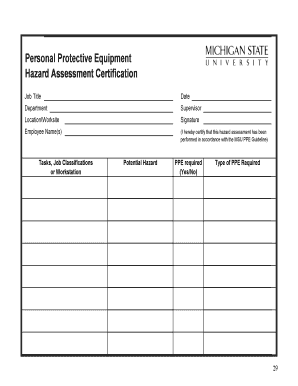
Ppe hazard assessment form
The document outlines a Personal Protective Equipment (PPE) hazard assessment certification process, detailing the neces ...

PHYSICIAN S STATEMENT FOR DEATH CLAIMS - cisp coop
The document is a Physician's Statement for Death Claims from the Cooperative Insurance System of the Philippines. It ou ...

Color Selection Form 11 15 - Sunward Steel Buildings
The document is a Color Selection Form from Sunward Steel Buildings, used for customers to specify colors for various bu ...
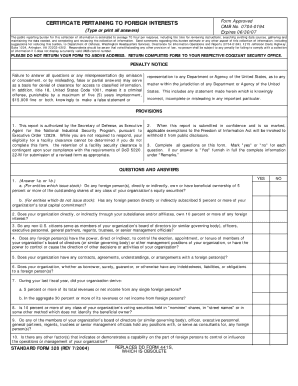
Sf328 pdf

Combustion air calculation worksheet
The document is a combustion air calculation sheet used for assessing the required combustion air for various gas applia ...