




Here's how it works

01. Edit your dog registration wellington online
Type text, add images, blackout confidential details, add comments, highlights and more.

02. Sign it in a few clicks
Draw your signature, type it, upload its image, or use your mobile device as a signature pad.

03. Share your form with others
Send wellington shire dog registration via email, link, or fax. You can also download it, export it or print it out.
How to use or fill out Wellington Shire Dog Registration with DocHub

- Click ‘Get Form’ to open the Wellington Shire Dog Registration in our editor.
- Begin by filling in your personal details in the 'Owner’s Details' section. Include your surname, given names, address, postcode, and contact numbers.
- Indicate if you already have an animal registered with the Council by selecting 'Yes' or 'No'.
- In the 'Animal(s) Details' section, provide information for each dog or cat you wish to register. Specify the type of animal, name, microchip number, age, sex (male or female), breed, and color.
- Confirm whether each animal is desexed by ticking the appropriate box.
- Review your entries for accuracy. Ensure all required fields are completed before submitting.
- Finally, sign and date the form to declare that all information provided is true and correct.
Start using our platform today to complete your Wellington Shire Dog Registration easily and for free!
Fill out wellington shire dog registration online
It's free
See more wellington shire dog registration versions
We've got more versions of the wellington shire dog registration form. Select the right wellington shire dog registration version from the list and start editing it straight away!
Security and compliance
At DocHub, your data security is our priority. We follow HIPAA, SOC2, GDPR, and other standards, so you can work on your documents with confidence.
Learn more


Related forms

Nuclear Medicine Patient Questionnaire Nuclear Medicine Patient Questionnaire
The document is a patient questionnaire used for nuclear medicine exams, collecting essential information such as patien ...
Long Term Care Liability Insurance Application
The document is a procedure questionnaire from TDC Specialty Insurance Company, part of The Doctors Company, intended fo ...

PAYMENT ADJUSTMENT YEAR 2019 MEDICARE EHR INCENTIVE PROGRAM CRITICAL ACCESS HOSPITAL RECONSIDERATION
PAYMENT ADJUSTMENT YEAR 2019 MEDICARE EHR INCENTIVE PROGRAM CRITICAL ACCESS HOSPITAL RECONSIDERATION
The document outlines the process for Critical Access Hospitals to apply for reconsideration of the 2018 Medicare EHR pa ...
Pcctsdp
The Pediatric Critical Care and Trauma Scientist Development Program (PCCTSDP) is a national initiative aimed at trainin ...
Society insurance form
The document is a Workers Compensation Insurance Claims Kit from Society Insurance, detailing the process for reporting ...
ADDL BAR C ODE PREMISE ID BARCODE - Purdue University
The document is a Necropsy Submission Form from the Indiana Animal Disease Diagnostic Laboratories at Purdue University. ...
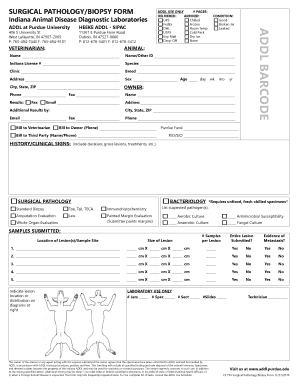
SURGICAL PATHOLOGY BIOPSY FORM
The document is a Surgical Pathology/Biopsy Form used by the Indiana Animal Disease Diagnostic Laboratories at Purdue Un ...
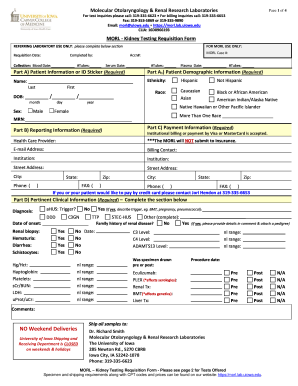
Morl kidney requisition form
The document is a Kidney Testing Requisition Form from the Molecular Otolaryngology & Renal Research Laboratories at the ...