




Here's how it works

01. Edit your winter fuel payment form pdf online
Type text, add images, blackout confidential details, add comments, highlights and more.

02. Sign it in a few clicks
Draw your signature, type it, upload its image, or use your mobile device as a signature pad.

03. Share your form with others
Send winter fuel allowance claim form via email, link, or fax. You can also download it, export it or print it out.
How to use or fill out fuel allowance form with our platform

- Click ‘Get Form’ to open the fuel allowance form in the editor.
- Begin with Part 1 – About You. Fill in your surname, title (Mr/Mrs/Miss/Ms), and all other names in full. Ensure your address and postcode are accurate.
- Provide your daytime phone number and select the appropriate box for how you wish to receive payments (directly into an account or by cheque).
- In Part 2, enter your bank account details if you choose direct payment. Include the account holder's name, sort code, and account number.
- Complete Part 3 by answering questions regarding your eligibility for Winter Fuel Payments for the specified years. Be sure to tick 'Yes' or 'No' for each question.
- Finally, review your information in Part 4 – Declaration. Sign and date the form before submitting it as instructed.
Start filling out your fuel allowance form today using our platform for free!
Fill out fuel allowance form online
It's free
See more fuel allowance form versions
We've got more versions of the fuel allowance form form. Select the right fuel allowance form version from the list and start editing it straight away!
| Versions | Form popularity | Fillable & printable |
|---|---|---|
| 2006 | 4.8 Satisfied (64 Votes) |
Security and compliance
At DocHub, your data security is our priority. We follow HIPAA, SOC2, GDPR, and other standards, so you can work on your documents with confidence.
Learn more


Related forms
Az azdfi escrow financial
The document is a notification from the Arizona Department of Financial Institutions outlining the requirements for escr ...
Ct crcog subdivision
The document is a Subdivision Referral Form used to notify the Capitol Region Council of Governments about a proposed su ...
Nccer performance verification reinforcement online
The document outlines a Performance Verification Packet for evaluating the job skills and safe work habits of participan ...
Get bhola purchase
The document is a Power Purchase Agreement (PPA) between the Bangladesh Power Development Board (BPDB) and a specified c ...
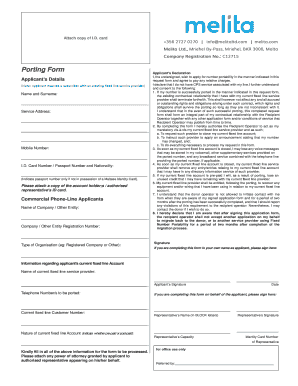
Melita form
The document is a porting form for applicants wishing to transfer their fixed line service to a new provider. It require ...

Altar registration form
The document is an Altar Server Registration Form for St. Joseph of Cupertino Parish, designed for parents to register t ...
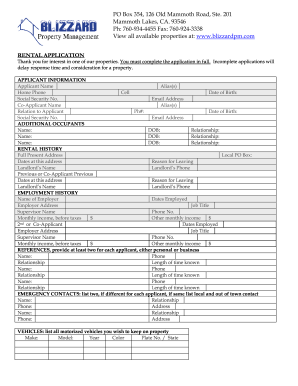
Rental Application - Blizzard Property Management
The document is a rental application form from Blizzard Property Management, Inc., located in Mammoth Lakes, CA. It requ ...

Percolation test results sheet
The document outlines the procedures and requirements for conducting percolation tests for septic systems in LaSalle Cou ...