




Here's how it works

01. Edit your percolation test results table online
Type text, add images, blackout confidential details, add comments, highlights and more.

02. Sign it in a few clicks
Draw your signature, type it, upload its image, or use your mobile device as a signature pad.

03. Share your form with others
Send it via email, link, or fax. You can also download it, export it or print it out.
How to use or fill out percolation test results sheet with our platform

- Click ‘Get Form’ to open the percolation test results sheet in the editor.
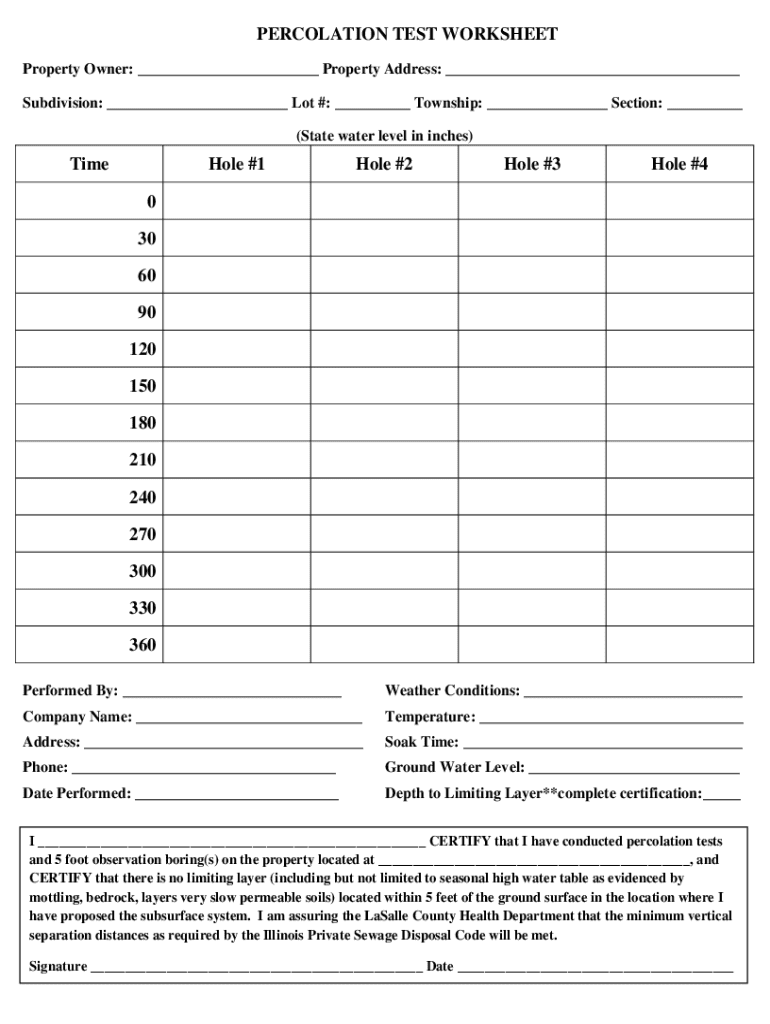
- Begin by entering the property owner's name and address in the designated fields at the top of the form. This information is crucial for identifying the location of the tests.
- Fill in details about the subdivision, lot number, township, and section. These fields help categorize your property within local regulations.
- Record the state water level in inches, followed by documenting time intervals and water levels for each of the four test holes. Ensure you measure accurately at 30-minute intervals as specified.
- Complete the certification section by signing and dating it after confirming that no limiting layer exists within five feet of the ground surface.
- Finally, review all entries for accuracy before saving or printing your report using our platform's convenient features.
Start filling out your percolation test results sheet online for free today!
Fill out percolation test results sheet online
It's free
It's free
See more percolation test results sheet versions
We've got more versions of the percolation test results sheet form. Select the right percolation test results sheet version from the list and start editing it straight away!
| Versions | Form popularity | Fillable & printable |
|---|---|---|
| 2013 | 4.7 Satisfied (43 Votes) |
Security and compliance
At DocHub, your data security is our priority. We follow HIPAA, SOC2, GDPR, and other standards, so you can work on your documents with confidence.
Learn more


