
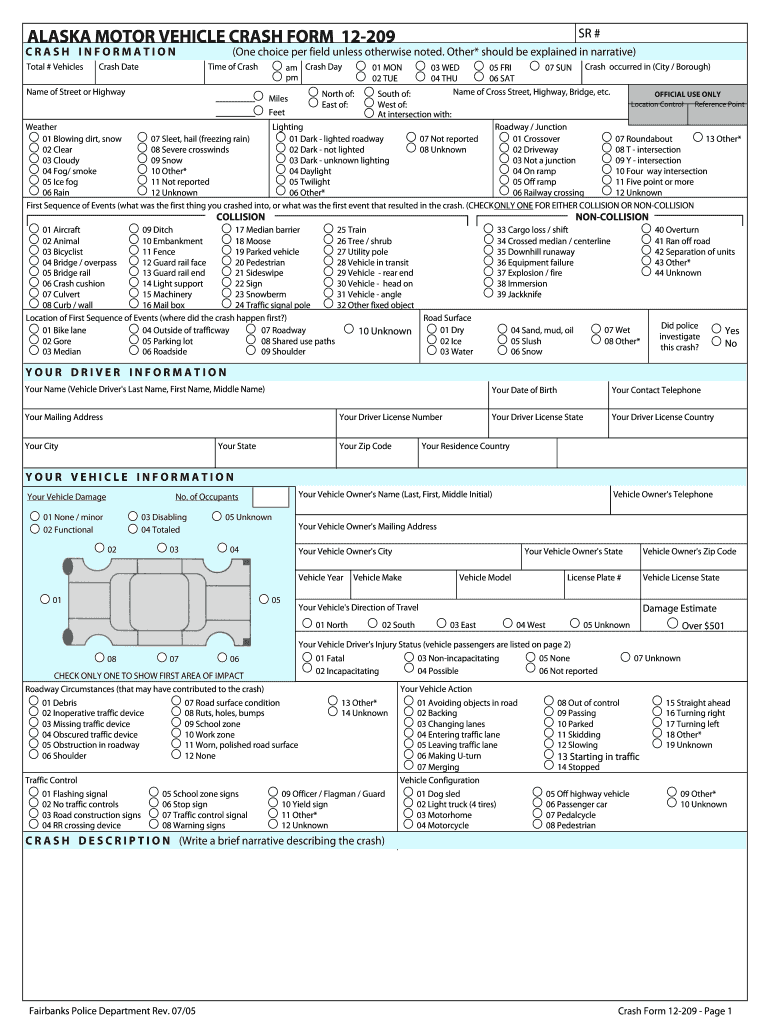




Here's how it works



How to use or fill out Alaska DMV 12-209 with our platform

- Click ‘Get Form’ to open the Alaska DMV 12-209 in the editor.
- Begin by filling out the 'Crash Information' section. Enter the total number of vehicles involved, crash date, time, and location details including street names and any relevant cross streets.
- Proceed to the 'Your Driver Information' section. Input your name, date of birth, driver license state and number, mailing address, and contact information.
- In the 'Your Vehicle Information' section, provide details about your vehicle including owner’s name, vehicle make and model, direction of travel, and damage status.
- Complete the 'Other Driver's Information' if applicable. Fill in similar details for the other driver involved in the crash.
- Finally, review all sections for accuracy before signing. Use our platform’s features to save or print your completed form for submission.
Start using our platform today to fill out your Alaska DMV 12-209 form online for free!
It's free
Got questions?
Can I use DocHub to create legal electronic signatures on my alaska dmv accident report?
Yes, you can utilize DocHub for signing any business and private paperwork, including your alaska dmv accident report. All eSignatures you generate with our service are legally binding and court-admissible, as DocHub complies with criteria required by ESIGN and UETA. Save your completed document with a detailed Audit Trail if needed.
How to complete and sign state of alaska crash report online?
You may quickly fill out, edit, and even eSign your state of alaska crash report using DocHub. Create a new profile and begin your free trial. After that, you can add the document with the form and simply make all the necessary edits. No need to print on paper or use a third-party application to sign it, as you can put your electronic signature on your document faster via DocHub.
What is the most missed question on the permit test?
How many questions are on the Alaska DMV test?
What do you need to transfer a car title in Alaska?
Security and compliance
At DocHub, your data security is our priority. We follow HIPAA, SOC2, GDPR, and other standards, so you can work on your documents with confidence.
Learn more


