




Here's how it works

01. Edit your california notary jurat form online
Type text, add images, blackout confidential details, add comments, highlights and more.

02. Sign it in a few clicks
Draw your signature, type it, upload its image, or use your mobile device as a signature pad.

03. Share your form with others
Send california jurat 2024 via email, link, or fax. You can also download it, export it or print it out.
How to use or fill out ca jurat notary with our platform

- Click ‘Get Form’ to open the ca jurat notary in the editor.
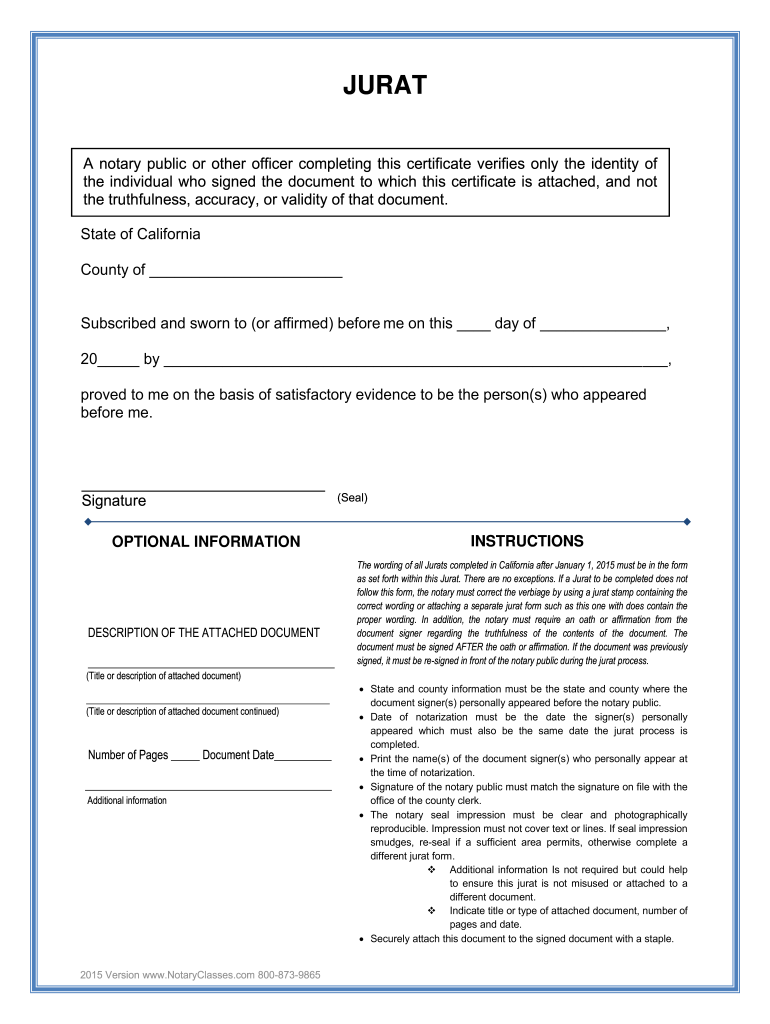
- Begin by filling in the 'County of' section with the appropriate county where the notarization is taking place.
- Enter the date of notarization in the format '_ day of ______, 20__'. This should be the same date when the signer appears before you.
- In the space provided, print the name(s) of the individual(s) who are signing. Ensure that this matches their identification.
- Sign in the designated area as a notary public, ensuring your signature matches what is on file with your county clerk's office.
- If applicable, provide a clear description of the attached document and include any additional information that may help prevent misuse.
- Finally, securely attach this jurat to the signed document using a staple for proper documentation.
Start using our platform today to streamline your ca jurat notary process for free!
Fill out ca jurat notary online
It's free
See more ca jurat notary versions
We've got more versions of the ca jurat notary form. Select the right ca jurat notary version from the list and start editing it straight away!
| Versions | Form popularity | Fillable & printable |
|---|---|---|
| 2015 | 4.8 Satisfied (181 Votes) |
Security and compliance
At DocHub, your data security is our priority. We follow HIPAA, SOC2, GDPR, and other standards, so you can work on your documents with confidence.
Learn more


Related forms
Seller Purchaser Affidavit of Exemption - Sold for Removal
The document outlines a form for the sale or lease of motor vehicles, trailers, or boats in Tennessee, detailing the inf ...
Internal revenue services forms 8826
Form 8826 is used by eligible small businesses to claim the Disabled Access Credit, which allows for a tax credit based ...
Provider Demographic Information Change Request Form1199SEIU Funds
The document is a Provider Demographic Information Change Request Form for 1199SEIU Benefit Funds, designed for healthca ...

NEMB - NOTICE OF EXCLUSIONS FROM MEDICARE BENEFITSdoc
The document is a Notice of Exclusions from Medicare Benefits (NEMB) that informs patients about items and services not ...
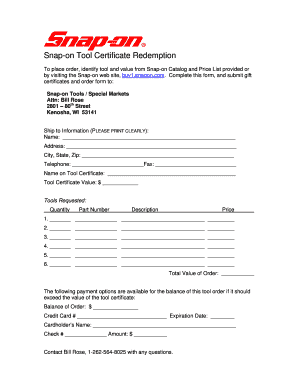
Snap-on Tool Certificate Redemption
The document outlines the process for redeeming Snap-on Tool gift certificates. It includes instructions for placing an ...

HCPS Partnership Form - Henrico County Public Schools
The document is a Community Partnership Agreement Form for Henrico County Public Schools, outlining the process for esta ...

Sunday School registration form - Cormorant Lutheran Church - cormorantlutheran
The document is a registration form for Sunday School at Cormorant Lutheran Church, requiring details about the student, ...

Chesterfield County Animal Services
The document is an adoption application form from the Chesterfield County Animal Shelter, designed to gather information ...