Type text, add images, blackout confidential details, add comments, highlights and more.
02. Sign it in a few clicks
Draw your signature, type it, upload its image, or use your mobile device as a signature pad.
03. Share your form with others
Send garda f20 form via email, link, or fax. You can also download it, export it or print it out.
How to use or fill out an Garda Síochána SAR F20 form with our platform
Ease of Setup
DocHub User Ratings on G2
Ease of Use
DocHub User Ratings on G2
Click ‘Get Form’ to open the an Garda Síochána SAR F20 form in the editor.
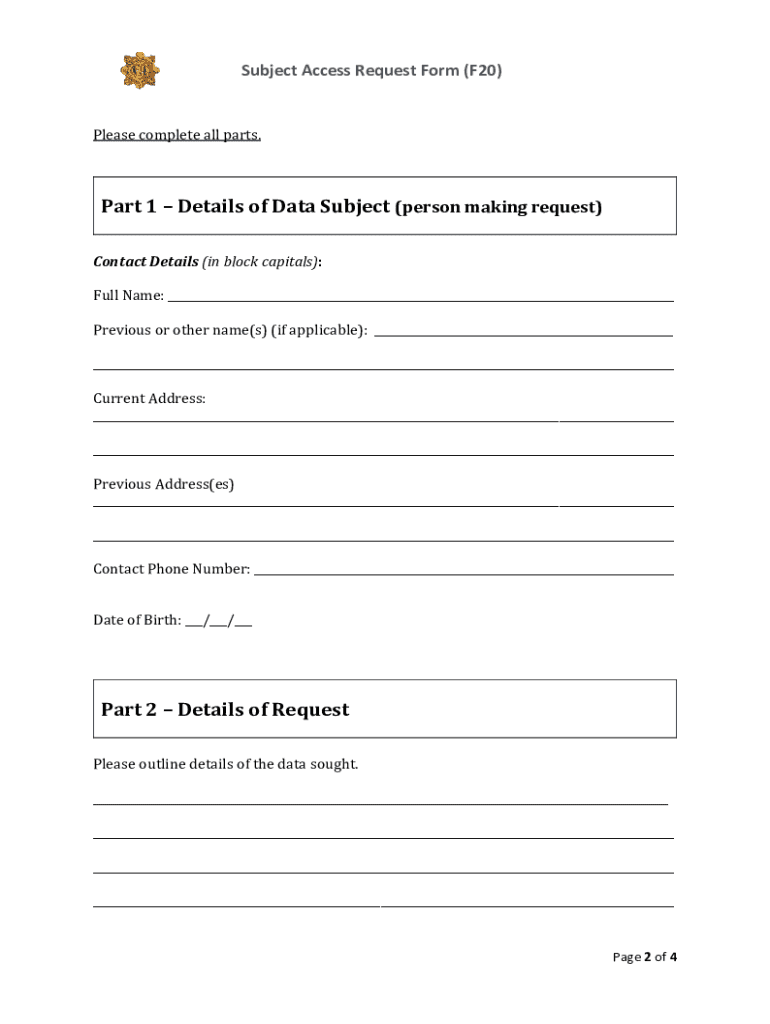
Begin with Part 1 by entering your details in block capitals. Fill in your full name, any previous names, current and previous addresses, contact phone number, and date of birth.
Move to Part 2 where you outline the details of the data you are seeking. Be as specific as possible to assist in locating your personal data.
Indicate where within An Garda Síochána you believe your data may exist and specify the time period related to your request.
In Part 3, provide verification of identity by uploading a copy of a Photo ID and a recent utility bill or government letter showing your current address.
Complete Part 4 by signing the declaration confirming that all information provided is true and complete. Ensure you include the return address if different from your current address.
Finally, review the checklist at the end of the form to ensure all required documents are included before submitting via post or email.
Start filling out your an Garda Síochána SAR F20 form today for free using our platform!
Fill out an gaurda siochana sars f20 form online It's free
See more an gaurda siochana sars f20 form versions
We've got more versions of the an gaurda siochana sars f20 form form. Select the right an gaurda siochana sars f20 form version from the list and start editing it straight away!
F20 form GardaSubject Access Request form GardaSubject Access Request form irelandGarda Data Protection unitDepartment of justice subject Access request FormGarda Vetting formGarda clearance form onlineGarda Release form
Security and compliance
At DocHub, your data security is our priority. We follow HIPAA, SOC2, GDPR, and other standards, so you can work on your documents with confidence.
Cookie consent notice
This site uses cookies to enhance site navigation and personalize your experience.
By using this site you agree to our use of cookies as described in our Privacy Notice.
You can modify your selections by visiting our Cookie and Advertising Notice.