




Here's how it works



How to use or fill out DocHub 6838637-FBICriminalReportFbi Report Form - Fill Online, Printable, Fillable, Blank

- Click ‘Get Form’ to open it in the editor.
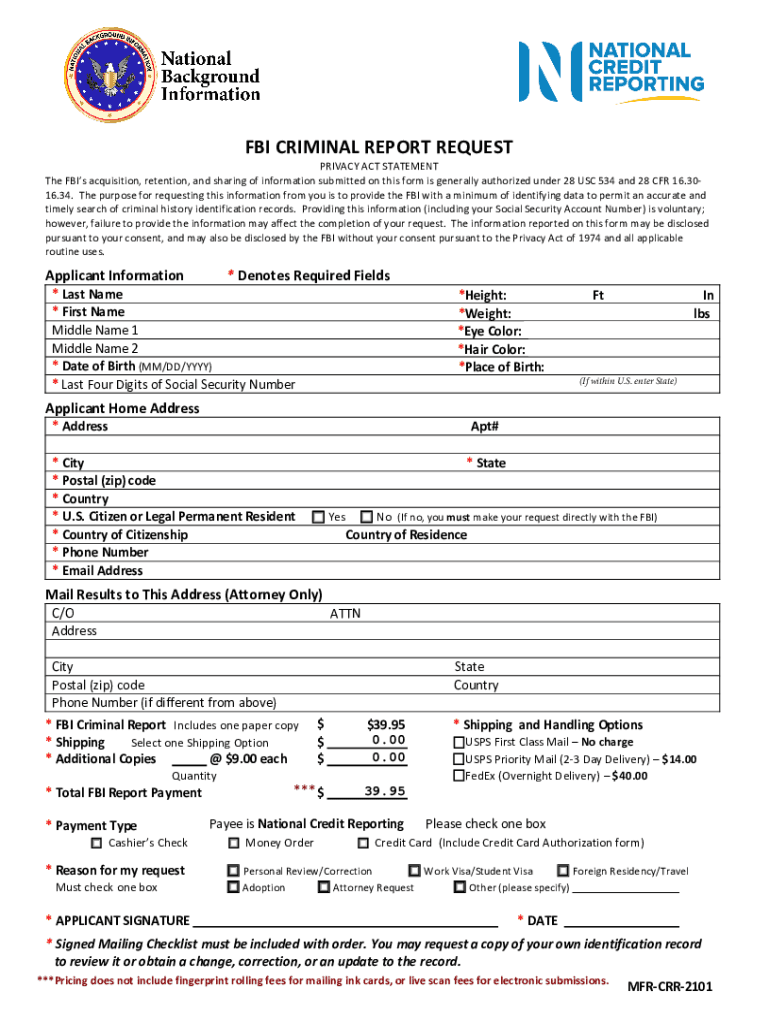
- Begin by filling out the 'Applicant Information' section. Enter your last name, first name, and any middle names as required. Ensure that you input your date of birth in the MM/DD/YYYY format.
- Complete the fields for height, weight, eye color, hair color, and place of birth. These details are essential for accurate identification.
- Provide your home address including city, postal code, country, and confirm if you are a U.S. citizen or legal permanent resident. Include your phone number and email address for communication purposes.
- Select your shipping option and indicate the reason for your request by checking one of the provided boxes.
- Sign the form where indicated and ensure all required fields are completed before submitting.
Start filling out your FBI Criminal Report Request form today using our platform for free!
It's free
See more DocHub 6838637-FBICriminalReportFbi Report Form - Fill Online, Printable, Fillable, Blank versions
Got questions?
What do I need to sign my fbi report electronically?
Electronic document signing demands a software solution that complies with data security and eSignature regulations. DocHub is an excellent tool for that, because it meets all the above mentioned requirements. Whatever method you prefer to sign your fbi report in DocHub, your eSignature will be legally binding and court-admissible.
How do you fill out fbi criminal report request form online?
You can get and modify your fbi criminal report request form online with the help of DocHub. Its straightforward yet feature-rich design enables you to start effective work immediately after you sign up your account. Create your account and add your file, then our user interface will guide you via our stress-free form completion experience.
Security and compliance
At DocHub, your data security is our priority. We follow HIPAA, SOC2, GDPR, and other standards, so you can work on your documents with confidence.
Learn more


