




Here's how it works

01. Edit your i 129s online
Type text, add images, blackout confidential details, add comments, highlights and more.

02. Sign it in a few clicks
Draw your signature, type it, upload its image, or use your mobile device as a signature pad.

03. Share your form with others
Send i 129s form via email, link, or fax. You can also download it, export it or print it out.
How to use or fill out i 129s with DocHub

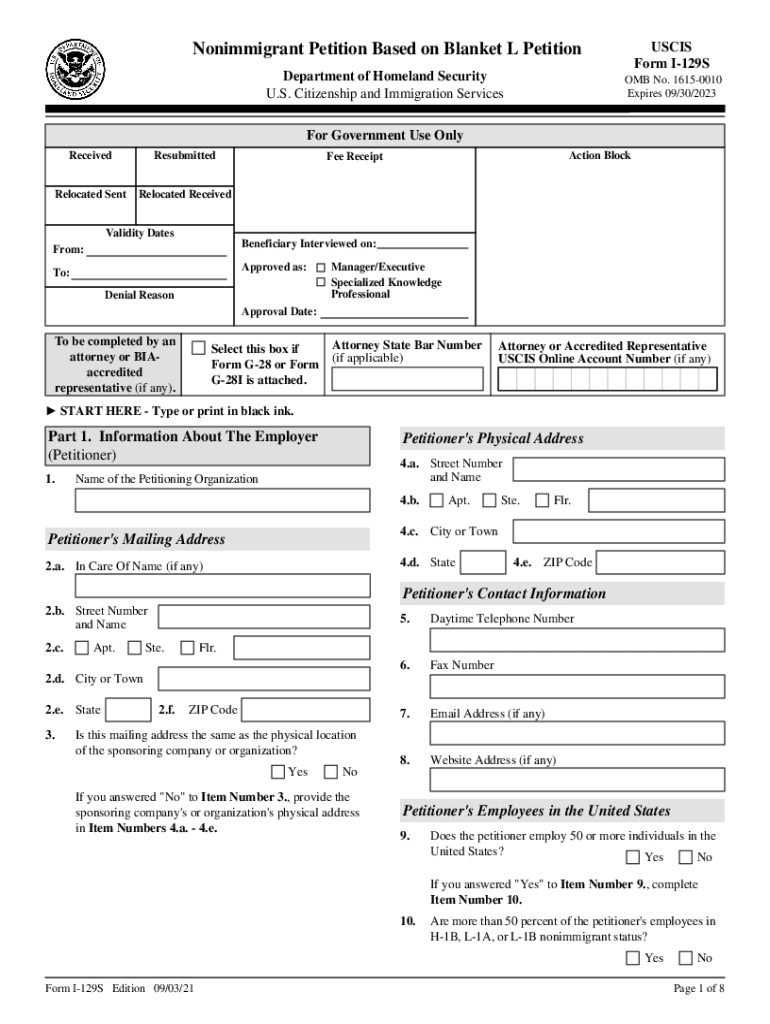
- Click ‘Get Form’ to open the I-129S in our editor.
- Begin with Part 1, providing the employer's physical and mailing addresses. Ensure accuracy in the street number, city, state, and ZIP code.
- In Part 2, detail the proposed position and prior employment periods. Fill in the beneficiary's job title and dates of proposed employment.
- Move to Part 3 to enter information about the beneficiary. Include their full name, Alien Registration Number (if applicable), and Social Security Number.
- Complete Parts 4 through 6 by providing details on proposed U.S. employment, foreign employment history, and any controlled technology certifications.
- Finally, review all sections for completeness before signing in Part 7. Use our platform’s tools to ensure your document is ready for submission.
Start using our platform today to streamline your I-129S form completion for free!
Fill out i 129s online
It's free
Security and compliance
At DocHub, your data security is our priority. We follow HIPAA, SOC2, GDPR, and other standards, so you can work on your documents with confidence.
Learn more


