




Here's how it works

01. Edit your 2015 vt online
Type text, add images, blackout confidential details, add comments, highlights and more.

02. Sign it in a few clicks
Draw your signature, type it, upload its image, or use your mobile device as a signature pad.

03. Share your form with others
Send it via email, link, or fax. You can also download it, export it or print it out.
How to use or fill out 2015 vt with our platform

- Click ‘Get Form’ to open the 2015 vt in the editor.
- Begin by filling in the seller's information, including name, driver's license number, address, city, and state.
- Next, enter the buyer's details in the same format as the seller's section.
- In the Property Details section, provide a description of the item being sold and include any serial numbers if applicable.
- Specify the trade/purchase price by checking the appropriate box and entering the amount. Indicate when payment will be made.
- Complete the Seller’s Disclosure by confirming that all statements are true and signing where indicated.
- Finally, both parties should sign and print their names in the Signature Area to finalize the agreement.
Start using our platform today for free to streamline your document editing and signing process!
Fill out 2015 vt online
It's free
Security and compliance
At DocHub, your data security is our priority. We follow HIPAA, SOC2, GDPR, and other standards, so you can work on your documents with confidence.
Learn more


Related forms
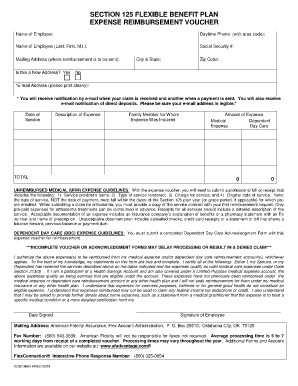
Section 125 flexible benefit plan expense reimbursement voucher
The document is an Expense Reimbursement Voucher for a Section 125 Flexible Benefit Plan, detailing the process for empl ...

Physician Billing Guidelines - eMedNY
The document outlines the New York State Medicaid billing guidelines for physicians, detailing the claims submission pro ...

California Confidential Capacity Assessment Form
The document is a confidential form used in California probate conservatorship cases to assess the mental capacity of a ...
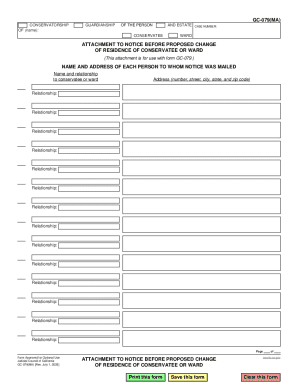
Gc-079(ma)
The document GC-079(MA) pertains to the conservatorship and guardianship of a person, specifically addressing the notifi ...

FULL-TIME STUDENT EXCLUSION CERTIFICATION Public Employees - mnpera
The document is a certification form used by the Public Employees Retirement Association (PERA) to confirm the exclusion ...

Misfeasance in Public Office: Raw Statistics from the
The document is a form for the Queensland Civil and Administrative Tribunal (QCAT) used to apply for a minor civil dispu ...

Soc426a
The document is a form from the California Department of Social Services for the In-Home Supportive Services (IHSS) prog ...

Form 149 Sales and Use Tax Exemption Certificate
The document is a Sales and Use Tax Exemption Certificate from the Missouri Department of Revenue, allowing purchasers t ...