




Here's how it works

01. Edit your idaho dmv forms online
Type text, add images, blackout confidential details, add comments, highlights and more.

02. Sign it in a few clicks
Draw your signature, type it, upload its image, or use your mobile device as a signature pad.

03. Share your form with others
Send id title application via email, link, or fax. You can also download it, export it or print it out.
How to use or fill out Idaho ID with our platform

- Click ‘Get Form’ to open the Idaho ID application in the editor.
- Begin by entering your personal information. Fill in your first name, middle name, and last name clearly. Ensure you provide your date of birth and social security number accurately.
- Next, specify your temporary mailing address for the extension, including city, state, and zip code. If your name on the Social Security card differs from above, include that as well.
- Indicate the reason for your extension and if applicable, attach any required documents such as active duty military orders.
- Complete the section regarding any past driving suspensions or medical conditions affecting your ability to drive. Answer truthfully to ensure compliance.
- Finally, review all entered information for accuracy before signing and dating the form at the bottom. This signature certifies that you are capable of operating a vehicle safely.
Start filling out your Idaho ID application online for free today!
Fill out idaho id online
It's free
See more idaho id versions
We've got more versions of the idaho id form. Select the right idaho id version from the list and start editing it straight away!
Security and compliance
At DocHub, your data security is our priority. We follow HIPAA, SOC2, GDPR, and other standards, so you can work on your documents with confidence.
Learn more


Related forms
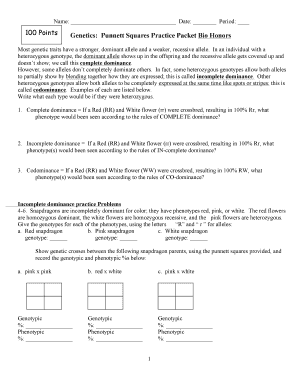
Genetics punnett squares practice packet ness pap biology
The document is a comprehensive practice packet for high school biology honors students focusing on genetics, specifical ...
Cd 512
The U.S. DOC Form CD-512 is a certification form required by the U.S. Department of Commerce for applicants entering int ...

Patch testing : patient test results
The document is a patch testing report detailing patient test results for various allergens, including a list of substan ...

HOLIDAY INN GATEWAY CENTRE Room Reservation Form 5353
The document is a room reservation form for the Holiday Inn Gateway Centre in Flint, MI, specifically for the Order of t ...

Uscis gov forms
The document is the USCIS Form I-854B, used by law enforcement agencies to request the adjustment of status for alien wi ...

Virginia Unified Certification Program Affidavit Of No Change - dmbe virginia
The document outlines the requirements and procedures for the Commonwealth of Virginia's Unified Certification Program, ...

Enclosed is the application for the Assistance Program
The document is a patient financial assistance application from Saint Francis Healthcare System, providing instructions ...

ATandT Bill Statement
The document is an AT&T bill statement dated October 7, 2018, detailing the account number, total amount due of $145.49, ...