




Here's how it works

01. Edit your form online
Type text, add images, blackout confidential details, add comments, highlights and more.

02. Sign it in a few clicks
Draw your signature, type it, upload its image, or use your mobile device as a signature pad.

03. Share your form with others
Send it via email, link, or fax. You can also download it, export it or print it out.
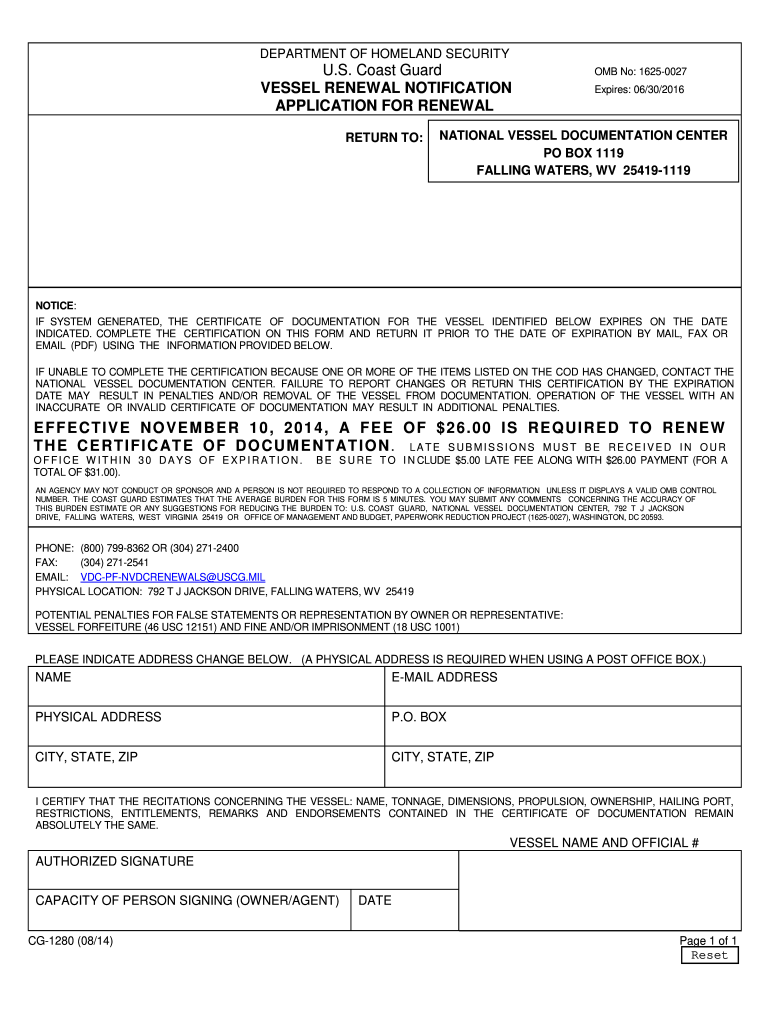
How to use or fill out form cg 1280 2013 with our platform

- Click ‘Get Form’ to open the CG 1280 2013 in the editor.
- Begin by entering your name and email address at the top of the form. Ensure that your email is accurate for any correspondence.
- Next, provide your physical address. If you have a P.O. Box, include it as well, but remember to also specify a physical address.
- In the certification section, confirm that all details regarding the vessel—such as name, tonnage, dimensions, propulsion, ownership, hailing port—are unchanged. This is crucial for compliance.
- Sign the form by entering your authorized signature and indicating your capacity (owner or agent).
- Finally, date the form before submitting it via mail, fax, or email as instructed.
Start using our platform today to fill out your CG 1280 2013 form easily and for free!
Fill out form cg 1280 2013 online
It's free
It's free
See more form cg 1280 2013 versions
We've got more versions of the form cg 1280 2013 form. Select the right form cg 1280 2013 version from the list and start editing it straight away!
Security and compliance
At DocHub, your data security is our priority. We follow HIPAA, SOC2, GDPR, and other standards, so you can work on your documents with confidence.
Learn more


Related forms

Alabama medicaid pa form
The document is a Miscellaneous Prior Authorization (PA) Request Form for Alabama Medicaid Pharmacy, used to request app ...

Full-time Student Certification Form - mpiphp - Welcome
The document outlines the requirements for maintaining health insurance coverage under the MPI Health Plan for unmarried ...

Med 178 form
The Colorado Medical Assistance Program Sterilization Consent Form is a legal document that outlines the process and imp ...

Form CT-592 - CT
The document is a Form CT-592, an Athlete or Entertainer Income Tax Withholding Statement issued by the Connecticut Depa ...

PTO SB 29 For Design Applications Only: Continued Prosecution Application (CPA) Request Transmittal
PTO SB 29 For Design Applications Only: Continued Prosecution Application (CPA) Request Transmittal
The document is a transmittal form (PTO/SB/29) for filing a Continued Prosecution Application (CPA) specifically for des ...

The School Transport Assistance Scheme
The document is a Bus Travel Assistance Safety-Net Application form for the School Transport Assistance Scheme, designed ...

2016 Form AL DHR-FSP-2116 Fill Online, Printable
The document is a Food Assistance Application from the State of Alabama's Department of Human Resources. It outlines the ...

USCIS Fee Schedule Changes Expected to Go Into Effect
The document outlines the fee schedule for U.S. Citizenship and Immigration Services (USCIS) effective April 1, 2024. It ...