




Here's how it works

01. Edit your dochub com fillable form online
Type text, add images, blackout confidential details, add comments, highlights and more.

02. Sign it in a few clicks
Draw your signature, type it, upload its image, or use your mobile device as a signature pad.

03. Share your form with others
Send it via email, link, or fax. You can also download it, export it or print it out.
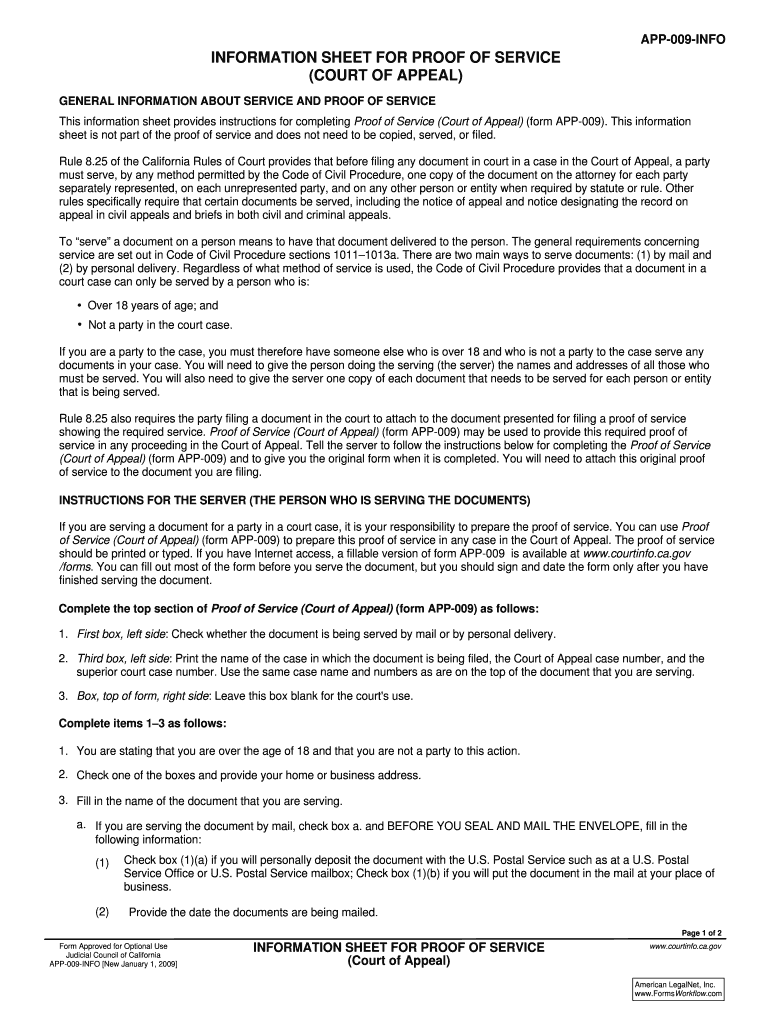
How to use or fill out app 009 info 2009 form with our platform

- Click ‘Get Form’ to open the app 009 info 2009 form in the editor.
- In the top section, indicate whether the document is being served by mail or personal delivery by checking the appropriate box.
- Print the name of the case and both court case numbers in the designated area on the left side of the form.
- Complete items regarding your age and status as a non-party, providing your address and filling in the name of the document being served.
- If serving by mail, check box (1)(a) or (1)(b) based on how you will send it, and provide mailing details including date and recipient addresses.
- For personal delivery, check box (3b) and provide details about each person you delivered to, including their name, address, date, and time of delivery.
- Finally, print your name at the bottom of the form, sign it, and date it before giving it to the party for whom you served documents.
Start using our platform today to easily complete your app 009 info 2009 form online for free!
Fill out app 009 info 2009 form online
It's free
See more app 009 info 2009 form versions
We've got more versions of the app 009 info 2009 form form. Select the right app 009 info 2009 form version from the list and start editing it straight away!
Security and compliance
At DocHub, your data security is our priority. We follow HIPAA, SOC2, GDPR, and other standards, so you can work on your documents with confidence.
Learn more


Related forms

University Policy Manual - Sac State
The document is a Bachelor's Degree Application form for California State University, Sacramento, detailing the student' ...

Round Rock Fire Department Hydrant Testing Request Form
The document is a request form for testing fire hydrants by the Round Rock Fire Department, which includes details on fe ...

Parking Citation Administrative Review Request - City of
The document is a form for requesting an administrative review of a parking citation. It includes sections for the citat ...
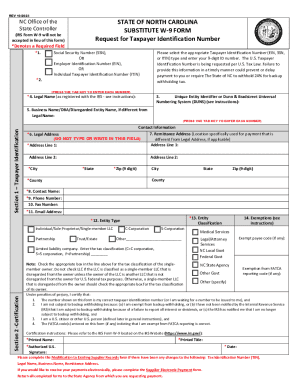
Fillable SUBSTITUTE W-9 FORM Request for Taxpayer
The document is the North Carolina Substitute W-9 Form, which requests taxpayer identification information such as Socia ...

Ambassador contract
The Student Ambassador Contract outlines the expectations and responsibilities for students selected as ambassadors at J ...

Citizenship in the Community - Us Scouting Service Project Inc
The 'Citizenship in the Community' merit badge workbook provides Scouts with a structured approach to understanding and ...

2013 Oklahoma Resident Individual Income Tax Forms and - tax ok
The document provides detailed instructions and forms for filing the 2013 Oklahoma Resident Individual Income Tax Return ...
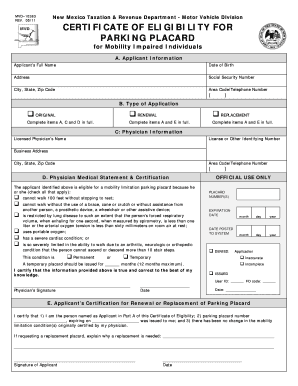
Certificate of eligibility for parking placard - State of New Mexico
The document is a Certificate of Eligibility for a Parking Placard issued by the New Mexico Taxation & Revenue Departmen ...