




Here's how it works

01. Edit your transfer vehicle ownership online wa online
Type text, add images, blackout confidential details, add comments, highlights and more.

02. Sign it in a few clicks
Draw your signature, type it, upload its image, or use your mobile device as a signature pad.

03. Share your form with others
Send vehicle transfer papers via email, link, or fax. You can also download it, export it or print it out.
How to use or fill out form mr9 with our platform

- Click ‘Get Form’ to open the MR9 form in the editor.
- Begin by filling out the 'Vehicle Details' section. Enter the plate number, odometer reading, and license expiry date as indicated on the vehicle's license papers.
- Complete the make, model, body type, transmission type (tick either automatic or manual), chassis/VIN number, selling price, engine number, year of manufacture, and date of disposal/purchase.
- Ensure you fill in both seller and purchaser details accurately. This includes names, addresses, contact numbers, and Australian Company Numbers if applicable.
- Check the declarations regarding immobiliser installation and garaging address. Both parties must sign and date the form to validate it.
- Once completed, save your changes and submit the seller’s copy to Driver and Vehicle Services within the specified timeframe.
Start using our platform today for a seamless document editing experience!
Fill out form mr9 online
It's free
It's free
See more form mr9 versions
We've got more versions of the form mr9 form. Select the right form mr9 version from the list and start editing it straight away!
| Versions | Form popularity | Fillable & printable |
|---|---|---|
| 2026 | 4.9 Satisfied (43 Votes) | |
| 2024 | 4.7 Satisfied (39 Votes) | |
| 2023 | 4.5 Satisfied (29 Votes) | |
| 2023 | 4.3 Satisfied (21 Votes) | |
| 2021 | 4.9 Satisfied (25 Votes) | |
| 2020 | 4.3 Satisfied (250 Votes) | |
| 2019 | 4.4 Satisfied (45 Votes) | |
| 2019 | 4.4 Satisfied (143 Votes) | |
| 2014 | 4.4 Satisfied (552 Votes) | |
| 2012 | 4.3 Satisfied (146 Votes) |
Security and compliance
At DocHub, your data security is our priority. We follow HIPAA, SOC2, GDPR, and other standards, so you can work on your documents with confidence.
Learn more


Related forms
REFUND OF INCOME TAXES
The document is an application form for requesting a refund of income taxes and Limited Liability Entity Tax (LLET) paid ...
5500 filing search
The document is Schedule H of Form 5500, which provides financial information required to be filed under ERISA and the I ...
2021 FORM 568 Limited Liability Company Return of Income. 2021, FORM 568, Limited Liability Company Return of Income
2021 FORM 568 Limited Liability Company Return of Income. 2021, FORM 568, Limited Liability Company Return of Income
The document is the California Form 568 for Limited Liability Companies (LLCs) for the taxable year 2021. It outlines th ...
Statistical Abstract of North Carolina Taxes 2008 - NCDOR
The document is a form (D-400TC) for claiming individual income tax credits in North Carolina for the tax year 2022. It ...
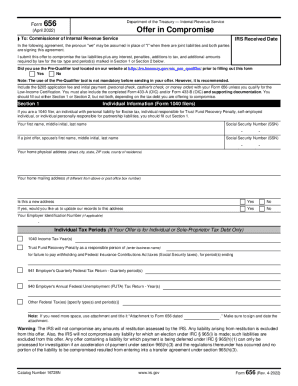
Form 656 (Rev. 4-2021). Offer in Compromise
The document provides instructions and details regarding Form 656, which is used for submitting an Offer in Compromise t ...
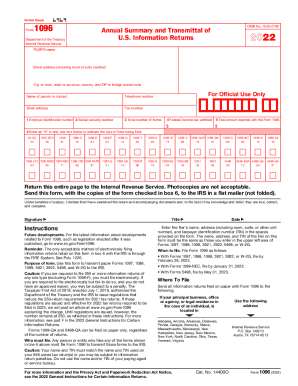
DocHub form-library536729-irs-1096IRS 1096 - Fill and Sign Printable Template OnlineUS Legal
DocHub form-library536729-irs-1096IRS 1096 - Fill and Sign Printable Template OnlineUS Legal
The document provides instructions for filing Form 1096, which is used to transmit various information returns to the IR ...
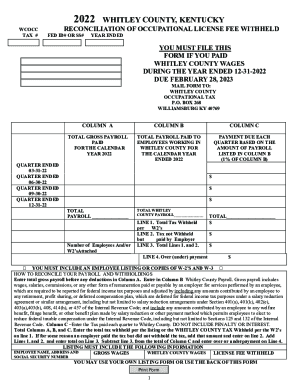
Whitley County District Court - Williamsburg, KY (AddressWhitley CountyWhitley County District Court - Williamsburg, KY (Address
Whitley County District Court - Williamsburg, KY (AddressWhitley CountyWhitley County District Court - Williamsburg, KY (Address
The document is a reconciliation form for the Occupational License Fee withheld in Whitley County, Kentucky, for the yea ...

Probate yearly michigan
The document is an Annual Report of Guardian on the condition of a legally incapacitated individual, required by the Sta ...