




Here's how it works

01. Edit your dochub com fillable form online
Type text, add images, blackout confidential details, add comments, highlights and more.

02. Sign it in a few clicks
Draw your signature, type it, upload its image, or use your mobile device as a signature pad.

03. Share your form with others
Send bDocHub of contract document via email, link, or fax. You can also download it, export it or print it out.
How to use or fill out agreement contract breach with our platform

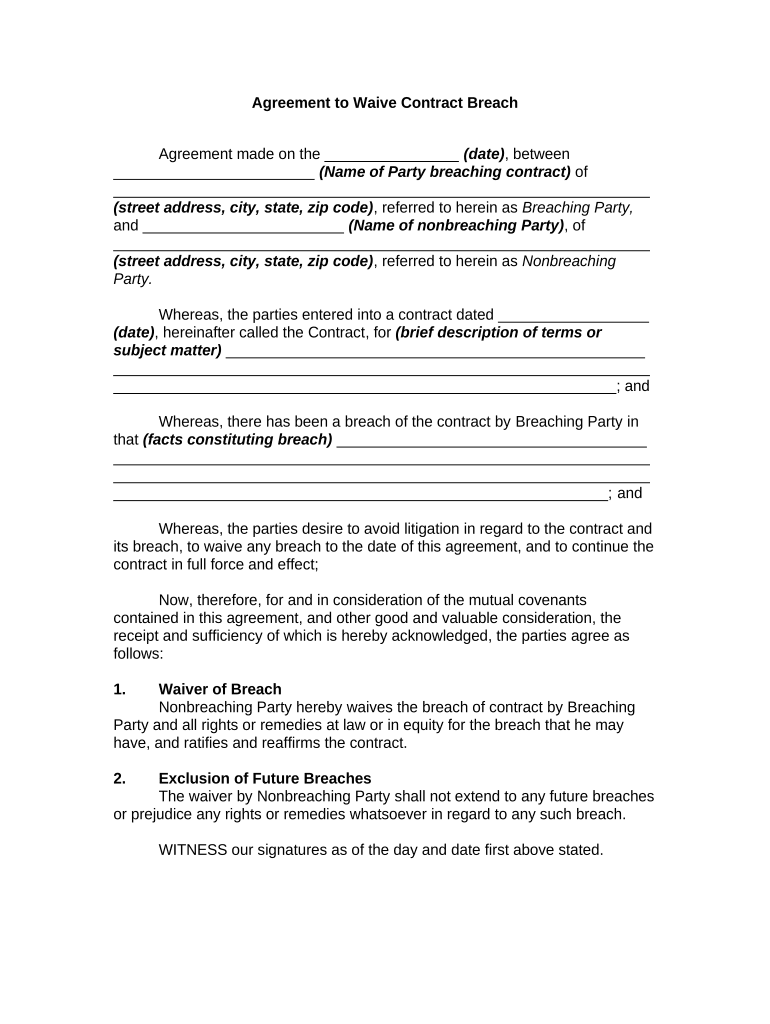
- Click ‘Get Form’ to open the Agreement to Waive Contract Breach in the editor.
- Begin by entering the date of the agreement in the designated field. This is crucial as it establishes the timeline for the waiver.
- Fill in the name and address of the Breaching Party. Ensure accuracy, as this identifies who is involved in the breach.
- Next, input the name and address of the Nonbreaching Party. This party is waiving their rights regarding the breach.
- In the section describing the original contract, provide a brief overview of its terms or subject matter. This context is important for clarity.
- Detail the facts constituting the breach in the specified area. Be precise to avoid misunderstandings later.
- Review all entries for accuracy before proceeding to sign. Both parties must print their names and provide signatures at the end of the document.
Start using our platform today to streamline your document editing and signing process for free!
Fill out agreement contract breach online
It's free
Security and compliance
At DocHub, your data security is our priority. We follow HIPAA, SOC2, GDPR, and other standards, so you can work on your documents with confidence.
Learn more


Related forms

Cnrc lrp 2006 form
The document outlines the application process for the Department of Defense Educational Loan Repayment Program (LRP), de ...

Mavni navcruitcom form
The COMNAVCRUITCOMINST 1133.13 document outlines the Military Accessions Vital to the National Interest (MAVNI) Pilot Pr ...
Standard form 600 rev 11 2010 army
The document provides instructions for completing Standard Form 180 (SF 180), which is used to request military records. ...
Facility security checklist
The document is a Facility Security Plan (FSP) Review Checklist issued by the United States Coast Guard, designed to gui ...
Department of Homeland Security - U.S. Coast Guard - uscg
The document is a Fireworks Addendum to the Application for Marine Event, issued by the U.S. Coast Guard. It outlines th ...