




Here's how it works

01. Edit your red hat society membership renewal online online
Type text, add images, blackout confidential details, add comments, highlights and more.

02. Sign it in a few clicks
Draw your signature, type it, upload its image, or use your mobile device as a signature pad.

03. Share your form with others
Send dochub com fillable form via email, link, or fax. You can also download it, export it or print it out.
How to use or fill out red hat society membership with our platform

- Click ‘Get Form’ to open the Red Hat Society Membership form in the editor.
- Begin by filling out your personal information in the 'Your Information' section. Enter your first name, last name, street address, apartment number (if applicable), city, state/province, ZIP or postal code, country, phone number, and email address. Don’t forget to choose a username for your Supporting Member login, keeping it between 3-20 characters.
- In the 'Registration or Renewal Fees & Extras' section, select your membership type: Queen or Supporting Member. If you are starting a new chapter or renewing an existing one, provide the necessary chapter details including chapter number and name.
- Proceed to the 'Payment' section. Choose your payment method (AMEX, MasterCard, Discover, VISA) and fill in your card details including cardholder’s name, card number, expiration date, and CVV. If paying by check, ensure it is made payable to the Red Hat Society.
- Review all entered information for accuracy before submitting. Acknowledge that submission signifies agreement to all Membership Terms and Conditions as stated on the Red Hat Society website.
Start filling out your Red Hat Society membership form online for free today!
Fill out red hat society membership online
It's free
Security and compliance
At DocHub, your data security is our priority. We follow HIPAA, SOC2, GDPR, and other standards, so you can work on your documents with confidence.
Learn more


Related forms

MANAGEMENT BENEFITS FUND
The document is a claim form for the Management Benefits Fund's Vision Care Direct Reimbursement, intended for members s ...

SELLER INTERVIEW FORM with updates 06 16 1 doc
The document is a seller interview form used by Cheryl Fairbanks to gather essential information from homeowners looking ...

Form 388 Certificate of Airworthiness Checklist 07 Airworthiness Directive Aircraft - casa gov
Form 388 Certificate of Airworthiness Checklist 07 Airworthiness Directive Aircraft - casa gov
The document is Form 388, a Certificate of Airworthiness Checklist for aircraft, which includes sections for aircraft id ...
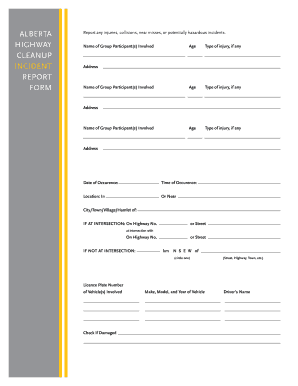
Cleanup incident report
The document is an Alberta highway cleanup incident report form designed to record details of any injuries, collisions, ...

T2202a scolarite protege b
The document outlines the process for issuing a certificate for tuition and enrollment fees for students enrolled in eli ...
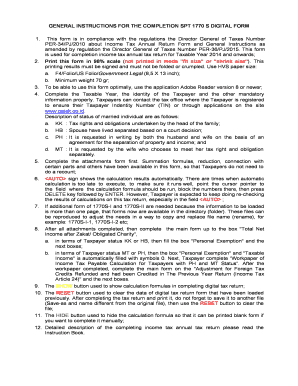
GENERAL INSTRUCTIONS FOR THE COMPLETION SPT 1770 S DIGITAL FORM
The document provides general instructions for completing the SPT 1770 S digital form, which is used for filing annual i ...

Small Construction Project Contract
The document is a construction contract for small projects in the State of Maine, detailing the agreement between the Ow ...

Download eAPIS Passenger Information Worksheet
The document is an eAPIS Passenger Information Worksheet that requires detailed personal and travel information from pas ...