




Here's how it works

01. Edit your dochub com fillable form online
Type text, add images, blackout confidential details, add comments, highlights and more.

02. Sign it in a few clicks
Draw your signature, type it, upload its image, or use your mobile device as a signature pad.

03. Share your form with others
Send vl 1 form via email, link, or fax. You can also download it, export it or print it out.
How to use or fill out nc vl registration with our platform

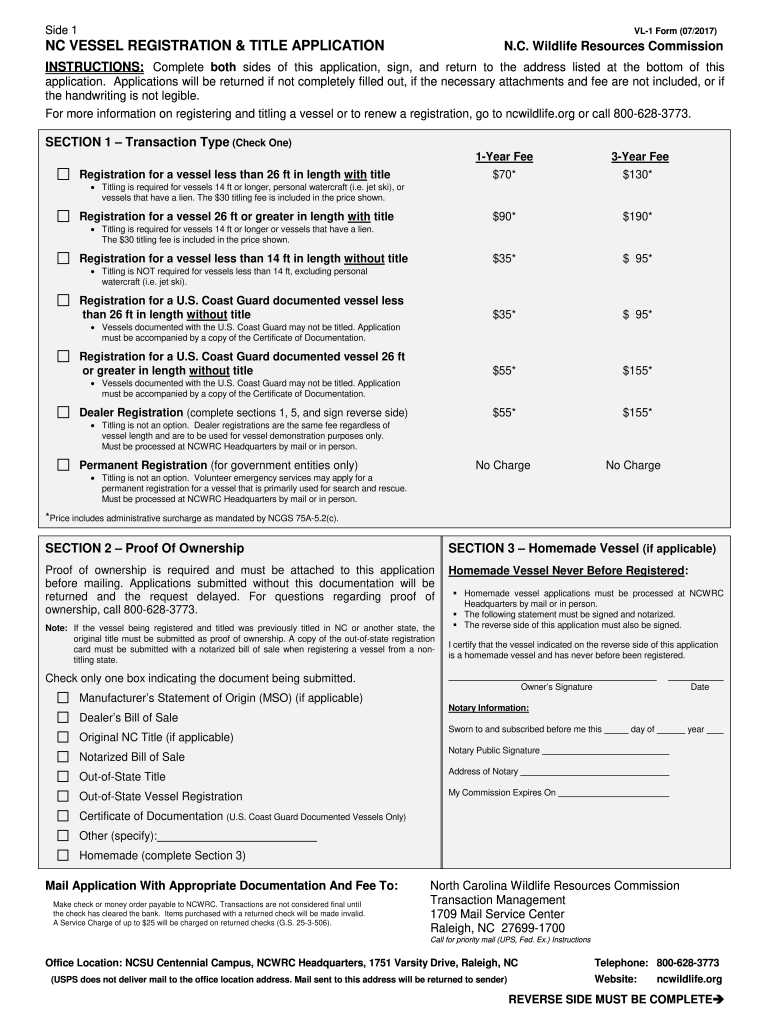
- Click ‘Get Form’ to open the NC Vessel Registration & Title Application in the editor.
- Begin with Section 1, where you will select the transaction type. Choose from options such as registration for vessels under 26 ft or those over 26 ft, and indicate the desired registration duration.
- Proceed to Section 2, where you must provide proof of ownership. Attach necessary documents like titles or bills of sale as required.
- In Section 5, fill out owner information. Include details for both primary and secondary owners, ensuring all fields are completed accurately.
- Complete Section 6 by providing vessel information including make, model, and hull identification number. Ensure that all specifications are correct.
- Finally, review all sections for completeness and legibility before signing at the bottom of the form. Once satisfied, submit your application through our platform.
Start filling out your NC vessel registration today for free using our platform!
Fill out nc vl registration online
It's free
See more nc vl registration versions
We've got more versions of the nc vl registration form. Select the right nc vl registration version from the list and start editing it straight away!
Security and compliance
At DocHub, your data security is our priority. We follow HIPAA, SOC2, GDPR, and other standards, so you can work on your documents with confidence.
Learn more


Related forms

Application for Membership - 2011 Subject Matter Expert (S
The document is an application form for membership in Subject Matter Expert (S.M.E.) Committees, specifically for areas ...

Military and Veterans - state co
Chapter 20 of House Bill 96-1025 outlines the procedures for members of the state military forces in Colorado to file co ...

UNIVERSITY OF COLORADO HEALTH A Transformational Partnership
Chapter 242 of the Colorado Revised Statutes outlines regulations concerning the licensing and activities of individuals ...

Financial Institutions Ch - state co
The document is House Bill 00-1027, which pertains to the repeal of certain reporting requirements for financial institu ...

BY REPRESENTATIVES Entz, Reeser, Acquafresca, Hagedorn, and Taylor;
Chapter 53 of House Bill 95-1245 addresses amendments to the Colorado Surface Coal Mining Reclamation Act to align state ...

295 andamp - state co
The document is House Bill 93-1206, which amends Colorado Revised Statutes to increase the size of land parcels used for ...

HOUSE BILL 06-1254
The document is House Bill 06-1254, which amends Colorado's laws regarding co-ownership of real property, specifically a ...

165 CHAPTER 165 TAXATION HOUSE BILL 02-1219 BY REPRESENTATIVE(S) Larson, Coleman, Garcia, Groff, Mac
165 CHAPTER 165 TAXATION HOUSE BILL 02-1219 BY REPRESENTATIVE(S) Larson, Coleman, Garcia, Groff, Mac
The document outlines House Bill 02-1219, which amends Colorado tax statutes to define and address frivolous state incom ...