
Customized Order Forms - Page 2
Locate appropriate documents with Customized Order Forms catalog. Choose the document, modify and share it, and securely store finished documents in your DocHub account.

Create a new Customized Order Form
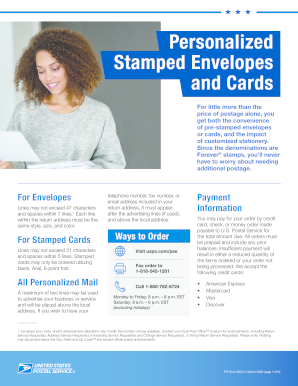
Stamp fulfillment services order form 2022
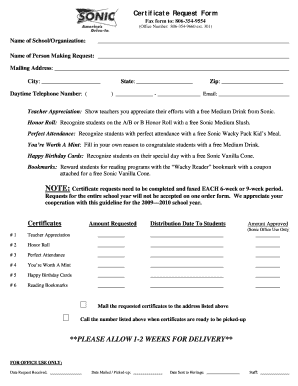
Sonic drink order form
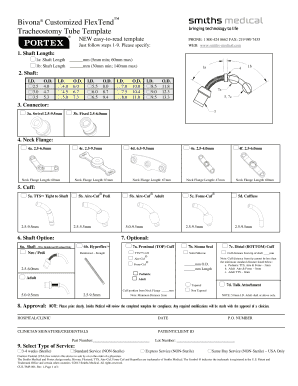
Fixed smith medical custom printable trach template
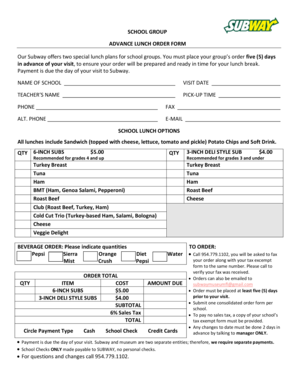
Subway group order form
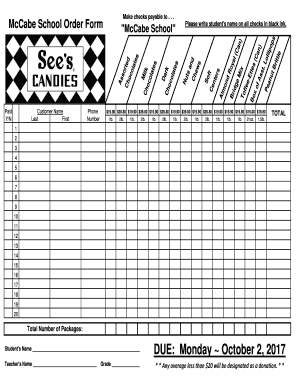
Candy order form

T shirt fundraiser order form template

Ambetter - Prior Authorization Request Form for Prescription Drugs Prior Authorization Request Form

Sgi personalized plate order form
- 1
-
2
Handle Customized Order Forms easily online
Document administration can overwhelm you when you can’t discover all the forms you require. Fortunately, with DocHub's considerable form collection, you can find all you need and easily handle it without changing between apps. Get our Customized Order Forms and begin working with them.
How to use our Customized Order Forms using these easy steps:
- Examine Customized Order Forms and select the form you require.
- Preview the template and then click Get Form.
- Wait for it to upload in the online editor.
- Edit your document: include new information and pictures, and fillable fields or blackout certain parts if necessary.
- Fill out your document, save alterations, and prepare it for sending.
- When all set, download your form or share it with other contributors.
Try out DocHub and browse our Customized Order Forms category with ease. Get your free profile right now!
Video Guide on Customized Order Forms management

Commonly Asked Questions about Customized Order Forms
How do I make a purchase order form?
Heres a breakdown of the typical purchase order form format: Header. Buyer and seller details, addresses, contacts, and a unique PO number. Date and delivery. Issue date and expected delivery date. Itemized list. Payment terms. Shipping/billing. Signatures. Logo and branding.
What is the best program to make an order form?
Google Forms is a popular tool that allows users to create order forms quickly and easily using pre-made templates or by designing their own forms. PDFs with fillable forms are also an option for creating order forms, which can be filled out and submitted electronically.
What is the best way to create an order form?
Steps to Create an Order Form Decide what to sell. Choose a form builder tool. Customize the template with proper fields. Add photos of the products. Customize the order form with branding. Set up a payment method. Set up a success message. Share the order form.
What is an example of a PO?
Example of a standard PO being used: If an office ran out of printing paper and/or ink cartridges, based on the scale of the company, a standard PO may need to be raised and provided to a purchasing manager for approval before those items were purchased from a supplier.
How to use Google Forms as an order form?
How to make a purchase order form in Google Forms Step 1: Create a form. Step 2: Add the relevant purchase order details. Step 3: Download Payable Forms from Google Marketplace. Step 4: Adjust your sharing details. Step 5: Embed and share your form. No dedicated payment field. Fees on every purchase.
How do I manually create a purchase order?
Creating Purchase Orders Manually On the Main Menu, click Inventory . Click Purchase Orders . Click New . Click either By PLU/X-Ref or By Vendor/SKU . Complete the appropriate fields at the top of the Purchase Order window: Complete the appropriate fields in the middle of the Purchase Order window.
How do you format a purchase order?
A standardized purchase order needs to have all the following details: Purchase order issue date. Company logo. Point of contact information. Name and billing address of the buyer and seller plus telephone/fax/emails. Purchase order number. Item numbers. Shipping method, terms, and date of delivery.
Related Templates

New Patient Forms Packet - Newport Plastic Surgery
The document is a comprehensive set of forms from Newport Plastic Surgery, Inc., detailing the patient intake process fo ...

CFS 374 Transition Funding Application and Disbursement Plan
The document is a Transition Funding Application and Disbursement Plan from the Illinois Department of Children and Fami ...

State of illinois affidavit and certificate of correction request
The document is an affidavit and certificate of correction request from the Illinois Department of Public Health, outlin ...

Quarter-End Instructions
The document provides detailed instructions for Paychex clients regarding the filing of quarterly and annual tax returns ...

Employment application - Hamilton Animal Care
The document is an employment application form for Hamilton Animal Care, LLC, which collects personal information from a ...

Uniform order form - Buffalo Graffix
The document is a uniform order form for Buffalo Graffix, detailing the process for ordering shirts, including sizing sa ...

STATEMENT OF OPEN ACCOUNTS
The document is a request form for a Statement of Open Accounts required before purchasing a Real Estate Transfer Stamp ...

Completed application at least days prior to an event Vendors
The document outlines the requirements for vendors seeking temporary food establishment permits from the Pitt County Env ...