Get and manage Monthly expenses Balance Sheet Templates online

Boost your document management with our Monthly expenses Balance Sheet Templates collection with ready-made document templates that suit your needs. Access your document, change it, complete it, and share it with your contributors without breaking a sweat. Begin working more efficiently together with your forms.

How to use our Monthly expenses Balance Sheet Templates:

  1. Open our Monthly expenses Balance Sheet Templates and search for the form you need.
  2. Preview your form to ensure it’s what you want, and click on Get Form to start working on it.
  3. Alter, include new text, or point out important information with DocHub features.
  4. Fill out your form and preserve the modifications.
  5. Download or share your document with other recipients.

Discover all of the possibilities for your online file administration with the Monthly expenses Balance Sheet Templates. Get your totally free DocHub account today!


Video Guide on Monthly expenses Balance Sheet Templates management

video background

Commonly Asked Questions about Monthly expenses Balance Sheet Templates

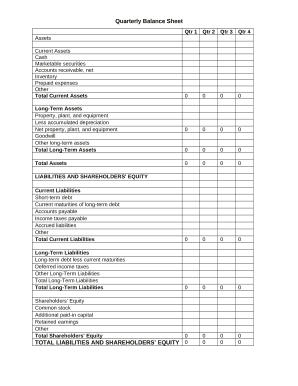
How to create a budget spreadsheet Choose a spreadsheet program or template. Create categories for income and expense items. Set your budget period (weekly, monthly, etc.). Enter your numbers and use simple formulas to streamline calculations. Consider visual aids and other features.
Use a chart to make expenses easier to track On the Monthly Expenses tab, I also like to see a breakdown of my expenses in chart form. To do this, I highlight the monthly expenses list plus the actual list, select Insert, then select a chart option to find a nice way to visualize my data.
5 Best Free Excel Expense Spreadsheets Excel Expense Report Template by Smartsheet. Excel Travel Expense Tracker by SpreadsheetPoint. Vertex42 Expense Templates. Monthly Expense Tracker Excel template by Part Time Money. Shoeboxed, a receipt scanning service.
To enter your expenses in your Excel budgeting template, go to the Expenses sheet. Here, youll see a table with categories such as Rent/Mortgage, Utilities, Food, and so on. Again, just enter the appropriate amount for each category and add new expenses as needed.
Microsoft Excel has lots of free, customizable budget templates available to pick from, so youre certain to find one that works for you. Lets open the Excel expense template that I got from the Microsoft Create and dive into a few ways to customize it for my small business.
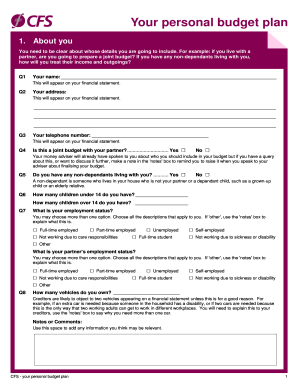
DIY with the Personal budget template This Excel template can help you track your monthly budget by income and expenses. Input your costs and income, and any difference is calculated automatically so you can avoid shortfalls or make plans for any projected surpluses.
Check your account statements. Categorize your expenses. Build a budget that works for your expenses. Use budgeting or expense-tracking apps. Explore other expense-tracking methods. Look for ways to lower your expenses.
Our 50/30/20 calculator divides your take-home income into suggested spending in three categories: 50% of net pay for needs, 30% for wants and 20% for savings and debt repayment. Find out how this budgeting approach applies to your money.