Pre application kingcounty 2026

Get Form
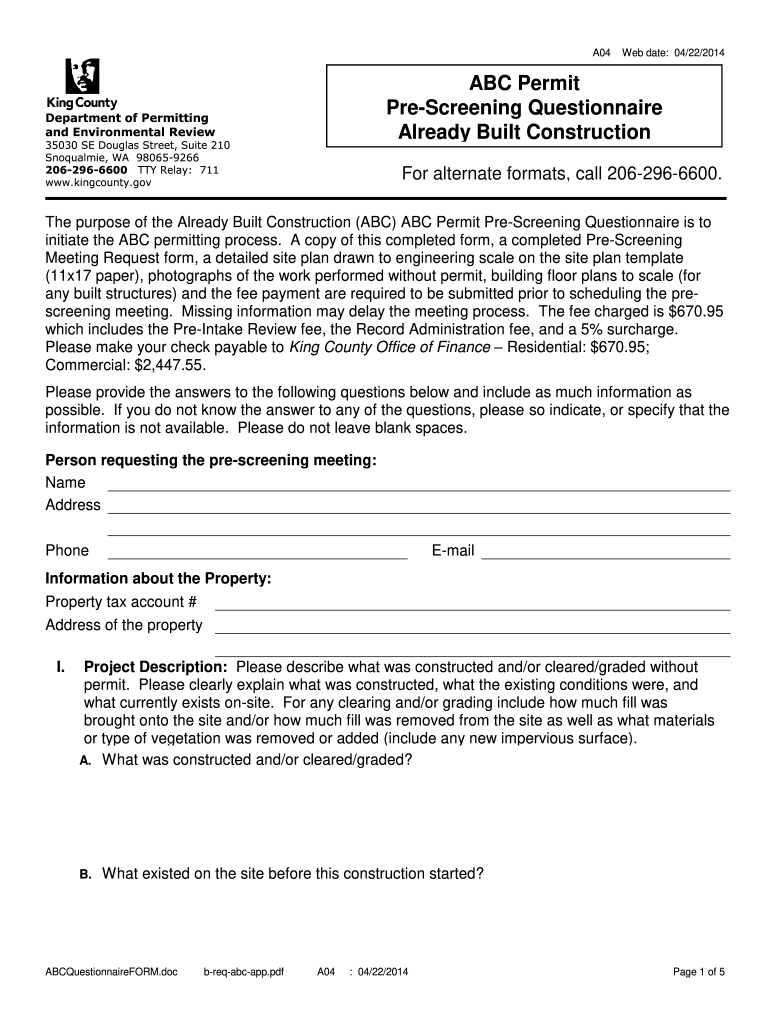
pre application kingcounty Preview on Page 1

Here's how it works

01. Edit your form online
Type text, add images, blackout confidential details, add comments, highlights and more.
02. Sign it in a few clicks
Draw your signature, type it, upload its image, or use your mobile device as a signature pad.
03. Share your form with others
Send it via email, link, or fax. You can also download it, export it or print it out.

How to use or fill out pre application kingcounty with our platform

Form edit decoration
9.5
Ease of Setup
DocHub User Ratings on G2
9.0
Ease of Use
DocHub User Ratings on G2
  1. Click ‘Get Form’ to open the pre application kingcounty in the editor.
  2. Begin by filling out your personal information in the 'Person requesting the pre-screening meeting' section. Include your name, address, phone number, and email.
  3. Next, provide details about the property in the 'Information about the Property' section. Enter your property tax account number and address.
  4. In the 'Project Description' section, describe what was constructed or cleared without a permit. Be specific about existing conditions and any changes made.
  5. Continue through each question regarding construction details, easements, sewer service, water service, and critical areas. Ensure all fields are filled accurately to avoid delays.
  6. Upload any required documents such as photographs and site plans directly through our platform for a seamless submission process.

Start using our platform today to complete your pre application kingcounty form easily and for free!

See more pre application kingcounty versions

We've got more versions of the pre application kingcounty form. Select the right pre application kingcounty version from the list and start editing it straight away!
Versions Form popularity Fillable & printable
2014 4.8 Satisfied (81 Votes)
be ready to get more

Complete this form in 5 minutes or less

Get form

Got questions?

We have answers to the most popular questions from our customers. If you can't find an answer to your question, please contact us.
Contact us

With DocHub, you can easily approve your pre application kingcounty or any other document on iOS, even without setting up extra programs. You can access your DocHub account from any internet-connected browser and complete and sign your document in any way you like with just a couple of clicks.

You can complete and eSign your pre application kingcounty on the internet, even on a tight deadline. All you need to access high quality editing tools on any device is a DocHub profile, which you can sign up in a couple of moments. After you register, add your file or find what you are looking for in our catalog, complete it utilizing the editing tools you want, and place your electronic signature on it at the end.

For immediate assistance, call 206-553-3000 (WA Relay: 711).
A general Special Use Permit (SUP) is a permit for the use of King County property in which the County has an ownership interest. Submit your SUP request by completing an application form. There may be fees required for processing, administration, land use, inspection, and plan review associated with your SUP request.
A pre-application meeting is an opportunity for the applicant to provide preliminary information about the proposed project and ask specific questions regarding the proposal.

Security and compliance

At DocHub, your data security is our priority. We follow HIPAA, SOC2, GDPR, and other standards, so you can work on your documents with confidence.

Learn more
ccpa2
pci-dss
gdpr-compliance
hipaa
soc-compliance
be ready to get more

Complete this form in 5 minutes or less

Get form