




Here's how it works

01. Edit your microblading forms online
Type text, add images, blackout confidential details, add comments, highlights and more.

02. Sign it in a few clicks
Draw your signature, type it, upload its image, or use your mobile device as a signature pad.

03. Share your form with others
Send free microblading forms via email, link, or fax. You can also download it, export it or print it out.
How to use or fill out microblading forms with our platform

- Click ‘Get Form’ to open the microblading intake form in the editor.
- Begin by entering your personal information in the designated fields, including your name, primary phone number, address, city, state, zip code, and email address.
- Fill out the emergency contact section with the name and phone number of someone who can be reached if necessary.
- Indicate how you heard about the service by checking one of the options provided.
- If applicable, refer a friend by writing their name in the referral section to ensure they receive a $5 gift card.
- Answer whether you have previously received a microblading service at RejuvePod or another salon by selecting 'Yes' or 'No.'
- Read through the consent and release agreement carefully. Ensure you understand all risks and procedures before signing.
- Complete any additional sections regarding aftercare instructions and potential risks by initialing where indicated.
- Finally, sign and date the form to confirm your consent for the procedure.
Start filling out your microblading forms online for free today!
Fill out microblading forms online
It's free
Security and compliance
At DocHub, your data security is our priority. We follow HIPAA, SOC2, GDPR, and other standards, so you can work on your documents with confidence.
Learn more


Related forms

FL-130 S
The document FL-130 S is a legal form used in California for family law cases, specifically regarding appearances, stipu ...
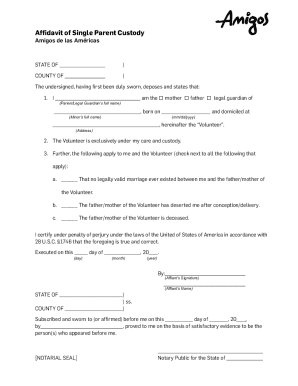
Affidavit of Single Parent Custody for Amigos de las Am ricas
The document is an Affidavit of Single Parent Custody, where a parent or legal guardian declares their sole custody over ...

Tdf 2
The document is an application form for the renewal of an Intrastate Motor Carrier License issued by the Oklahoma Corpor ...

Pre employment affidavit example
The document is a Sample Pre-Employment Affidavit required by Texas Education Code section 21.009, which mandates applic ...
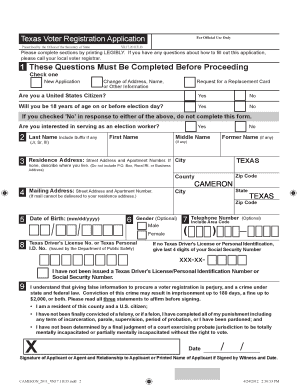
Texas Voter Registration Application Prescribed by the Office of the Secretary of State For Official
Texas Voter Registration Application Prescribed by the Office of the Secretary of State For Official
The Texas Voter Registration Application is a form prescribed by the Office of the Secretary of State for individuals to ...
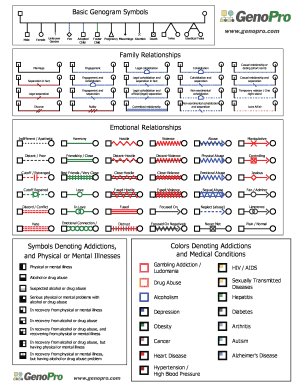
Genopro symbols
The document provides a comprehensive overview of basic genogram symbols used to represent various family relationships, ...

Australia Statutory Declaration Form
The document outlines the process and requirements for making a statutory declaration under the Statutory Declarations A ...

Don't Sweat This Audit: Examining Your Insurance Needs
The document is an audit form for a Commercial General Liability Policy, requiring the policyholder to provide detailed ...