




Here's how it works



How to use or fill out Building/Demolition Permit Application Form - Township of Strathroy with our platform

- Click ‘Get Form’ to open it in the editor.
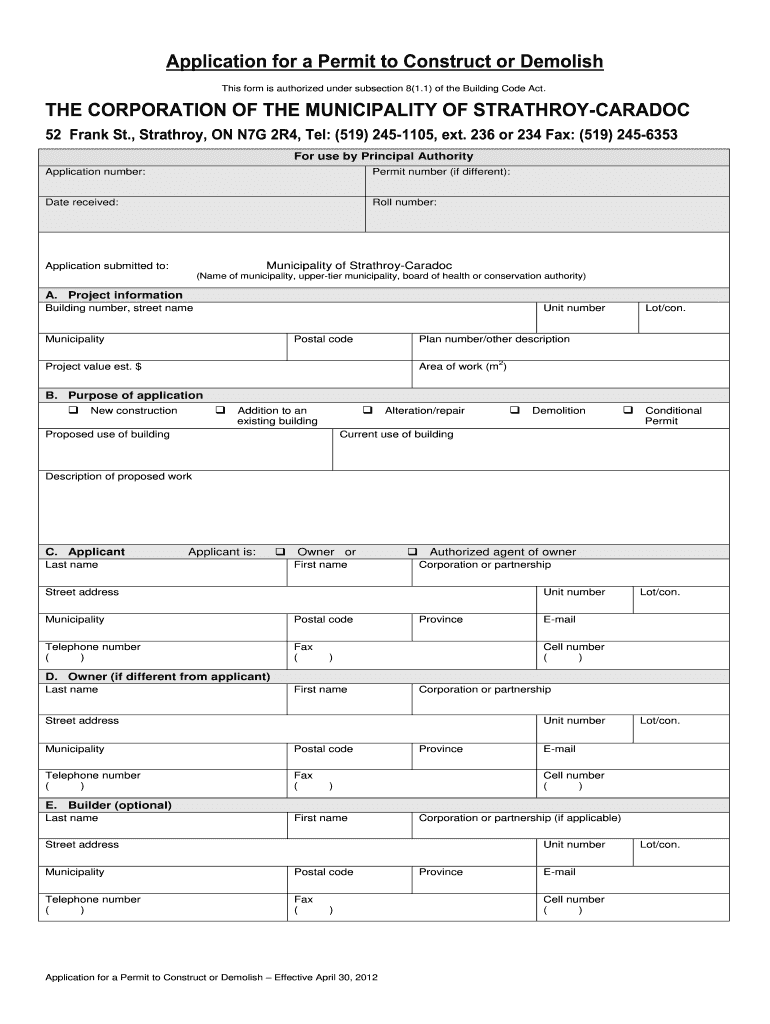
- Begin by filling out the 'Project Information' section. Enter the building number, street name, unit number, municipality, postal code, and estimated project value.
- In the 'Purpose of Application' section, select the appropriate checkbox for your application type: New construction, Addition, Alteration/repair, or Demolition.
- Complete the 'Applicant' section by providing your last name, first name, address details, and contact information. If you are an authorized agent of the owner, ensure to indicate that.
- If applicable, fill out the 'Owner' and 'Builder' sections with their respective details. Ensure all fields are accurately completed.
- Attach any required schedules as indicated in section G. This may include site plans and drawings prepared by a registered professional.
- Review your entries for completeness and compliance with applicable laws before submitting your application.
Start using our platform today to streamline your permit application process for free!
It's free
See more Building/Demolition Permit Application Form - Township of Strathroy ... versions
Got questions?
Can I draw my electronic signature to sign my Building/Demolition Permit Application Form - Township of Strathroy ...?
Sure, electronically drawing your signature is acceptable, but only if you utilize a tool that complies with industry laws and regulations. Try DocHub, which guarantees eSignature validity under ESIGN and UETA requirements. All you need to eSign your Building/Demolition Permit Application Form - Township of Strathroy ... is an account with DocHub and an internet connection. Once you open your document in our editor, click Sign and choose the Draw tool.
Can I sign my Building/Demolition Permit Application Form - Township of Strathroy ... while I edit it?
When you edit your Building/Demolition Permit Application Form - Township of Strathroy ... with DocHub, you will not need to look for other software or solutions to sign it. An electronic signature is part of DocHub’s substantial editing toolset, which allows you to implement changes in your form without switching between websites. Just complete your form, double-check the correctness of your information and put your electronic signature at the end to make it submission-ready quickly.
Security and compliance
At DocHub, your data security is our priority. We follow HIPAA, SOC2, GDPR, and other standards, so you can work on your documents with confidence.
Learn more


