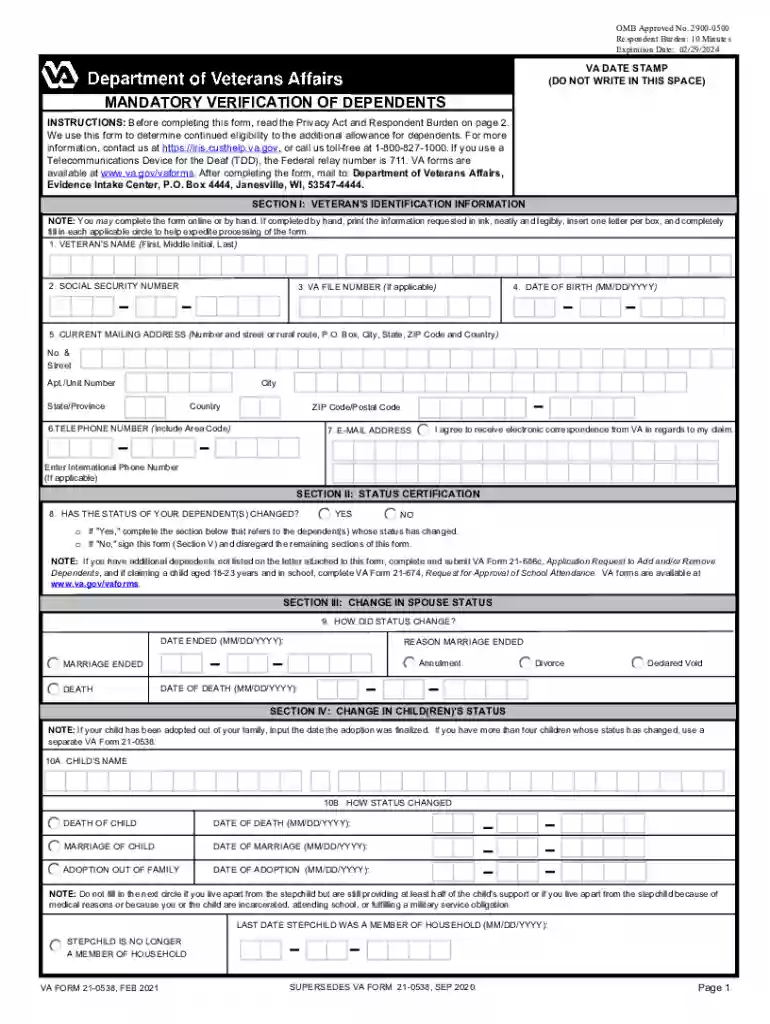
Va form 21 0538-2026

Get Form
va form 21 0538 Preview on Page 1

Here's how it works

01. Edit your va form 21 0538 online
Type text, add images, blackout confidential details, add comments, highlights and more.

02. Sign it in a few clicks
Draw your signature, type it, upload its image, or use your mobile device as a signature pad.

03. Share your form with others
Send va form 21 0538 fillable via email, link, or fax. You can also download it, export it or print it out.

How to use or fill out VA Form 21-0538 with our platform

Form edit decoration
9.5
Ease of Setup
DocHub User Ratings on G2
9.0
Ease of Use
DocHub User Ratings on G2
  1. Click ‘Get Form’ to open it in the editor.
  2. Begin with Section I: Veteran's Identification Information. Fill in your name, Social Security number, VA file number (if applicable), date of birth, current mailing address, telephone number, and email address. Ensure all information is accurate and legible.
  3. Move to Section II: Status Certification. Answer whether the status of your dependent(s) has changed by selecting 'Yes' or 'No'. If 'Yes', complete the relevant sections for each dependent whose status has changed.
  4. In Section III: Change in Spouse Status, indicate how the status changed and provide the necessary dates and reasons for any changes.
  5. Proceed to Section IV: Change in Child(ren)'s Status. For each child affected, enter their name and specify how their status has changed. Include relevant dates for events such as marriage or adoption.
  6. Finally, complete Section V: Certification and Signature by signing and dating the form to certify that all information provided is true.

Start using our platform today to fill out VA Form 21-0538 easily and for free!

See more va form 21 0538 versions

We've got more versions of the va form 21 0538 form. Select the right va form 21 0538 version from the list and start editing it straight away!
Versions Form popularity Fillable & printable
2021 4.8 Satisfied (46 Votes)
2013 4.3 Satisfied (55 Votes)
2009 4.3 Satisfied (161 Votes)
be ready to get more

Complete this form in 5 minutes or less

Get form

Got questions?

We have answers to the most popular questions from our customers. If you can't find an answer to your question, please contact us.
Contact us
If a veteran doesnt return the form, they risk losing their dependent pay, which can impact monthly VA benefits. Key Points on Dependent Verification The form is usually sent every 7 years (though timelines may vary). Veterans must return the form to avoid a reduction in benefits OR call 1-800-827-1000.
What is the Hardest VA Claim to Get? Mental Health Conditions (e.g., PTSD, Depression) Sleep Apnea. Tinnitus and Hearing Loss. Military Sexual Trauma (MST) Chronic Pain Without a Clear Diagnosis.

Security and compliance

At DocHub, your data security is our priority. We follow HIPAA, SOC2, GDPR, and other standards, so you can work on your documents with confidence.

Learn more
ccpa2
pci-dss
gdpr-compliance
hipaa
soc-compliance