




Here's how it works



How to use or fill out 2421 Versailles Avenue Pittsburgh, PA 15132

- Click ‘Get Form’ to open it in the editor.
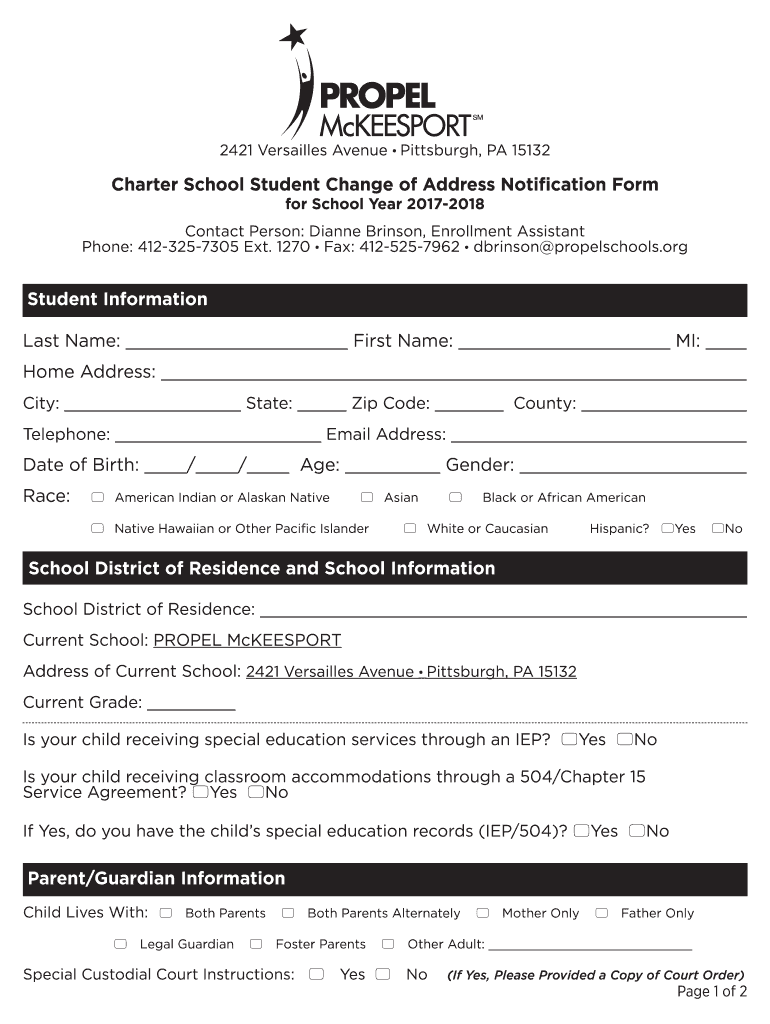
- Begin by entering the student’s information in the designated fields. Fill in the last name, first name, middle initial, and home address accurately.
- Provide contact details including telephone number and email address. Ensure that these are current for effective communication.
- Complete the date of birth, age, gender, and race sections. Select the appropriate options for race and indicate if your child is Hispanic.
- In the School District of Residence section, enter the relevant school district and confirm your child's current school as PROPEL McKEESPORT.
- Indicate whether your child receives special education services or classroom accommodations by checking 'Yes' or 'No' as applicable.
- Fill out parent/guardian information completely. Include names, addresses, phone numbers, and relationships to the student.
- Sign and date the form at the bottom to confirm your request for enrollment at the charter school.
Start using our platform today to easily complete your forms online for free!
It's free
See more 2421 Versailles Avenue Pittsburgh, PA 15132 versions
| Versions | Form popularity | Fillable & printable |
|---|---|---|
| 2017 | 4.8 Satisfied (61 Votes) |
Got questions?
Can I draw my eSignature to approve my 2421 Versailles Avenue Pittsburgh, PA 15132?
Yes, electronically drawing your signature is acceptable, but only if you use a tool that complies with industry laws and regulations. Consider DocHub, which guarantees eSignature validity under ESIGN and UETA requirements. All you need to eSign your 2421 Versailles Avenue Pittsburgh, PA 15132 is an account with DocHub and an internet connection. Once you open your document in our editor, click Sign and choose the Draw tool.
How do you get 2421 Versailles Avenue Pittsburgh, PA 15132 for my state?
If you are looking for a state-specific 2421 Versailles Avenue Pittsburgh, PA 15132 sample, you will find it in our DocHub Forms & Templates catalog. Use the search field, enter your form’s name, and search through the results for your state. You can also filter out irrelevant results while browsing our catalog by groups.
Security and compliance
At DocHub, your data security is our priority. We follow HIPAA, SOC2, GDPR, and other standards, so you can work on your documents with confidence.
Learn more


