
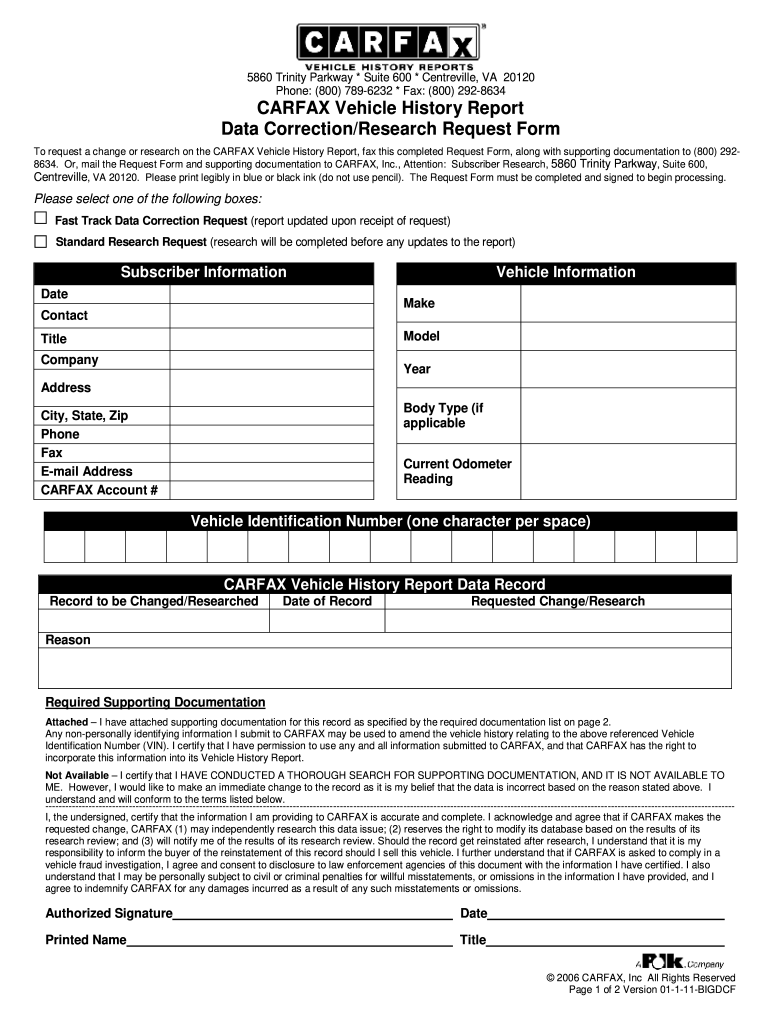




Here's how it works

01. Edit your carfax report dispute online
Type text, add images, blackout confidential details, add comments, highlights and more.

02. Sign it in a few clicks
Draw your signature, type it, upload its image, or use your mobile device as a signature pad.

03. Share your form with others
Send carfax dispute form via email, link, or fax. You can also download it, export it or print it out.
How to use or fill out carfax report dispute with our platform

- Click ‘Get Form’ to open the CARFAX Vehicle History Report Data Correction/Research Request Form in the editor.
- Begin by filling out the Subscriber Information section. Enter your date, name, and contact details clearly.
- In the Vehicle Information section, provide details such as make, model, year, and VIN. Ensure accuracy for effective processing.
- Select either 'Fast Track Data Correction Request' or 'Standard Research Request' based on your needs.
- Identify the record that needs correction in the CARFAX Vehicle History Report. Specify the requested change and reason clearly.
- Attach any required supporting documentation as specified in the form. If unavailable, check the appropriate box and explain your situation.
- Sign and date the form at the bottom to certify that all information is accurate before submitting it via fax or mail.
Start using our platform today to streamline your CARFAX report dispute process for free!
Fill out carfax report dispute online
It's free
See more carfax report dispute versions
We've got more versions of the carfax report dispute form. Select the right carfax report dispute version from the list and start editing it straight away!
| Versions | Form popularity | Fillable & printable |
|---|---|---|
| 2011 | 4.9 Satisfied (44 Votes) |
Security and compliance
At DocHub, your data security is our priority. We follow HIPAA, SOC2, GDPR, and other standards, so you can work on your documents with confidence.
Learn more


Related forms
Thank you for registering for the 4th Life After Cancer - POGO
The document is a registration confirmation for the 4th Life After Cancer Conference, requiring participants to complete ...
DocHub encatalog20 Printable puppy purchase agreement Forms and - DocHub
The document is a Puppy Purchase Contract between Moonstruck Bernedoodles (Seller) and the Buyer, outlining the terms of ...
Care subsidy special needs form
The document outlines the Affordable Child Care Benefit, specifically focusing on the Special Needs Supplement for child ...
Centennial college re admit
Cdnpay ca cancellation form
The document is a Cancellation Notice from a Payor to a Payee, informing the Payee of the cancellation of pre-authorized ...
Dlmp uw patient-careservicerequestAnatomic Pathology Service Request FormsPatient Care

ADFS 2 0 - Forms and integrated authentication on one server
The document is a voluntary contributions form for PSSap and ADF Super Members, allowing individuals to make personal af ...

Australia dhs centrelink consent disclose medical
The document is a consent form that allows individuals to authorize their health professionals to disclose relevant medi ...