




Here's how it works

01. Edit your re515 online
Type text, add images, blackout confidential details, add comments, highlights and more.

02. Sign it in a few clicks
Draw your signature, type it, upload its image, or use your mobile device as a signature pad.

03. Share your form with others
Send it via email, link, or fax. You can also download it, export it or print it out.
How to use or fill out re 515 with our platform

- Click ‘Get Form’ to open the re 515 in the editor.
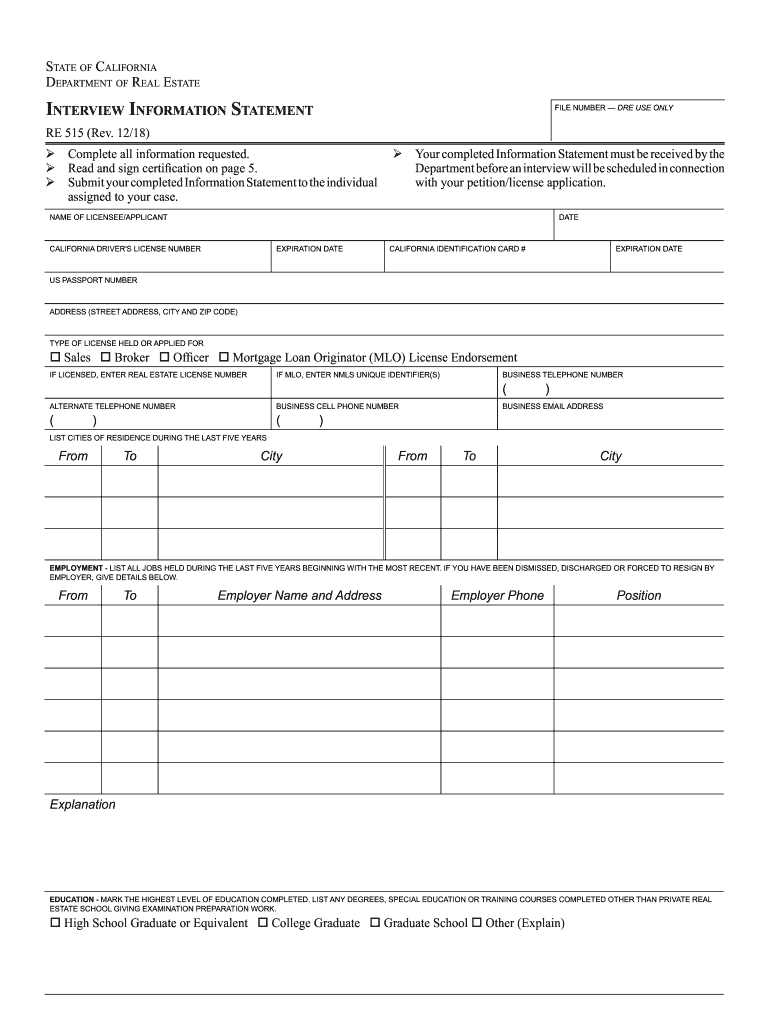
- Begin by entering your personal information, including your name, date, and California driver's license number. Ensure all fields are filled accurately.
- In the 'Employment' section, list all jobs held in the last five years, starting with the most recent. Include details about any dismissals if applicable.
- Mark your highest level of education completed in the education section. If you have additional training or degrees, list them as well.
- Complete the family and community groups sections by checking the appropriate boxes and providing any necessary details.
- Address past due debts and criminal convictions thoroughly. Be honest and provide explanations where required.
- Finally, read and sign the certification on page 5 before submitting your completed Information Statement to the assigned individual.
Start using our platform today for free to streamline your form completion process!
Fill out re 515 online
It's free
Security and compliance
At DocHub, your data security is our priority. We follow HIPAA, SOC2, GDPR, and other standards, so you can work on your documents with confidence.
Learn more


