Army pubs 2026

Get Form
army pubs Preview on Page 1

Here's how it works

01. Edit your army pubs online
Type text, add images, blackout confidential details, add comments, highlights and more.

02. Sign it in a few clicks
Draw your signature, type it, upload its image, or use your mobile device as a signature pad.

03. Share your form with others
Send armypubs via email, link, or fax. You can also download it, export it or print it out.

How to use or fill out army pubs with our platform

Form edit decoration
9.5
Ease of Setup
DocHub User Ratings on G2
9.0
Ease of Use
DocHub User Ratings on G2
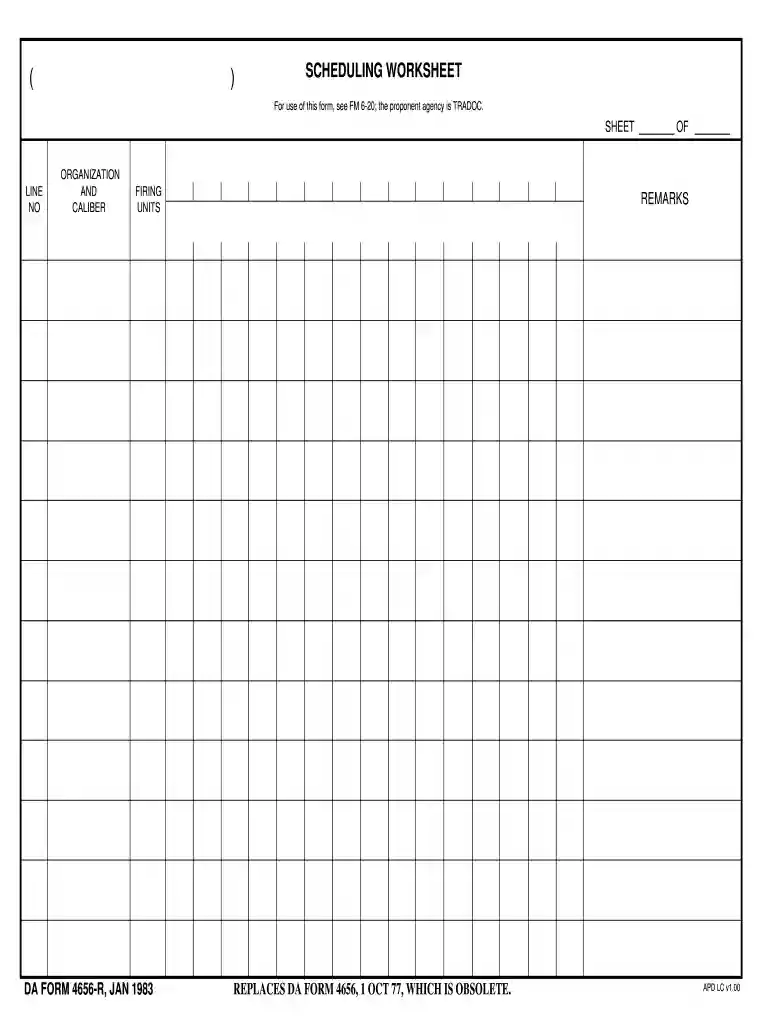
  1. Click ‘Get Form’ to open the Scheduling Worksheet in the editor.
  2. Begin by filling in the 'Line No' section, which helps track each entry systematically. Ensure that you enter a unique number for each line item.
  3. In the 'Organization and Caliber' field, specify the organization responsible for the firing units along with the caliber of weapons being used. This information is crucial for accurate record-keeping.
  4. Next, complete the 'Firing Units' section by detailing the specific units involved in the operation. Be precise to avoid any confusion during execution.
  5. Finally, use the 'Remarks' section to add any additional notes or comments that may be relevant to your scheduling needs. This can include special instructions or considerations.

Start using our platform today to streamline your army pubs completion process for free!

See more army pubs versions

We've got more versions of the army pubs form. Select the right army pubs version from the list and start editing it straight away!
Versions Form popularity Fillable & printable
1983 4.8 Satisfied (173 Votes)
be ready to get more

Complete this form in 5 minutes or less

Get form

Got questions?

We have answers to the most popular questions from our customers. If you can't find an answer to your question, please contact us.
Contact us

Yes, you can utilize DocHub for signing any business and personal paperwork, including your da pubs. All electronic signatures you create with our service are legally binding and court-admissible, as DocHub complies with criteria required by ESIGN and UETA. Save your completed form with a detailed Audit Trail if needed.

When you choose analog ways of completing your army pub, it is simple to download your file for printing. Search DocHub’s Forms & Templates catalog to get the exact document template you require and open it for editing or download it on your device in the format of your choice. It is easy to complete your form electronically and place your handwritten signature on it right after printing or eSign your document with DocHub.

These documents may be found on the DOD Washington Headquarters Services issuance website. Each Military Department publishes forms and regulations that similarly govern and regulate the activities within its respective military branch: U.S. Army: https://armypubs.army.mil.
Army Doctrine Publications (ADPs) are the backbone of the Army's intellectual body of knowledge. According to ADP 1-01 Doctrine Primer, they address \u201cfundamental principles\u201d.
To complete a DA 31 Request and Authority for Leave, you need to provide: Control number. Name. Social security number (SSN) Rank. Date. Leave address. Type of leave: ordinary, emergency, permissive tdy, other. Orgn, duty station, and telephone number.

Security and compliance

At DocHub, your data security is our priority. We follow HIPAA, SOC2, GDPR, and other standards, so you can work on your documents with confidence.

Learn more
ccpa2
pci-dss
gdpr-compliance
hipaa
soc-compliance
be ready to get more

Complete this form in 5 minutes or less

Get form

People also ask

DA Form 31 serves to certify leave days chargeable to a soldier's leave account or it may be used to update a soldier's military leave and pay records.
An up-to-date fillable version of DA Form 3355 is available for download and digital filing below or can be obtained through the army publishing directorate website. The DA 3355 is used to update a soldier's promotion points and the information contained within the form may be disclosed to DA officials only.
There are currently 16 ADPs which cover broad topics including each of the six warfighting functions, military terms and symbols (save this one to your desktop), and training.
These documents may be found on the DOD Washington Headquarters Services issuance website. Each Military Department publishes forms and regulations that similarly govern and regulate the activities within its respective military branch: U.S. Army: https://armypubs.army.mil.
DA Form 31 serves to certify leave days chargeable to a soldier's leave account or it may be used to update a soldier's military leave and pay records.

armypub