




Here's how it works

01. Edit your leed certification form online
Type text, add images, blackout confidential details, add comments, highlights and more.

02. Sign it in a few clicks
Draw your signature, type it, upload its image, or use your mobile device as a signature pad.

03. Share your form with others
Send building materials certification form via email, link, or fax. You can also download it, export it or print it out.
How to use or fill out green building certification form with our platform

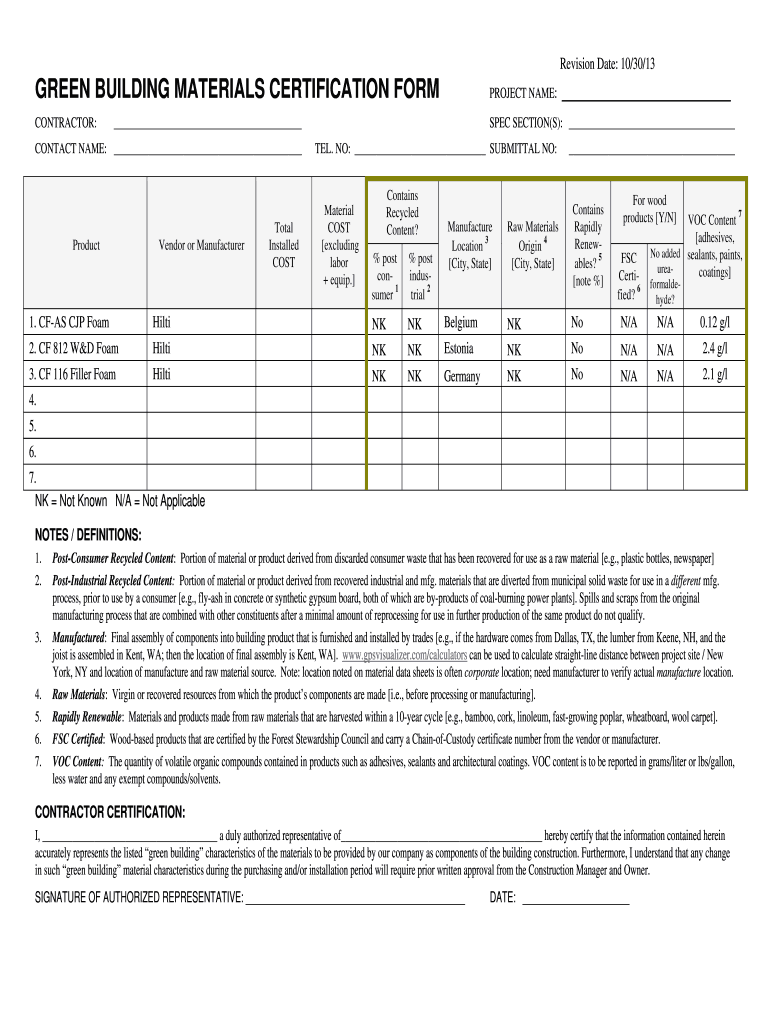
- Click ‘Get Form’ to open the green building certification form in the editor.
- Begin by entering the 'Project Name' and 'Contractor' details at the top of the form. This information is essential for identifying your project.
- In the 'SPEC SECTION(S)' field, specify any relevant sections that pertain to your project. This helps in categorizing your materials accurately.
- Fill out the 'Contact Name' and 'Telephone Number' fields to ensure communication lines are open for any queries regarding your submission.
- For each product listed, provide details such as 'Vendor or Manufacturer', 'Total Installed Cost', and material costs excluding labor and equipment. Ensure accuracy for effective budgeting.
- Indicate whether materials contain recycled content by filling in the percentages for post-consumer and post-industrial recycled content where applicable.
- Complete additional fields regarding manufacturing location, raw materials origin, rapidly renewable content, VOC content, and FSC certification status as required.
- Finally, have an authorized representative sign and date the contractor certification section to validate the information provided.
Start using our platform today to streamline your green building certification process for free!
Fill out green building certification form online
It's free
See more green building certification form versions
We've got more versions of the green building certification form form. Select the right green building certification form version from the list and start editing it straight away!
Security and compliance
At DocHub, your data security is our priority. We follow HIPAA, SOC2, GDPR, and other standards, so you can work on your documents with confidence.
Learn more


