
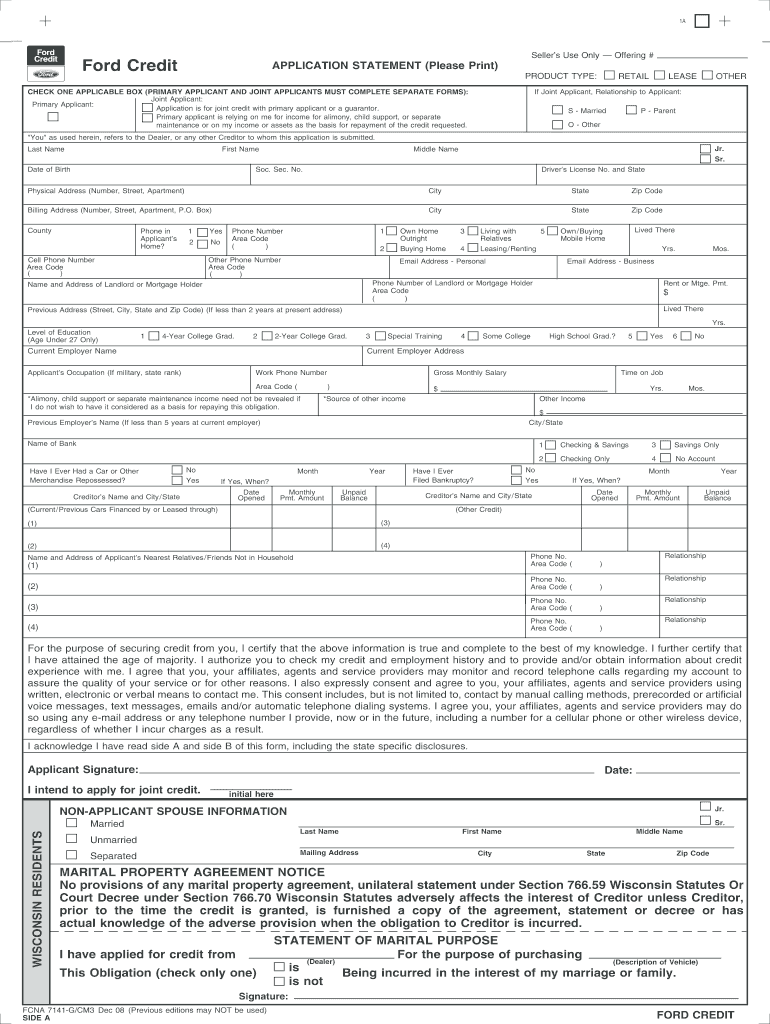




Here's how it works



How to use or fill out ford g cm3 online with our platform

- Click ‘Get Form’ to open the ford g cm3 online in the editor.
- Begin by selecting the product type: Retail, Lease, or Other. Ensure you check the appropriate box.
- If applicable, indicate your relationship to the joint applicant and select whether you are a primary applicant or a joint applicant.
- Fill in your personal details including Last Name, First Name, Date of Birth, and Social Security Number. Make sure all information is accurate.
- Provide your physical address and billing address. If they are the same, you can indicate that accordingly.
- Complete the contact information section by entering your home phone number, cell phone number, and any other relevant phone numbers.
- Detail your employment information including current employer name, occupation, and gross monthly salary. Include time on job and any additional income sources if applicable.
- Review all sections for accuracy before signing at the bottom of the form to certify that all provided information is true.
Start filling out your ford g cm3 online today for free using our platform!
It's free
See more ford g cm3 online versions
| Versions | Form popularity | Fillable & printable |
|---|---|---|
| 2008 | 4.9 Satisfied (56 Votes) |
Got questions?
How can I sign my ford g cm3 online online?
Sign in to your DocHub account and import your ford g cm3 online to our editor using one of its upload methods - from your device, cloud storage, protected URL, or your DocHub folders if you have already managed your form before. Open our editor, click the Sign key in the top toolbar, and choose your signing method. You can use an image of your handwritten signature, draw it, enter your name, or utilize a QR code instead.
How to complete and sign ford g cm3 online online?
You may easily complete, modify, and even eSign your ford g cm3 online utilizing DocHub. Create a new account and start your free trial. After that, you can add the file with the form and simply make all the needed edits. No need to print on paper or use a third-party application to sign it, as you can place your electronic signature on your document faster through DocHub.
What credit score is needed for Ford financing?
Is Ford financing hard to get?
Does Ford Motor credit have an app?
Security and compliance
At DocHub, your data security is our priority. We follow HIPAA, SOC2, GDPR, and other standards, so you can work on your documents with confidence.
Learn more


