




Here's how it works



How to use or fill out independent providers of nursing health aid services billing form rsa 7b with our platform

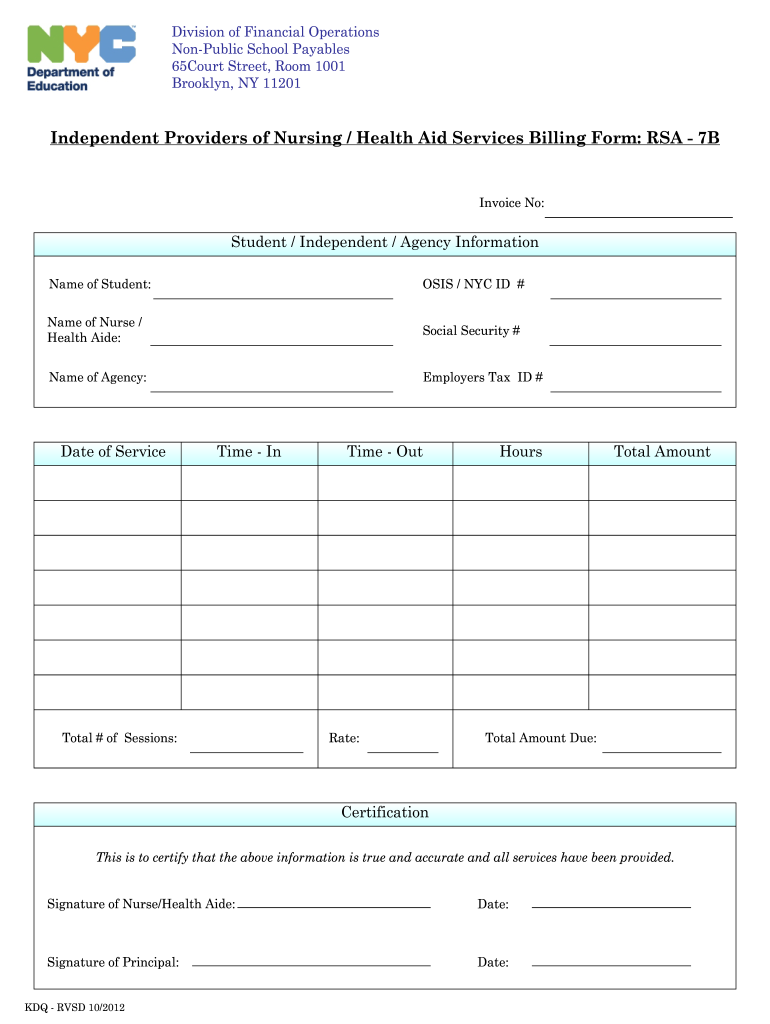
- Click ‘Get Form’ to open the independent providers of nursing health aid services billing form RSA - 7B in the editor.
- Begin by entering the 'Invoice No' at the top of the form. This unique identifier will help track your billing.
- Fill in the 'Student / Independent / Agency Information' section. Include the name of the student, their OSIS/NYC ID number, and details about the nurse or health aide, including their Social Security number.
- Provide information about the agency, including its name and Employer's Tax ID number.
- In the 'Date of Service' field, enter the date when services were provided. Record 'Time - In' and 'Time - Out' to indicate when services began and ended.
- Specify the 'Total # of Sessions', 'Rate', and 'Hours' worked. The platform will help you calculate the 'Total Amount' based on these inputs.
- Finally, complete the certification section by signing as both Nurse/Health Aide and Principal, along with their respective dates.
Start using our platform today for free to streamline your billing process!
It's free
See more independent providers of nursing health aid services billing form rsa 7b versions
| Versions | Form popularity | Fillable & printable |
|---|---|---|
| 2012 | 4 Satisfied (32 Votes) |
Got questions?
How can I sign my nyc doe rsa form without printing?
Electronic signatures are an excellent replacement for traditional signing, as they save time, effort, and costs people spend on printing, scanning, and paper delivery. You can eSign your nyc doe rsa form using a trustworthy and powerful online document management tool like DocHub. It complies with primary eSignature standards (ESIGN and UETA), so all documents approved there are legally binding and have the same validity as manually signed ones.
Can I print my nyc doe rsa rates and complete it on my own?
If you go for analog methods of completing your nyc doe rsa rates, you can easily download your file for printing. Search DocHub’s Forms & Templates catalog to locate the exact file template you require and open it for editing or download it on your gadget in the format of your choice. It is possible to complete your form electronically and place your handwritten signature on it right after printing or eSign your file with DocHub.
Security and compliance
At DocHub, your data security is our priority. We follow HIPAA, SOC2, GDPR, and other standards, so you can work on your documents with confidence.
Learn more


