






Definition & Meaning
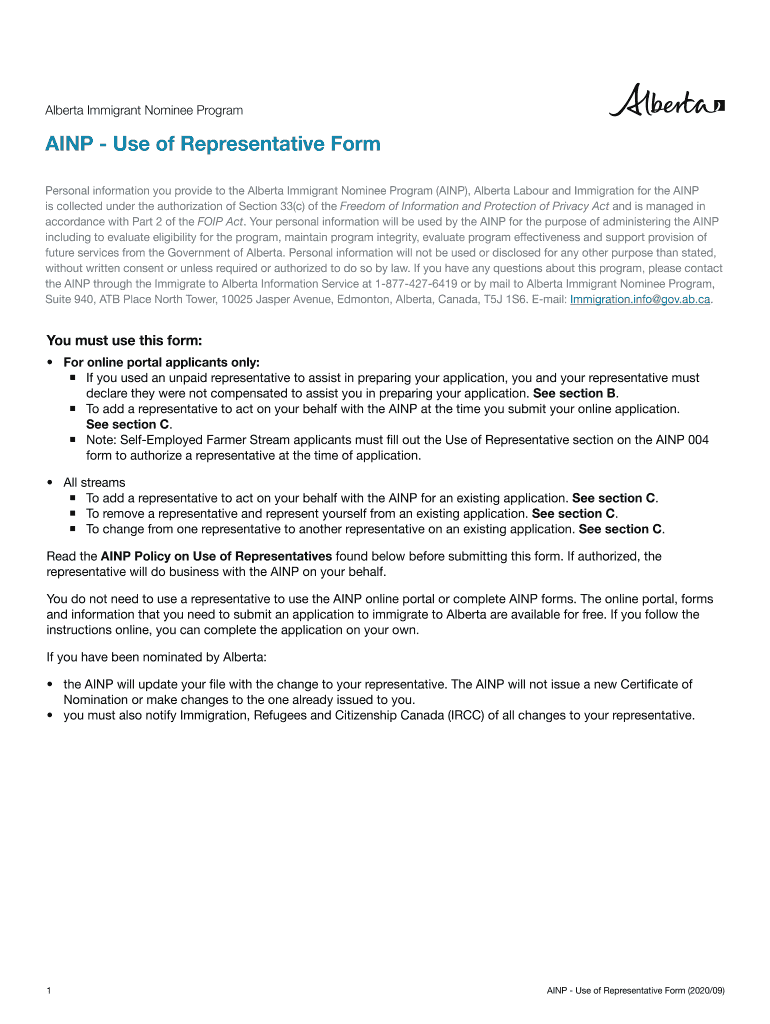
The "AINP Use of Representative" form is a legal document utilized in the Alberta Immigrant Nominee Program (AINP) to authorize a designated individual to act on behalf of an applicant. This form is essential for those who wish to have a representative assist them in navigating the AINP process. By filling out this form, an applicant can officially appoint either a paid representative, such as an immigration consultant or lawyer, or an unpaid representative, like a family member or friend. The form serves to document the representative's presence and role while ensuring that all communications and actions are legally binding and recorded under the privacy laws of Alberta.
Key Elements of the AINP Use of Representative
Understanding the components of the AINP Use of Representative form ensures its correct application:
- Applicant Information: This section requires the applicant's personal details, including name, address, and contact information.
- Representative's Information: Details about the representative, including their credentials if they are a paid representative, must be documented.
- Authorization Declaration: The applicant must declare that they have authorized the identified representative to perform tasks on their behalf related to the AINP process.
- Signature Section: Both the applicant and the representative must sign the form to validate the authorization legally. These signatures confirm their agreement to comply with the conditions outlined within the form.
Eligibility Criteria
Eligibility for utilizing the AINP Use of Representative form depends on specific criteria:
- Type of Representation: The form is applicable for appointing both paid and unpaid representatives. Paid representatives must be authorized immigration consultants or legal advisors.
- Applicant Criteria: Any applicant seeking nomination through AINP can fill out this form to access representative services.
- Legal Status: The representative must be legally permitted to act in such a capacity, and the applicant should have ongoing or upcoming transactions within AINP where representation is required.


Steps to Complete the AINP Use of Representative
Completing the form involves several steps, ensuring that all sections are filled accurately:
- Gather Necessary Information: Before starting, ensure you have all relevant details of the applicant and the representative.
- Fill in Applicant Details: Input all personal details of the nominee accurately as requested in the form.
- Complete Representative Information: Enter the full details and credentials of the chosen representative.
- Read and Confirm the Authorization: Both parties must thoroughly read through the responsibilities and implications of the representative's role.
- Sign and Date the Form: Ensure both the applicant and the representative sign the form where indicated.
- Submit the Form: Depending on the submission guidelines, send the completed form to the designated AINP office via the instructed method.
Legal Use of the AINP Use of Representative
Using the form carries legal implications:
- Privacy and Confidentiality: The form ensures that the representative can legally handle confidential information, adhering to Alberta's privacy laws.
- Legal Binding: Once signed, the form constitutes a legal contract obligating the representative to act in the applicant's best interest.
Form Submission Methods
The AINP Use of Representative can be submitted through various channels:
- Online Submission: If available, submitting through a secure online portal ensures faster processing and confirmation of receipt.
- Mail: Traditional mailing of the form to the designated AINP office is also a standard method, though slower.
- In-Person: Direct submission to an AINP office might be possible and can provide immediate clarification or assistance if there are issues or questions concerning the form.
Examples of Using the AINP Use of Representative
Real-world scenarios highlight practical use cases:
- Immigration Consultant: An applicant residing overseas appointing an immigration consultant in Alberta to handle all communications and documentation.
- Family Representation: A family member in Alberta acts on behalf of the applicant to manage interactions with AINP, especially if the applicant has limited English proficiency or is geographically distant.
Penalties for Non-Compliance
Failure to correctly use or submit the AINP Use of Representative can result in consequences:
- Delayed Processing: Incorrect or incomplete information leads to processing delays.
- Rejection of Representation: Unauthorized representatives or forms without signatures invalidate the representation, leading to potential dismissal of applications.
- Legal Repercussions: Providing false information can incur legal action under Alberta privacy laws, resulting in fines or bans from further participation in the program.
Important Terms Related to AINP Use of Representative
Familiarizing oneself with key terms enhances understanding and compliance:
- Applicant: Individual seeking nomination or having an ongoing AINP application.
- Representative: An authorized person appointed to act on behalf of the applicant.
- Authorization: The process and legal agreement of appointing a representative.
- Privacy Laws: Regulations governing the handling of personal information within the context of the form.
Understanding the function and requirements of the "AINP Use of Representative" form significantly aids in structuring the application process effectively, ensuring precision and compliance with Alberta's regulations.