Definition and Meaning of Online Forms
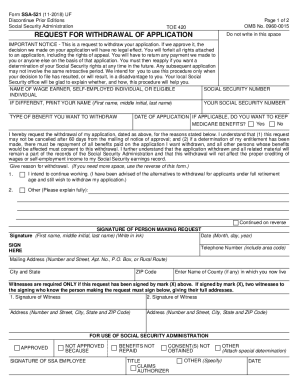
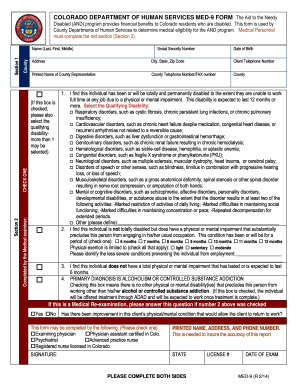
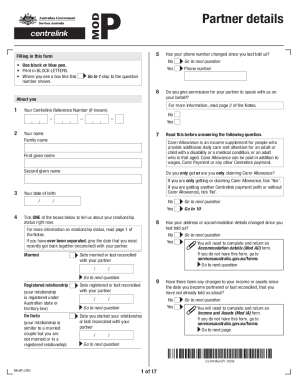
Online forms are digital versions of paper forms that can be completed and submitted electronically. They are designed to streamline data collection processes by allowing users to fill out, edit, and submit required information directly from their computers or mobile devices. Online forms often incorporate a variety of input fields, such as text boxes, checkboxes, and dropdown menus, to facilitate efficient data entry. By transitioning to online forms, users benefit from quicker processing times and the ability to store and manage data electronically.
How to Use Forms Online
Using forms online involves several straightforward steps. First, access the form by visiting the appropriate website or portal. Once the form is open, complete each field as instructed, paying attention to any required fields or specific formats, such as date entries. After all necessary information has been entered, review the form for accuracy before submitting it electronically. Many online form systems will provide a confirmation of submission, which can be saved or printed for personal records.
How to Obtain Forms Online
Forms can be obtained online through various platforms. Educational institutions, government agencies, and businesses often host forms on their official websites. To access a form, navigate to the relevant section of the website, such as "Forms" or "Resources," and locate the desired form. Some organizations require a user account for access, while others allow direct downloads. Additionally, many forms can be filled out directly online without the need for downloading.
Steps to Complete Forms Online
- Locate the Form: Visit the relevant website and navigate to the section where the form is available.
- Read Instructions: Review any guidelines or instructions provided to understand any specific requirements.
- Fill Out the Form: Enter information into each field accurately, ensuring that all required sections are completed.
- Review: Double-check all entries for accuracy and completeness.
- Submit: Click the submit button to send the form electronically. Some platforms might offer an option to save a draft or print a copy for your records.
Why You Should Use Forms Online
Using forms online offers significant advantages over traditional paper forms, such as quicker processing and enhanced convenience. Online forms can be accessed and filled out from anywhere with internet connectivity, eliminating the need for physical travel or mailing. Additionally, they reduce paperwork and the risk of physical documentation errors. The digital format allows for efficient data storage and retrieval, which is crucial for record-keeping and audits.
Who Typically Uses Forms Online
A diverse range of individuals and organizations use forms online. Students, employees, taxpayers, and business owners frequently interact with online forms for educational, professional, and compliance purposes. Educational institutions utilize them for applications and personal data updates, while businesses use them for customer feedback and employee onboarding. Government agencies rely heavily on online forms for tax filing, license applications, and census data collection.
Key Elements of Online Forms
Online forms include several key elements designed for effective data collection and processing. These elements include:
- Text Boxes: For entering free-form information, like names and addresses.
- Dropdown Menus: For selecting from a list of predefined options, facilitating quick and standardized responses.
- Checkboxes and Radio Buttons: For selecting one or multiple options.
- Signature Fields: For providing electronic signatures. These components are carefully designed to guide users through the form, ensuring that all necessary information is captured in a structured format.
Legal Use of Forms Online
The legal use of online forms is governed by various regulations and standards. In the U.S., electronic signatures are legally binding under the Electronic Signatures in Global and National Commerce Act (ESIGN Act). This means that forms completed and submitted online are considered valid legal documents. Organizations using online forms must comply with data protection laws, such as the General Data Protection Regulation (GDPR) for European data, even when processing forms in the U.S.
Form Submission Methods
Forms can be submitted through multiple channels to accommodate different user preferences and capabilities:
- Online Submission: Directly through a web portal, which is the fastest and most convenient method.
- Mail Submission: For users who prefer or require physical submission, a printout of the online form can often be mailed.
- In-Person Submission: Some organizations allow forms to be submitted in person, particularly for forms needing physical verification of documents.
Required Documents for Online Forms
Completing online forms may require supplementary documents to validate or support the information provided. For instance, identification documents, proof of residence, or financial statements might need to be uploaded. It's essential to prepare these documents in digital format before starting the form to ensure a smooth submission process.
Software Compatibility with Online Forms
Online forms can often be integrated with or exported to software solutions such as TurboTax or QuickBooks. Compatibility with these applications allows users to import data directly for processing related tasks, such as tax filing or financial management. This seamless integration reduces manual data entry, increasing accuracy and saving time.
Business Types That Benefit Most from Online Forms
Businesses operating in sectors such as finance, healthcare, education, and government find substantial benefits in using online forms. For them, online forms streamline operations by simplifying data collection and reducing administrative overhead. Specific business processes like customer onboarding, survey conduction, and application processing become more efficient, allowing organizations to focus on core business activities.
State-By-State Differences in Form Requirements
Different states may have varying requirements for completing and submitting forms online, particularly for legal and compliance-related forms. Requirements may differ in terms of documentation, fees, and procedural steps. Therefore, users must review state-specific guidelines to ensure compliance. For example, some states might mandate additional verification for electronic signatures, while others enforce stricter data protection measures.