




Here's how it works

01. Edit your rent certificate online
Type text, add images, blackout confidential details, add comments, highlights and more.

02. Sign it in a few clicks
Draw your signature, type it, upload its image, or use your mobile device as a signature pad.

03. Share your form with others
Send dochub com fillable form via email, link, or fax. You can also download it, export it or print it out.
How to use or fill out rent certificate form with our platform

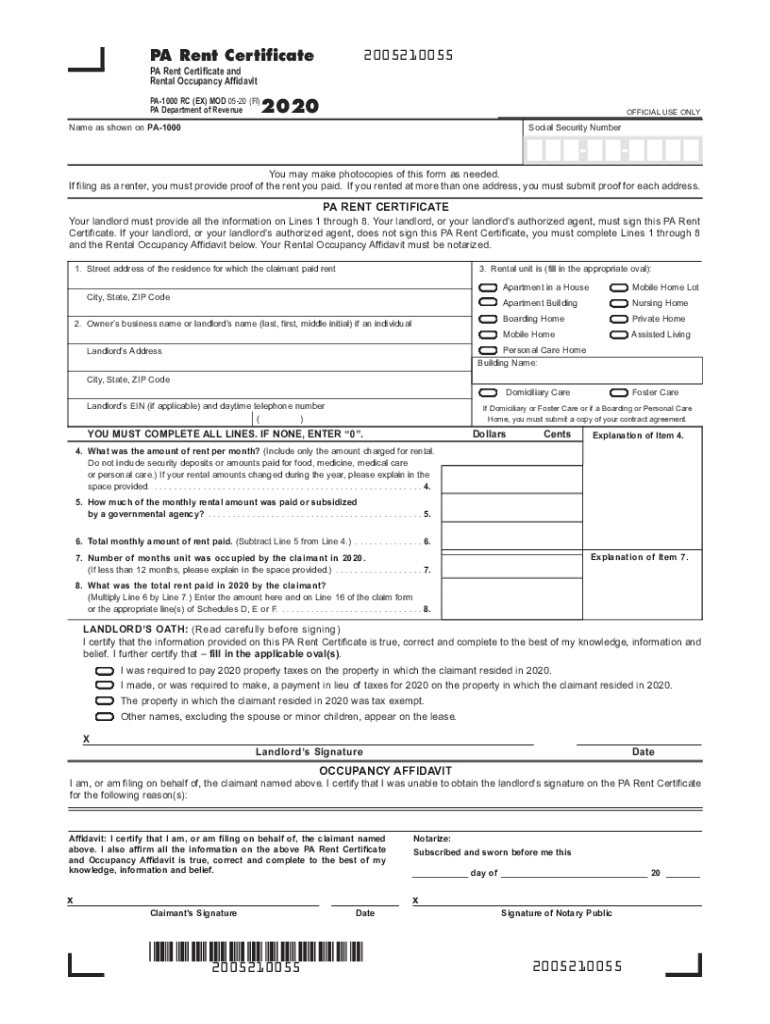
- Click ‘Get Form’ to open the PA Rent Certificate in the editor.
- Begin by entering your name as shown on the PA-1000 and your Social Security Number at the top of the form.
- In Lines 1 through 8, provide details about your rental situation. Your landlord must fill out their information, including their name and address.
- Indicate the type of rental unit by selecting the appropriate option from Line 3.
- Complete Line 4 by entering the monthly rent amount. If there were changes during the year, explain them in the provided space.
- Fill out Line 5 if any portion of your rent was subsidized by a governmental agency.
- Calculate and enter the total monthly rent paid on Line 6 by subtracting any subsidies from your monthly rent.
- Complete Lines 7 and 8 regarding occupancy duration and total rent paid for the year.
- Ensure that your landlord or authorized agent signs at the bottom of the form. If they cannot sign, complete and notarize the Rental Occupancy Affidavit.
Start filling out your PA Rent Certificate form online for free today!
Fill out rent certificate form online
It's free
See more rent certificate form versions
We've got more versions of the rent certificate form form. Select the right rent certificate form version from the list and start editing it straight away!
Security and compliance
At DocHub, your data security is our priority. We follow HIPAA, SOC2, GDPR, and other standards, so you can work on your documents with confidence.
Learn more


