




Here's how it works

01. Edit your colorado bill sale online
Type text, add images, blackout confidential details, add comments, highlights and more.

02. Sign it in a few clicks
Draw your signature, type it, upload its image, or use your mobile device as a signature pad.

03. Share your form with others
Send bill of sale template via email, link, or fax. You can also download it, export it or print it out.
How to use or fill out Colorado Bill of Sale with our platform

- Click ‘Get Form’ to open the Colorado Bill of Sale in the editor.
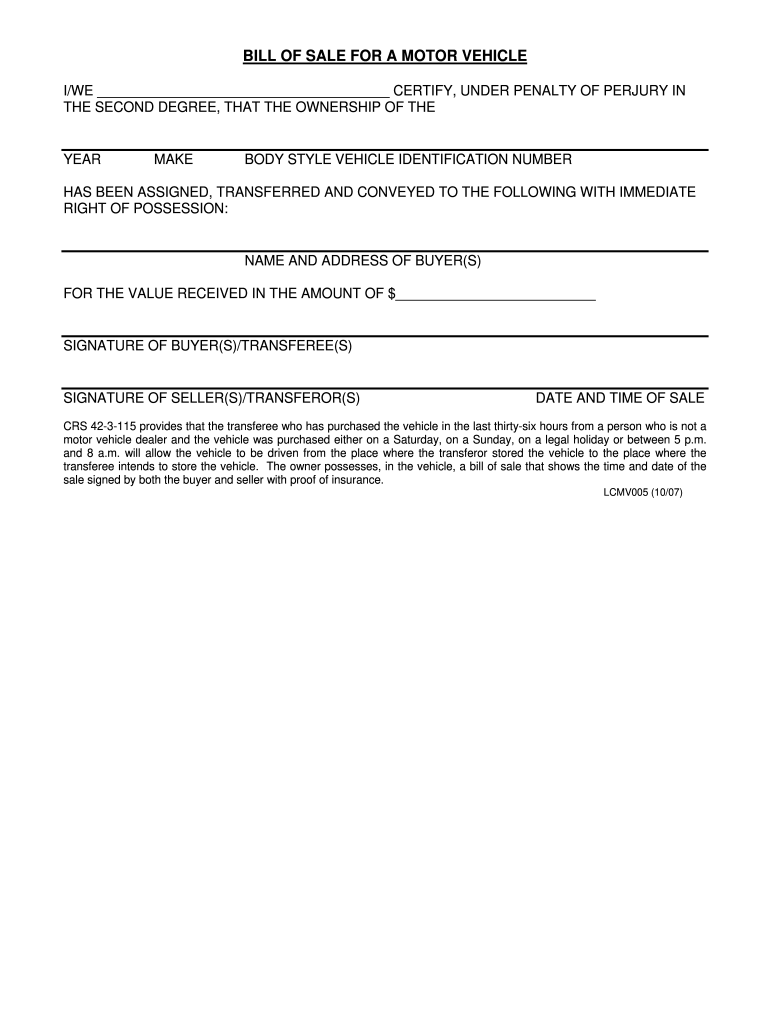
- Begin by entering your name in the first blank space, certifying ownership under penalty of perjury.
- Fill in the vehicle details: year, make, body style, and Vehicle Identification Number (VIN) in the designated fields.
- Next, provide the name and address of the buyer(s) to ensure proper transfer of ownership.
- Indicate the sale amount in the space provided for 'value received'.
- Both buyer(s) and seller(s) must sign in their respective sections to validate the transaction.
- Finally, enter the date and time of sale to complete the document.
Start using our platform today for free to streamline your document editing and signing process!
Fill out colorado bill sale online
It's free
See more colorado bill sale versions
We've got more versions of the colorado bill sale form. Select the right colorado bill sale version from the list and start editing it straight away!
| Versions | Form popularity | Fillable & printable |
|---|---|---|
| 2007 | 4.9 Satisfied (52 Votes) |
Got questions?
We have answers to the most popular questions from our customers. If you can't find an answer to your question, please contact us.
Contact us
Can you just write a bill of sale on a piece of paper?
The State of Colorado requires a docHubd bill of sale or a bill of sale signed under penalty of perjury in order to transfer title or to issue a temporary permit.
What is required on a bill of sale in Colorado?
Can a bill of sale be handwritten? While it is common to present a bill of sale in a digital format, you can also create a handwritten bill of sale. Whats most important is to include all of the pertinent details in the bill of sale in order to protect both parties.
Security and compliance
At DocHub, your data security is our priority. We follow HIPAA, SOC2, GDPR, and other standards, so you can work on your documents with confidence.
Learn more


