




Here's how it works



How to use or fill out Orange County Planning Department, 131 W Margaret Ln with our platform

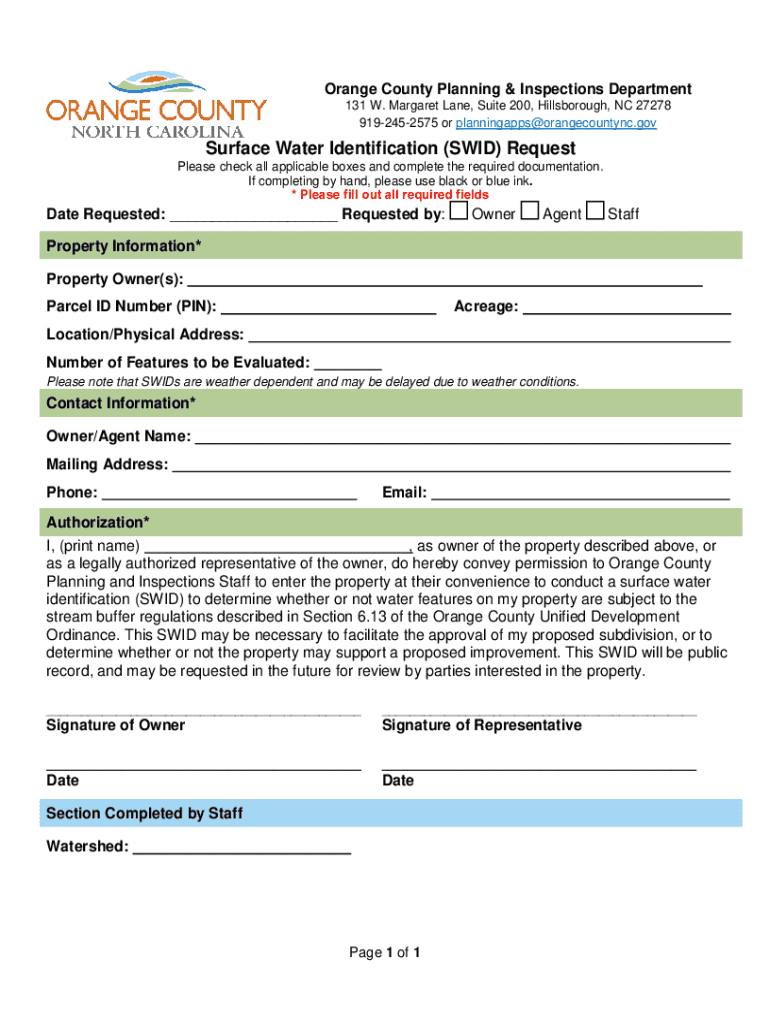
- Click ‘Get Form’ to open the Surface Water Identification (SWID) Request in the editor.
- Begin by entering the 'Date Requested' in the designated field. This is essential for tracking your request.
- Indicate whether you are the 'Owner', 'Agent', or 'Staff' by checking the appropriate box.
- Fill in the property information, including 'Property Owner(s)', 'Parcel ID Number (PIN)', and 'Acreage'. Ensure accuracy for processing.
- Provide the 'Location/Physical Address' and specify the 'Number of Features to be Evaluated'.
- Complete your contact information, including your name, mailing address, phone number, and email.
- In the authorization section, print your name and provide signatures as required. Make sure to date your signature.
Start using our platform today to streamline your form completion process for free!
It's free
See more Orange County Planning Department, 131 W Margaret Ln versions
Got questions?
How can I create an electronic signature in my Orange County Planning Department, 131 W Margaret Ln on Android?
Signing documents on a mobile device is fast, simple, and doesn’t require software installation when you have an account with DocHub. Log in from any browser, fill in your blank fields with your information, and click on Sign → Create your signature. You can draw your eSignature the same way you usually do on paper, add its picture to your Orange County Planning Department, 131 W Margaret Ln, or type in your name and stylize its look. Whatever option you choose, your document will be valid.
How do you edit Orange County Planning Department, 131 W Margaret Ln in Chrome?
If you use Chrome, there are two easy methods to modify your Orange County Planning Department, 131 W Margaret Ln online. First, go to the DocHub site, add your document, and modify it utilizing our toolbar. You can also install our Chrome extension and modify any document by dragging and dropping it in your web browser window.
Security and compliance
At DocHub, your data security is our priority. We follow HIPAA, SOC2, GDPR, and other standards, so you can work on your documents with confidence.
Learn more


